
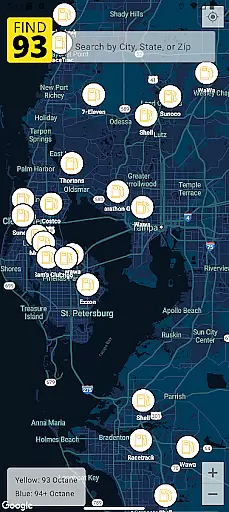
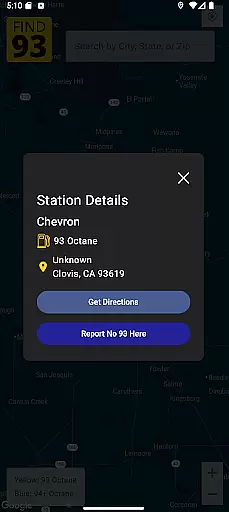
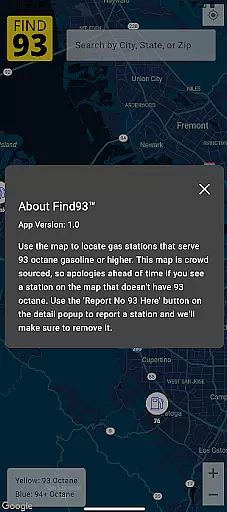

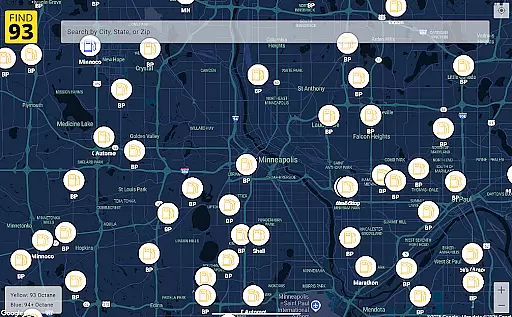
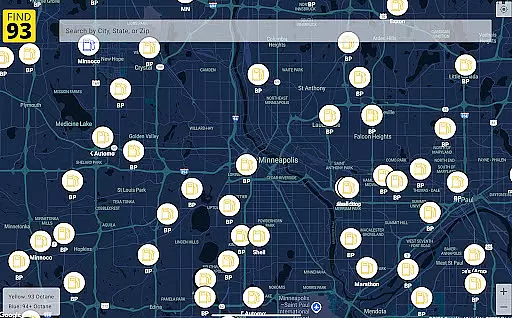
Find93 is a specialized navigation app designed to help drivers locate gas stations that offer 93 octane gasoline or higher. The app's core functionality revolves around its crowdsourced map system, which provides real-time information about fuel stations.
Key features include detailed station information with addresses and fuel types, seamless integration with major navigation apps like Apple Maps and Google Maps, and a user-friendly reporting system for stations that no longer serve high-octane fuel. This makes it particularly useful for road travelers and performance vehicle owners who require premium fuel options.
The app delivers significant value by saving users time and ensuring they can always find the specific fuel their vehicles need, regardless of their location.
Find93 stands out in the navigation category through its unique focus on high-octane fuel stations. The app's crowdsourced map feature enables users to access the most current information about gas stations, maintained through active community contributions.
A key innovation is the 'Report No 93 Here' functionality, allowing users to instantly flag stations that have stopped offering 93 octane fuel. The app also provides comprehensive station details including precise locations, fuel types, and additional descriptions, while offering multiple navigation options through integrated support for Apple Maps, Google Maps, and Waze.
These features collectively create a reliable tool for drivers of high-performance vehicles who need consistent access to premium fuel options across different locations.
Map accuracy is essential for any navigation app, and Find93 excels in this area by providing users with the most up-to-date information on gas stations that serve 93 octane or higher. This crowdsourced map relies on user contributions to ensure real-time updates and accuracy.
The app's community-driven approach means that every time a user reports a station that no longer serves 93 octane fuel, the map is promptly updated. This feature ensures that drivers can trust the information they receive, avoiding unnecessary detours and ensuring they find the fuel they need.
Find93 provides detailed station information, including names, addresses, fuel types, and additional descriptions, all verified by its active user base. This level of detail enhances the reliability of the map, making it an invaluable tool for road trips and daily commutes alike.
Effective route planning is crucial for drivers looking to efficiently reach their destinations, and Find93 offers seamless integration with popular navigation apps like Apple Maps, Google Maps, and Waze. This integration allows users to get directions to their selected gas stations effortlessly.
Upon selecting a station, users can choose their preferred navigation app to receive optimal routes. The app's compatibility with multiple navigation services ensures that drivers can select the best possible route based on real-time traffic conditions and personal preferences.
Find93's user-friendly interface further simplifies the route planning process. With just a few taps, users can view detailed station information and initiate navigation. This streamlined experience not only saves time but also reduces travel stress, allowing users to focus on enjoying their journeys.
User-friendly interface
Real-time updates
Multiple navigation options
Crowdsourced accuracy
Detailed station information
Limited to 93 octane
Depends on user reports
No offline mode
Occasional data delays
Specific use case

Compass is an accurate compass and a great tool for any outdoor activities
 4.3
4.3
Fully offline 1:50k New Zealand topographical map North Island
4.1
Navigate confidently with our precise Digital Compass app & Direction Compass!
4.70
Phone Tracker and GPS Location Sharing
4.20
Drive safe with real-time speed camera radar, police, and traffic alerts
3.80
Navigate seamlessly with Real-Time Traffic, Offline Maps, and Voice Navigation.
4.10
Get real-time bus and train schedules for easy, hassle-free city transportation.
3.90
GPS phone tracker, family locator, secure location sharing app
4.20
Navigate MTA, NJ Transit, MBTA, SEPTA, BART, MARTA, CTA & 900+ cities
4.60
Offline maps & GPS for hiking, travel, fieldwork & outdoor adventures
4.70
Find trails, organize your locations and navigate with offline maps.
4.60
CamSam PLUS - The speed and red light camera warning system!
4.40
Get matched with a nearby driver — you’ll be on your way in minutes.
4.30
Lets explore the world's famous places by using Live Cams, GPS & Satellite View.
4.20
Get directions, Maps, GPS navigation & GPS Maps using GPS App
4.10
TACNAV-X: Precision MGRS navigation, built specifically for the military.
4.00
Explore Live Earth Map with 3D World Map & locate cites, mountains real time.
3.80
Explore Earth with live GPS, satellite view & street navigation
3.60
Off-Roading Navigation App With Trails, Public Lands, & Private Property Info
3.30


User Reviews