
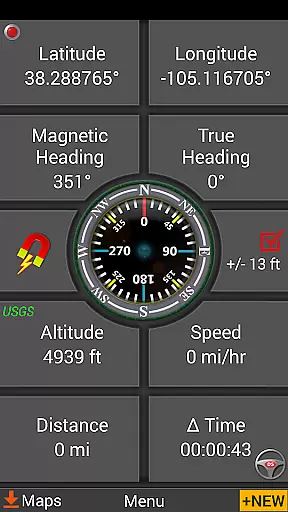
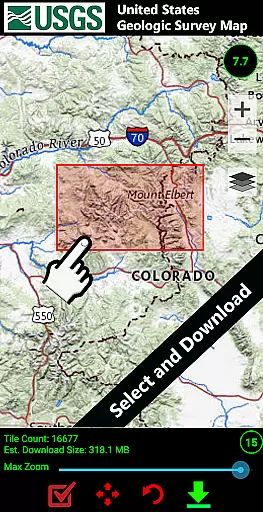
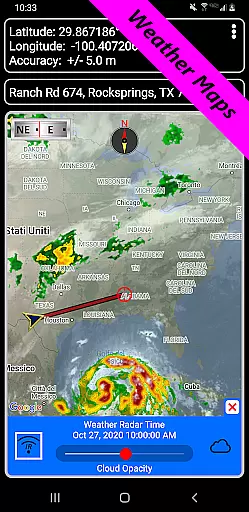
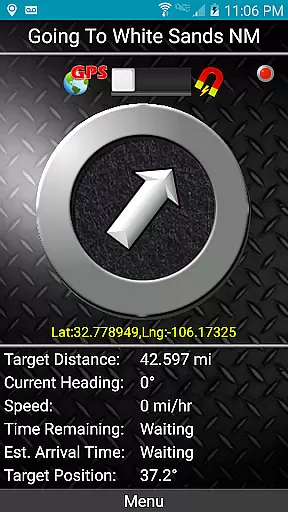
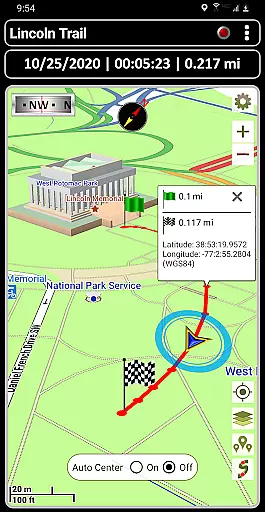
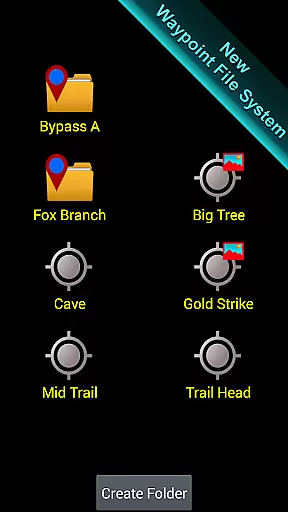
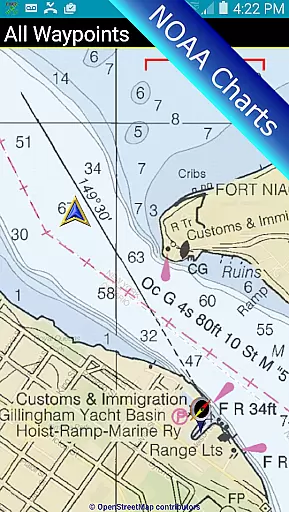
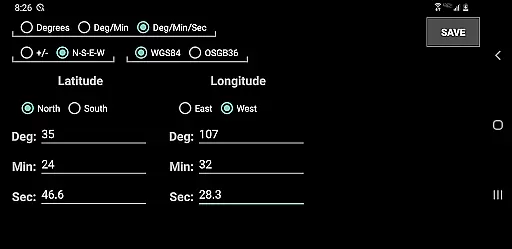

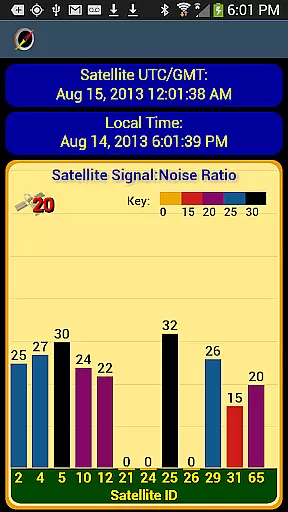
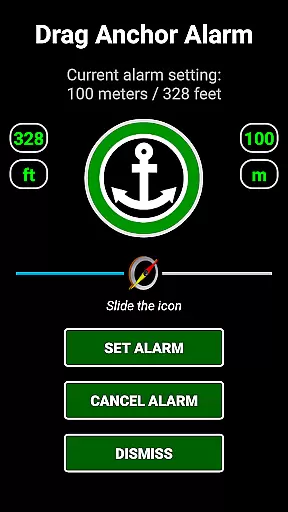
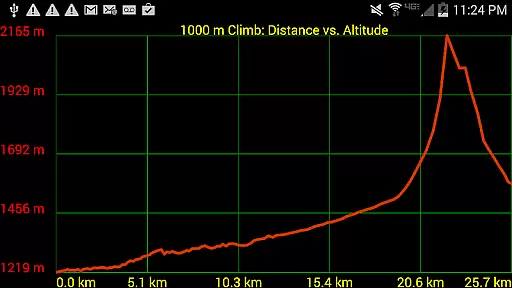
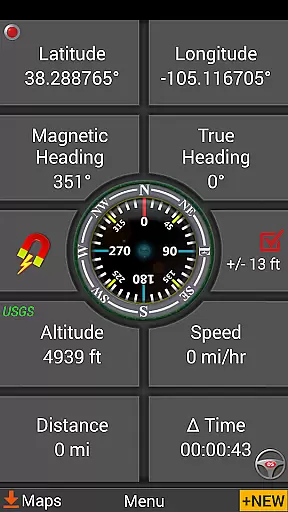

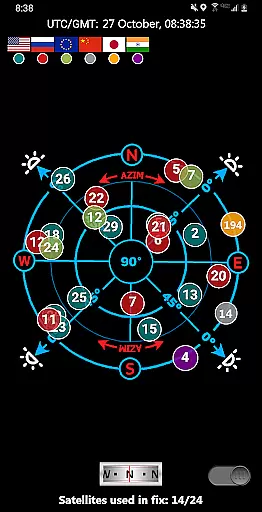
GPS Waypoints Navigator is a comprehensive navigation tool designed for outdoor enthusiasts who need reliable guidance in areas without network coverage. The app transforms your smartphone into a powerful GPS device, enabling you to explore wilderness, seas, and urban environments with confidence.
With advanced features like offline maps, trail recording, and waypoint organization, this app caters to hikers, sailors, and adventurers alike. Its intuitive interface allows users to create, save, and share location data effortlessly, making it an essential companion for various activities such as geocaching, hunting, and maritime navigation.
The true value of GPS Waypoints Navigator lies in its ability to function independently of cellular networks, relying solely on a clear view of the sky. This makes it particularly useful for remote expeditions where traditional navigation aids may fail.
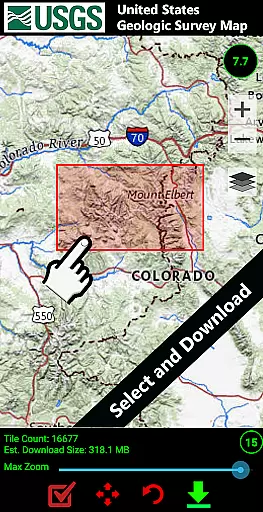
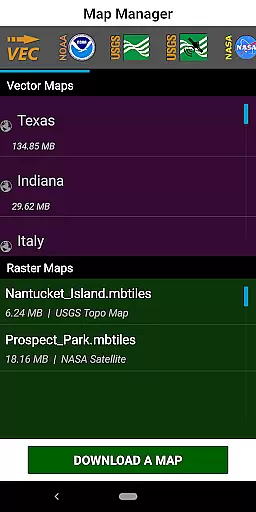
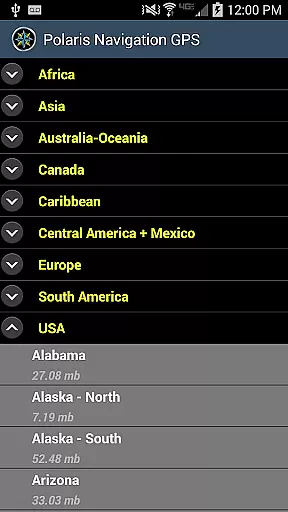
One of the standout features of GPS Waypoints Navigator is its extensive map library, which includes over 400 vector and raster maps available for offline use. Users can download these maps to their device or SD card, ensuring they have access to detailed topographical information regardless of their location.
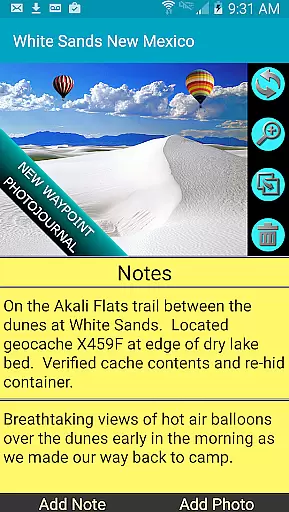
The app also boasts robust waypoint management systems, allowing users to attach notes and photos to specific locations. This functionality is complemented by advanced navigation tools such as dynamic waypoint compasses, military coordinate finders, and proximity alerts, all designed to enhance the user's situational awareness.
Another innovative aspect is the seamless integration with Google Earth and support for multiple file formats like KML, GPX, and KMZ. This interoperability enables users to import and export data easily, facilitating collaboration and map updating across different platforms.
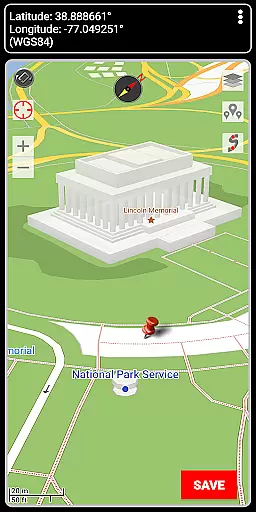
Map accuracy is a fundamental aspect of any navigation application, and GPS Waypoints Navigator excels in this domain. The app provides users with access to over 400 maps in its 3D vector map library, ensuring comprehensive coverage for various terrains and environments. These maps are downloadable for offline use, which means that even when you're beyond network reach, the accuracy of your location data remains uncompromised.
The precision of GPS Waypoints Navigator's mapping system is further enhanced by its integration with multiple map sources. Users can choose from Topo Maps, Google Maps, Satellite Maps, OpenStreetMaps-MapNik, Cycling Maps, and more. This variety ensures that whether you're trail hiking, navigating maritime routes, or exploring urban landscapes, the map data reflects real-world conditions with high fidelity.
Moreover, the app supports several coordinate formats including UTM, MGRS, and British Ordnance Survey, allowing for precise entry and display of geographic coordinates. This level of detail is crucial for activities like surveying, geocaching, and military operations where exact positioning is non-negotiable.
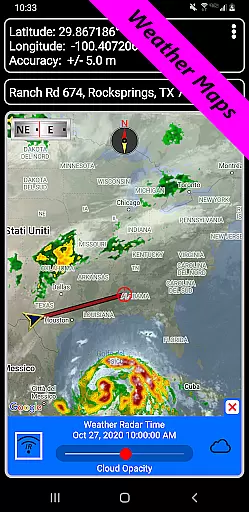
In addition to static map accuracy, the inclusion of animated live Doppler radar and cloud pattern weather maps keeps users informed about environmental conditions that may affect navigation. By providing timely updates on weather patterns, GPS Waypoints Navigator not only ensures accurate positioning but also enhances safety during expeditions.
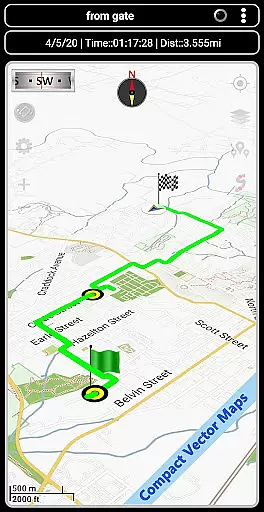
Route planning is an essential feature for anyone looking to navigate efficiently, and GPS Waypoints Navigator offers robust tools to facilitate this process. With the ability to create and organize waypoints, users can mark significant locations on their journey, ensuring they have clear reference points for navigation. This functionality is particularly useful for off-road adventures, maritime voyages, and city explorations where traditional street addresses might not be available or sufficient.
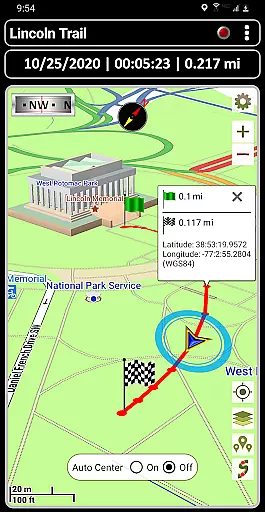
The app goes beyond simple waypoint creation by offering advanced route recording and drawing capabilities. Users can record trails as they traverse new paths, effectively documenting their journeys for future reference or sharing with fellow explorers. The trail drawing board allows for meticulous planning of routes before setting out, giving users the power to strategize their movements down to the smallest detail.
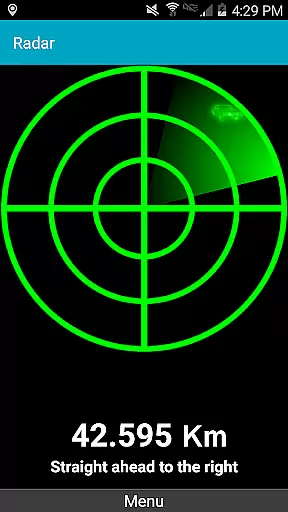
Furthermore, GPS Waypoints Navigator includes two waypoint guidance systems designed to streamline route following. A dynamic waypoint compass always points towards the user's target destination, while the GPS Reflected Pseudo-Radar provides visual cues for proximity to waypoints. These features work together to ensure that even in challenging environments such as dense forests or open waters, maintaining course is straightforward and reliable.
For those requiring turn-by-turn driving directions, the app seamlessly integrates with Google Maps, providing familiar and intuitive navigation instructions. Whether planning a cross-country road trip or navigating through bustling city streets, GPS Waypoints Navigator equips users with all the necessary tools to chart their course confidently and accurately.
User-friendly interface
Offline map capability
Comprehensive feature set
Robust waypoint management
Multi-language support
High battery consumption
Occasional GPS inaccuracies
Complex for beginners
Limited free map options
Bulky app size

Discover over 800 points of interest along the canal.
 3.70
3.70
Instant diesel discounts - save big with each fill up!
4.40
Your real-time window to the world. Explore anywhere, anytime.
3.30
Explore with GPS Navigation with GPS offline, voice GPS, speed camera radar
4.60
Explore Live Earth Map with 3D World Map & locate cites, mountains real time.
3.80
Truck Safe GPS Navigation & Maps: Parking, Fuel, Diesel, Weight Station
4.80
Ride or drive at YOUR price
4.70
GPS navigation offers route finder, compass, translator, currency converter, etc
4.30
Use GPS Maps and GPS Voice Navigation to find your way and get directions
4.10
Bolt is a ride-hailing app for requesting fast, safe, and affordable transport
4.80
GPS Speedometer & Odometer: Track car, bike, truck speed & distance in real-time
4.70
Park in Chicago, NYC, Boston, SF, Houston & more!
4.70
"Balad" is a map and navigator with a Persian voice assistant and a complete city guide
4.40
Maps, Driving Directions & GPS navigation using directions app & GPS App
4.30
Navigate seamlessly with Real-Time Traffic, Offline Maps, and Voice Navigation.
4.10
Get real-time bus and train schedules for easy, hassle-free city transportation.
3.90
Get route map navigation with 3D satellite view, and live earth camera streaming
3.70
Navigate via GPS Maps of GPS Voice Navigation, driving directions to find routes
3.60
Explore offline maps with radar, satellite view, and real-time alerts.
3.60


User Reviews