
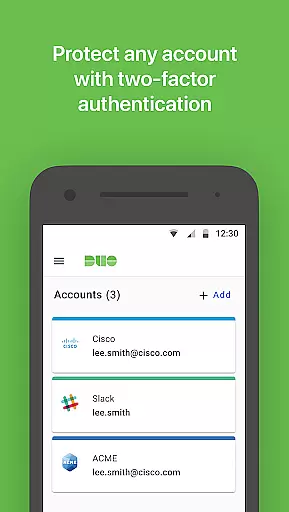
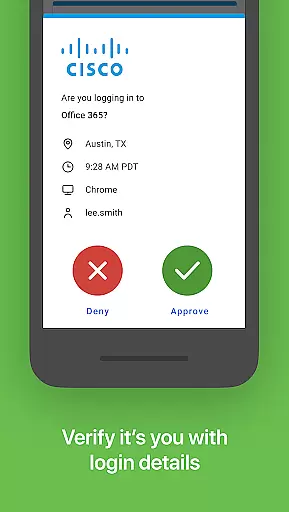
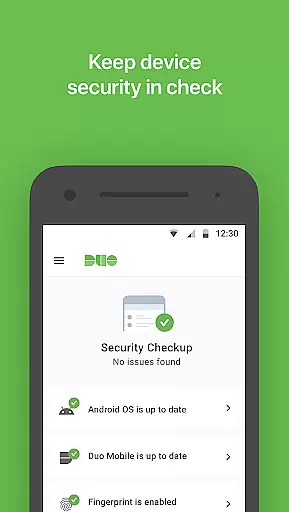
Duo Mobile is a security application designed to enhance login protection through two-factor authentication. This app generates passcodes and provides push notifications for easy, one-tap authentication, ensuring that only verified users gain access to sensitive accounts.
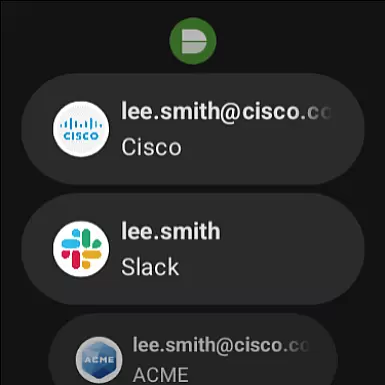
With compatibility across multiple platforms including Android Wear, Duo Mobile extends its secure authentication features to smartwatches via the companion app, Duo Wear. This makes managing your account security both convenient and efficient, wherever you are.
Whether you're securing your primary Duo account or managing two-factor authentication for other web services, this app ensures top-level security while maintaining user-friendly accessibility.
Duo Mobile offers a robust set of features centered around security and ease of use. The app generates time-based passcodes for secure logins and supports push notifications that allow users to authenticate with a single tap.
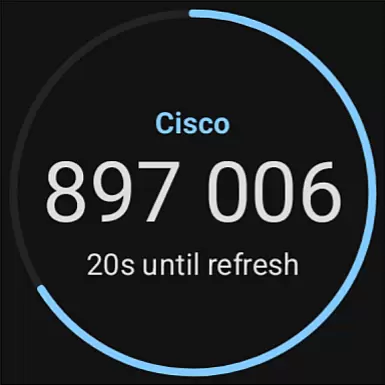
One notable feature is its integration with third-party applications and web services, allowing users to manage two-factor authentication across various platforms from a single app. Additionally, the inclusion of a Wear OS companion app, Duo Wear, brings these capabilities to smartwatches, making authentication more accessible than ever.
The app also requires activation through an enrollment process, ensuring that only authorized users can link their accounts. With options to activate accounts using QR codes or alternative methods, Duo Mobile maintains flexibility without compromising on security.
Companion app integration is a crucial feature for applications that extend their functionality to wearable devices. Duo Mobile excels in this area by offering seamless connectivity between its primary mobile application and the Wear OS companion app, Duo Wear.
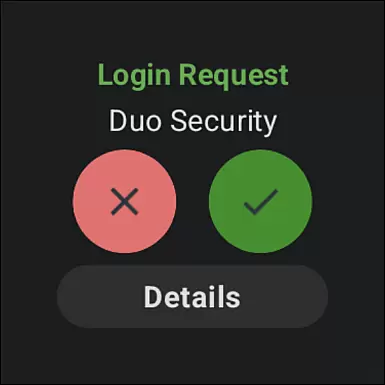
The integration allows users to receive authentication requests directly on their smartwatches, providing an additional layer of convenience without compromising security. This means you can approve login attempts with a simple tap on your wrist, making secure authentication faster than ever.
By maintaining a consistent user experience across devices, Duo Mobile ensures that all interactions are intuitive and reliable. The synchronization between the phone and watch apps happens in real-time, ensuring that any action taken on one device is immediately reflected on the other.
This level of integration not only enhances usability but also encourages regular use of two-factor authentication, as it removes the friction often associated with traditional methods. Users can enjoy peace of mind knowing they have another secure way to protect their accounts.
Ensuring broad compatibility with various Wear OS devices is essential for any application targeting smartwatch users. Duo Mobile has been meticulously designed to work seamlessly across a wide range of Wear OS-powered smartwatches, providing users with a consistent and reliable experience regardless of their chosen device.
The application takes full advantage of Wear OS features, optimizing its performance to deliver smooth and responsive interactions. Whether you're using a popular brand or a lesser-known model, Duo Mobile adapts to provide optimal functionality, including push notifications and passcode generation.
Device compatibility extends beyond just supporting different hardware; it also involves maintaining up-to-date integrations with the latest Wear OS versions. This commitment ensures that users benefit from recent improvements and security updates without encountering compatibility issues.
By prioritizing extensive device support, Duo Mobile makes secure authentication accessible to more users, reinforcing its position as a versatile and forward-thinking solution in the realm of two-factor authentication services.
Enhanced Security
User-Friendly Interface
Multi-Platform Support
Push Notifications
Wear OS Integration
Requires Activation
Limited Without Account
No Offline Mode
QR Code Dependency
Third-Party Only

Diet tracker for weight loss - track calories, food and macros. Simple and easy!
 4.70
4.70
Christmas - Festive - Christmas Village - Winter - Christmas lights
5.00
Embrace the festive spirit with our Christmas Countdown watchface for Wear OS
4.10
Simple Analog-Digital Watchface For Wear OS 3.0 and Up Smartwatches
4.5
A modern premium sporty hybrid watch face for Wear OS by Ballozi
4.70
Kia Access makes getting your vehicle information easier than ever
4.60
Professional weather radar and more
3.90
Bold weather Digital watchface with forecast & optional animated background
4.40
Start and succeed with PAP
4.10
Real-time results, stats, schedules and player profiles for all leagues
4.60
MyNISSAN® lets you remotely control your car from your phone.*
4.50
Current temperature, weather hourly, weather radar by the weather forecast app
4.40
The ultimate destination for kids ages 3-8 to explore the Marvel Universe!
4.30
Daily Weather forecast with 15 weather images for Day & Night plus Big Bold time
4.10
Get helpful reminders, take progress photos and find answers to your questions.
3.90
Authentic military-tactical design with ZULU time! Realistic and functional!
3.80
Wear Os Watch Face - Animated Snow - Sesonal for Christmas & Winter
4.2
3 Complications. All shadow on/off. 30 Themes color palette...
4.3
Funny animated watch face for Thanksgiving
4.5


User Reviews