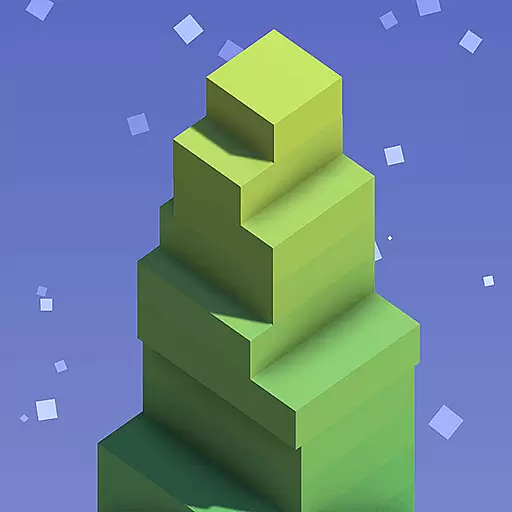

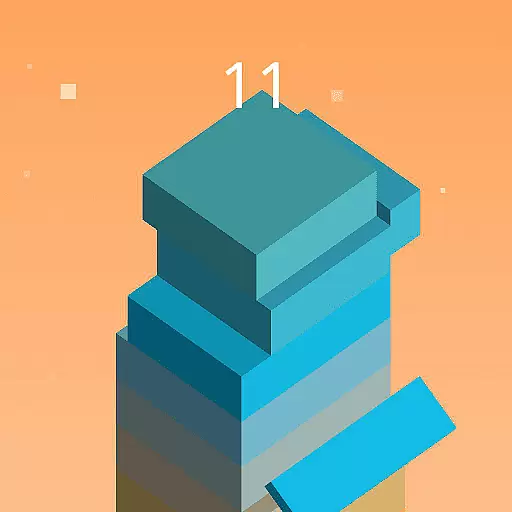
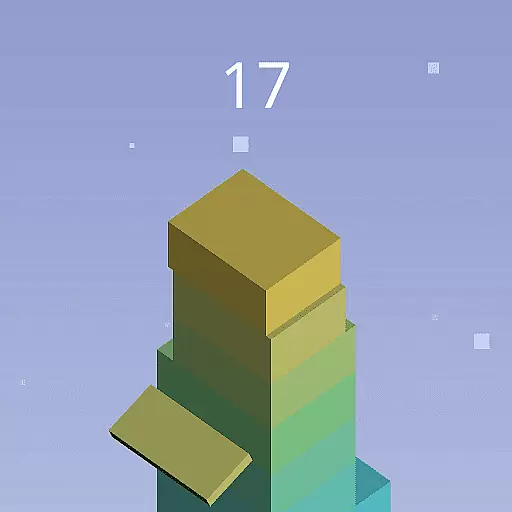
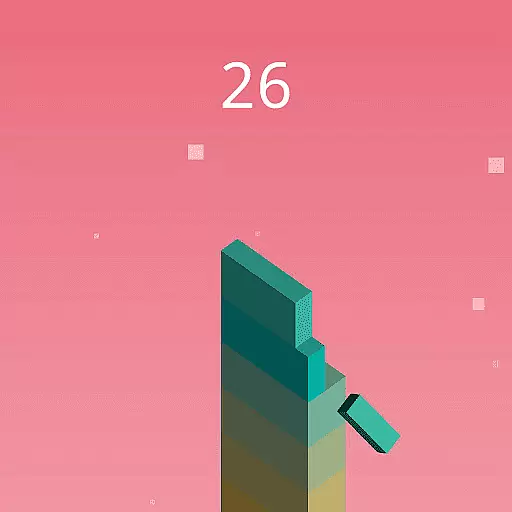
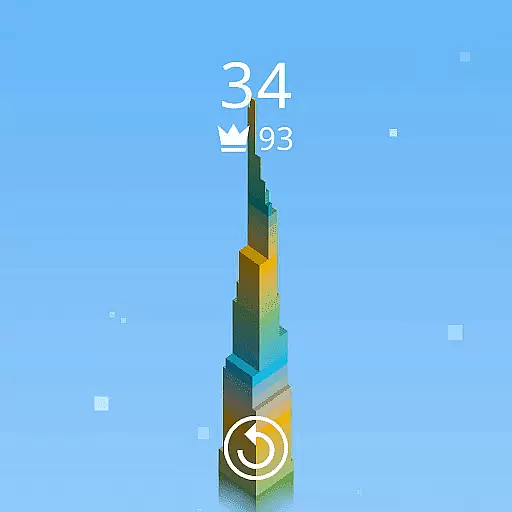
Stack Blocks is an engaging arcade game designed specifically for Wear OS by Google™ smartwatches. The core objective of the game is to build the tallest block tower possible by tapping the screen at the right moment to stack blocks perfectly on top of each other. This simple yet addictive gameplay mechanic challenges players' accuracy and reaction times, offering a satisfying gaming experience directly on your wrist.
Beyond its primary function, Stack Blocks offers additional features that enhance user engagement. Players can aim to stack blocks five times in a row accurately, which results in larger blocks, adding a strategic layer to the game. If a player fails to align the blocks correctly, part of the block will be cut off, and the game ends. This feature encourages repeated playthroughs as users strive to improve their high scores.
This game is perfect for quick gaming sessions during commutes or breaks, providing an accessible form of entertainment and stress relief. Its intuitive controls and challenging gameplay make it suitable for all ages, ensuring that users can enjoy this game anytime, anywhere, directly from their smartwatch.
Stack Blocks stands out with its unique combination of simplicity and challenge, making it an ideal choice for smartwatch gaming. One of its key features is the straightforward tap-to-stack mechanic, which requires precise timing and quick reflexes. This mechanic not only tests players' dexterity but also keeps them engaged with its addictive nature.
The game includes a dynamic difficulty adjustment system where successfully stacking blocks five times in a row increases the size of subsequent blocks. Conversely, failing to align blocks correctly results in smaller blocks and eventual game over. This system ensures that the game remains challenging and rewarding, encouraging players to improve their skills and achieve higher scores.
Another notable feature is its compatibility with Wear OS by Google™, allowing seamless integration with a wide range of smartwatches. The game's lightweight design ensures smooth performance without draining the battery, making it a reliable companion for on-the-go entertainment. With its captivating gameplay and user-friendly interface, Stack Blocks delivers a premium gaming experience tailored for smartwatch users.
Arcade authenticity is crucial for games like Stack Blocks, as it brings back the nostalgic feel of classic arcade experiences while adapting to modern wearable technology. This game successfully captures the essence of arcade-style gameplay through its simple yet challenging mechanics.
Stack Blocks delivers this authenticity by focusing on precise timing and accuracy, core elements of traditional arcade games. Players must tap the screen at just the right moment to stack blocks perfectly, reviving the quick reflexes and hand-eye coordination that defined classic arcade gaming.
The benefit to users is a satisfying and addictive experience that feels both familiar and fresh. The simplicity of stacking blocks provides an easy-to-understand objective, while the increasing difficulty keeps players engaged, much like the timeless arcade games of the past.
This blend of nostalgia with contemporary smartwatch functionality offers a unique value proposition. Players can enjoy a piece of arcade history directly on their Wear OS device, making it a convenient and enjoyable way to relive classic gaming moments anytime, anywhere.
Control responsiveness is a key factor in any game, especially in arcade-style games like Stack Blocks where precision and timing are critical. Responsive controls ensure that player inputs are accurately and immediately reflected in the game, providing a seamless and immersive experience.
In Stack Blocks, control responsiveness is achieved through a straightforward tap mechanism. Players tap the screen to place blocks, and the game responds instantly to these inputs. This immediate feedback loop is essential for maintaining the flow and excitement of the game, allowing players to fully engage with the stacking challenge.
For users, responsive controls mean a more enjoyable and less frustrating experience. There's nothing worse than unresponsive controls ruining the fun of a game. With Stack Blocks, players can focus on their strategy and accuracy without worrying about lag or delayed responses.
The emphasis on responsive controls enhances the overall gaming experience, making it more likely that players will return to the game repeatedly. This dedication to control quality ensures that Stack Blocks stands out in the Wear OS gaming space, offering a polished and captivating arcade experience on a modern platform.
Simple and intuitive controls
Addictive gameplay mechanics
Dynamic difficulty adjustment
Seamless Wear OS integration
Lightweight and efficient design
Limited to Wear OS devices
Repetitive gameplay elements
No multiplayer options
Graphics may feel basic
Dependent on touch accuracy

Get into your tractor to cut grass and harvest the crops in our mowing simulator
 4.10
4.10
It's quite possibly the world's hardest game!
3.90
Punch your way through the Streets of Rage once again!
4.80
Bounce through platforms. Avoid obstacles. Get the bouncing ball to the finish.
4.00
Save the Galaxy from galaxiga alien - Classic arcade shooter game
4.60
Play all your favorite Playstation games in your android device!!
4.50
Merge bowmasters to win the bow and arrow war! Play the fun archery game!
4.60
Addictive basketball game with challenging one-touch controls
4.50
Original Space Adventure Experience
4.60
Catch ghosts, shoot monsters and defeat bosses in this RPG idle shooting game.
4.70
Use superpower in your magic hands. Defeat the enemies in a fun elemental game.
4.50
Motorcycle racing games! Prove your paperboy can win in the bike race 3D!
4.50
Genesis/Mega Drive/CD & Master System/Mark III Emulator
4.30
NEOGEO's masterpiece game is now available in the app!
4.10
Welcome back to Vice City. Welcome back to the 1980s.
3.30
John GBA is GBA emulator. This emulator is easy to use.
3.10
Machine Gun Fire Rumbles in the Jungle
4.2
BallStack is a vibrant match-3 game where you stack and match colorful balls!
4.1
M64Pro FZX Classic Emulator for Android
4.0


User Reviews