
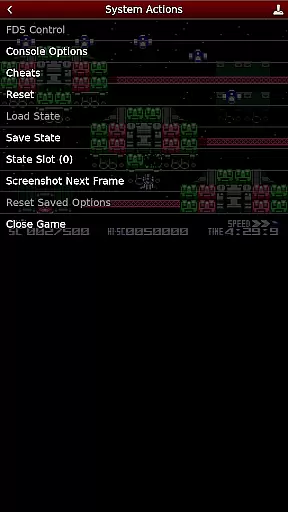
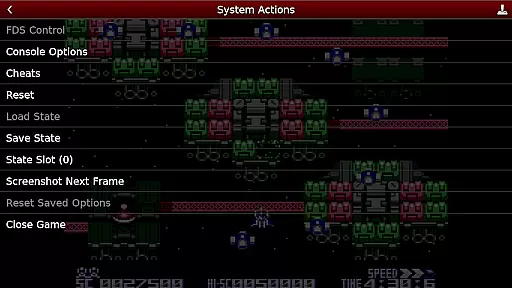
NES.emu is an advanced open-source NES emulator, also known as Famicom in Japan. It is based on FCEUX and features a minimalist UI with a focus on low audio/video latency. The app supports a wide variety of devices from the original Xperia Play to modern devices like the Nvidia Shield and Pixel phones.
With its robust compatibility, NES.emu allows users to enjoy classic NES games on their mobile devices. The emulator supports .nes and .unf file formats, optionally compressed with ZIP, RAR, or 7Z. Additionally, it offers Famicom Disk System emulation using .fds files and VS UniSystem support. Users can also take advantage of configurable on-screen controls and Bluetooth/USB gamepad & keyboard support.
Whether you are a retro gaming enthusiast or someone who wants to relive the nostalgia of NES games, NES.emu provides a seamless experience. Its compatibility with various devices ensures that users can enjoy their favorite games wherever they go.
NES.emu boasts a range of features that enhance the gaming experience. One notable feature is its support for multiple file formats, including .nes, .unf, .fds, and compressed files with ZIP, RAR, or 7Z. This versatility allows users to play a wide variety of NES games without worrying about compatibility issues.
In addition to file format support, NES.emu offers Famicom Disk System emulation using .fds files. Users can select the BIOS in the options to enable this feature. The emulator also supports VS UniSystem games, allowing players to insert coins by pressing the Start button. Furthermore, NES.emu utilizes FCEU-compatible cheat files (.cht extension) with editing capabilities, providing users with additional gameplay options.
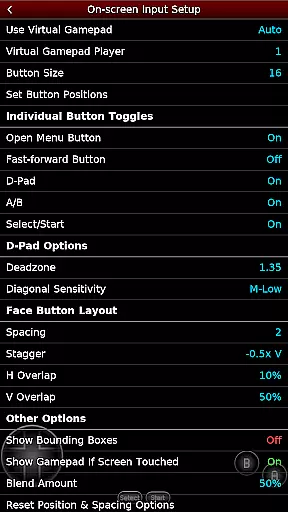
Another standout feature of NES.emu is its Zapper/Gun support. Users can touch the screen to fire and touch & hold outside of the display area to simulate firing away from the TV. The app also offers configurable on-screen controls, giving users the flexibility to customize their gaming experience. Moreover, NES.emu supports Bluetooth/USB gamepad & keyboard input, compatible with any HID device recognized by the OS, such as Xbox and PS4 controllers.
Arcade authenticity and nostalgia are crucial elements for any emulator aiming to recreate the classic gaming experience. NES.emu, as an advanced open-source NES emulator, excels in delivering this by accurately emulating a wide range of devices from the original NES systems to Famicom and even arcade-style VS UniSystem games.
This app supports multiple file formats including .nes, .unf, and .fds for Famicom Disk System emulation, ensuring that users can relive their favorite childhood games with precision. The inclusion of features like Zapper/Gun support and VS UniSystem coin insertion adds layers of nostalgic interaction that closely mimic the original arcade experiences.
Users benefit from not just playing their old favorites but doing so with enhancements that modern technology allows. Configurable on-screen controls and support for Bluetooth/USB gamepads bring the authentic feel of arcade buttons and joysticks right to their fingertips.
The meticulous attention to detail in replicating these classic games ensures that players get an immersive experience filled with nostalgia while enjoying the reliability and convenience of contemporary devices.
Control responsiveness is vital for an optimal gaming experience, especially when it comes to action-packed arcade games. NES.emu addresses this need by offering highly responsive controls that ensure every move is executed precisely as intended.
The emulator supports various control schemes including configurable on-screen controls, which allow users to customize their layout for maximum comfort and efficiency. Additionally, compatibility with Bluetooth/USB gamepads such as Xbox and PS4 controllers guarantees low-latency input, making gameplay smooth and seamless.
For those who prefer touch-based interactions, the app provides intuitive touch controls where tapping simulates firing actions, and holding outside the display area mimics firing away from the screenu2014a feature particularly useful for gun-based games.
By prioritizing control responsiveness, NES.emu enhances user engagement and satisfaction, allowing gamers to fully immerse themselves in their favorite titles without being hindered by sluggish or unresponsive inputs.
Wide device compatibility
Low audio/video latency
Versatile file format support
Famicom Disk System emulation
Configurable on-screen controls
No ROMs included
Requires user-supplied games
Complex setup for beginners
Limited customer support
Occasional crashes reported

BallStack is a vibrant match-3 game where you stack and match colorful balls!
 4.4
4.4
Sit back and relax! Tap to move the black hole, and swallow weapons to win.
4.20
PC Engine/TurboGrafx-16 Emulator
4.50
Reach high, and shine in the neon world in 3D!
4.2
Infinite Arcade
4.5
Dad doesn’t let you go out, can you outwit your parents and escape?
4.00
Join the breathtaking chase!
4.80
Merge bowmasters to win the bow and arrow war! Play the fun archery game!
4.60
Thoughtful strategy and tactical thinking are required to win each battle!
4.30
Ready… Set… DASH! Play now!
4.70
Hit as hard as you can and make the penguin learn to fly! Arcade jumping game
4.50
Play, Craft and Share your Endless Runner Levels on Kooply Run: Subway Craft
4.50
Eat & evolve your shark in the ultimate shark survival game!
4.50
Genesis, Mega Drive, Mega CD, Master System, Game Gear Emulator!
4.20
Slice up a juicy storm!
4.20
It's quite possibly the world's hardest game!
3.90
Neogeo MVS/AES Emulator
3.30
A retro-flavoured infinite scroller Glyph toy for the Nothing Phone (3)
4.2
M64Pro FZX Classic Emulator for Android
4.3


User Reviews