
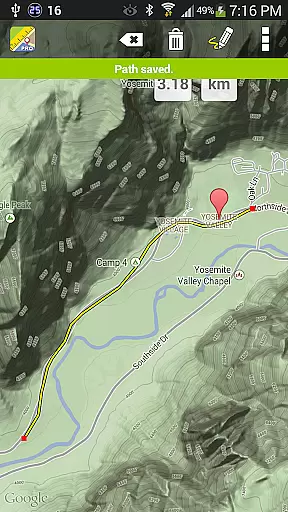
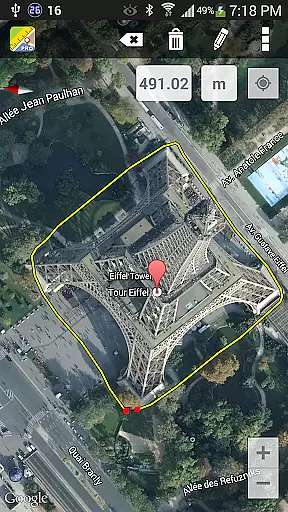
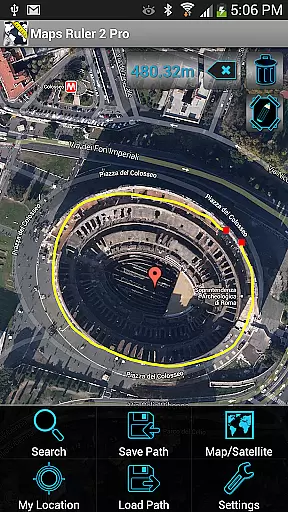
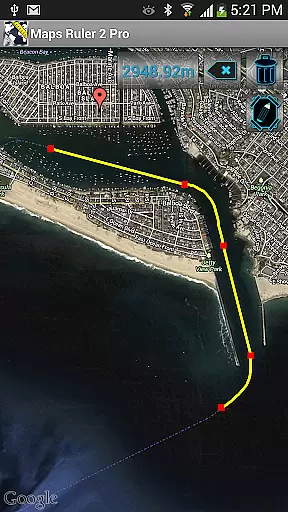
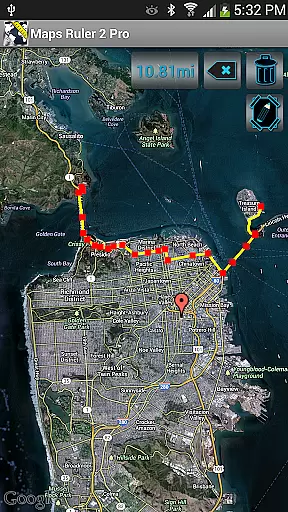
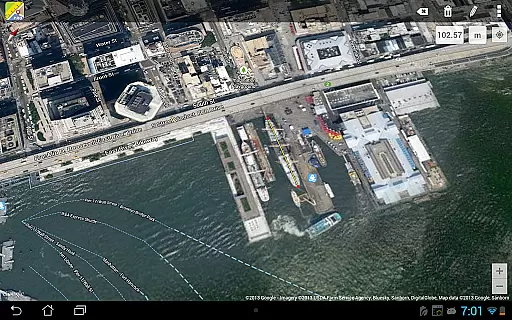
Maps Ruler Pro is a versatile distance calculation tool designed for users who need precise measurements on maps. The app allows you to calculate the distance between multiple selected points, making it ideal for activities like hiking, golfing, or urban planning. Its intuitive interface provides continuous path drawing capabilities, enabling users to measure paths as they draw them.
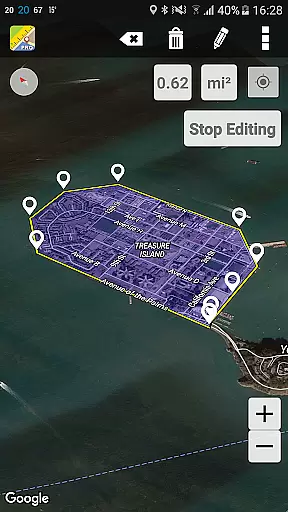
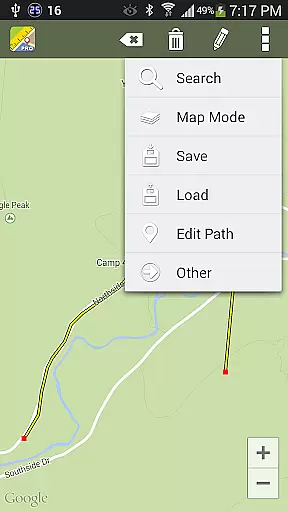
In addition to basic distance measurement, Maps Ruler Pro offers advanced features such as area calculation in beta mode, path naming, and saving/loading functionalities. Whether you're measuring distances for work or leisure, this app ensures accuracy and convenience. Available on Android, it supports various units of measurement including meters, kilometers, miles, and more, catering to both casual and professional users.
Maps Ruler Pro stands out with its comprehensive set of features tailored for accurate map-based calculations. One of its key highlights is the continuous path calculation mode, which lets users draw paths freely while the app calculates distances in real time. This feature is particularly useful for creating complex routes or measuring irregular shapes.
The app also includes pro-level tools such as area calculation (currently in beta), allowing users to estimate land size or property dimensions. With options to save and load paths, along with naming functionality, organizing and revisiting previous measurements becomes effortless. Furthermore, the app eliminates ads for uninterrupted usage and supports multiple measurement units, ensuring global usability across different regions and industries.
Map accuracy is essential for any navigation application, and Maps Ruler Pro excels in this area. The app provides precise distance calculations between selected points on the map, ensuring users can rely on it for accurate measurements.
The inclusion of a continuous path calculation feature allows users to draw paths directly on the map, with real-time distance updates. This ensures that the distances calculated are not only accurate but also adaptable to various terrains and routes.
With support for conversions between different units such as meters, kilometers, miles, feet, and fathoms, the app caters to a global audience. Users can choose their preferred unit of measurement, making it versatile for applications like golf distance calculations or energy-saving route planning.
Route planning is a core functionality of Maps Ruler Pro, allowing users to find the shortest and most efficient paths. By selecting multiple points on the map, users can create detailed routes that suit their specific needs, whether it's for walking, running, or navigating through a golf course.
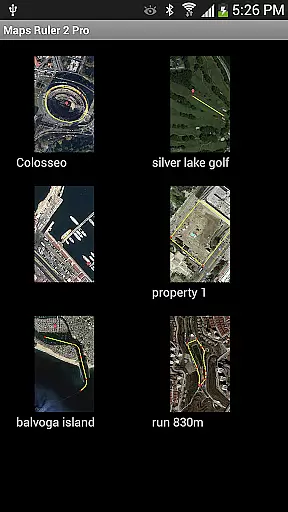
The ability to name and save paths adds a layer of personalization and convenience. Users can store frequently used routes and access them later without having to recreate the paths from scratch, saving time and effort.
In addition to basic route planning, the app offers an area calculation mode currently in beta. This feature enables users to calculate the area of a selected region on the map, which can be particularly useful for outdoor activities or land surveying tasks.
Accurate distance measurement
User-friendly interface
Multiple unit conversions
Save and load paths
No ads
Beta features may be unstable
Limited to Android platform
Area calculation still in testing
Requires manual input
Premium version only

Turn your Android device into a real off-road GPS using off-line topo maps!
 4.40
4.40
Fully offline 1:50k New Zealand topographical map North Island
4.4
Turn your tablet or Android powered unit into a full blow Android Auto headunit.
2.30
Find EV & Tesla charging stations with PlugShare
4.70
Find radar maps, GPS coordinates, altitude, offline maps, location, travel route
4.40
LIRR and Metro-North tickets and trips
4.80
Find routes fast with GPS Maps, GPS Navigation & driving directions.
4.10
Find radar, speed camera, flight tracker. Use hud, location tracker, speedometer
4.20
Use GPS Maps and GPS Voice Navigation to find your way and get directions
4.10
Airport parking, with airport shuttle (TPS shuttle), reservations, and Spot Club
4.80
Navigate confidently with our precise Digital Compass app & Direction Compass!
4.70
GPX Viewer PRO shows tracks, routes and waypoints from gpx and kml files.
4.60
Neshan: map & navigation app with 20M+ monthly active users
4.50
Get matched with a nearby driver — you’ll be on your way in minutes.
4.30
Navigate seamlessly with Real-Time Traffic, Offline Maps, and Voice Navigation.
4.10
MapQuest is your go-to app for maps, GPS, voice navigation & live traffic.
3.80
Explore Earth with live GPS, satellite view & street navigation
3.60
Your real-time window to the world. Explore anywhere, anytime.
3.30
Find 93 Octane Gas: Locate Gasoline Stations Selling Premium 93 Octane or Higher
4.0


User Reviews