
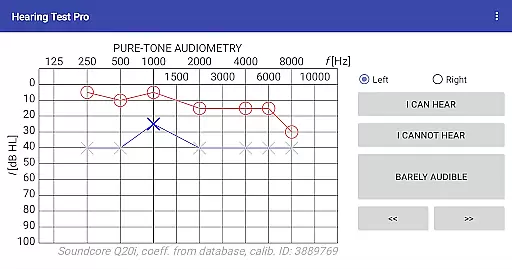
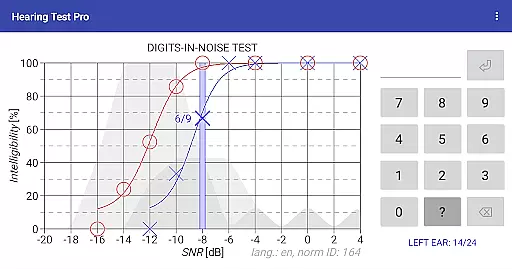
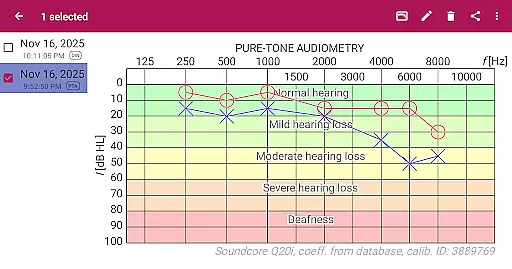
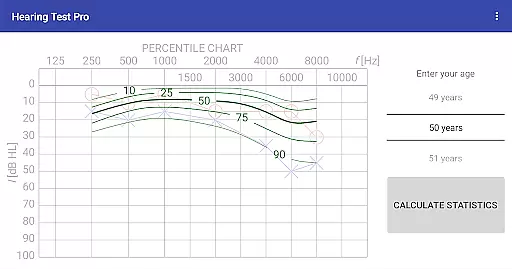
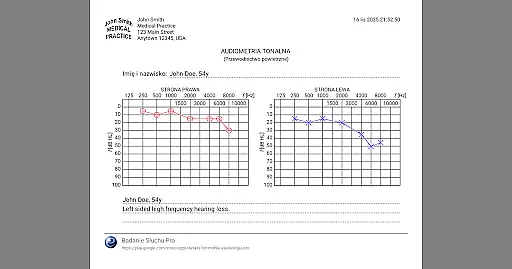
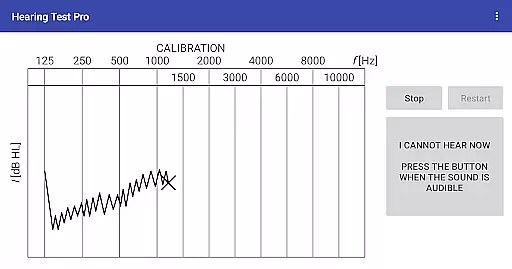
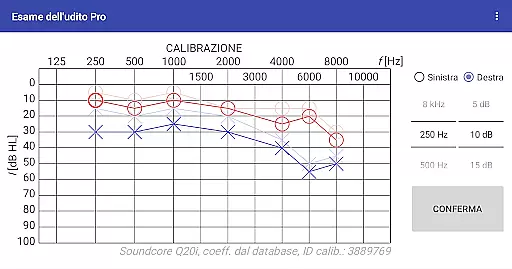
Hearing Test Pro is a comprehensive mobile solution designed for evaluating hearing capabilities through two primary testing methods: pure-tone audiometry and the digits-in-noise test. This app not only assesses the degree of hearing loss across different sound frequencies but also evaluates speech intelligibility in noisy environments. By determining the quietest sounds a user can hear, it establishes personalized hearing thresholds. The inclusion of advanced features such as high-frequency audiometry, classification of hearing loss, and comparison with age-related norms makes this app suitable for both personal use and professional assessment.
One of the key strengths of Hearing Test Pro is its ability to adapt to various testing conditions. With functionalities like device calibration, noise level measurement, and adjustable calibration coefficients, users can ensure accurate results even when using different headphones or operating in less-than-ideal environments. Whether you're an audiologist looking for a portable testing tool or an individual monitoring your hearing health, this app provides valuable insights and actionable data to support informed decisions about hearing care.
Hearing Test Pro stands out with its diverse range of specialized features tailored for thorough hearing evaluation. The app includes pure-tone audiometry, which uses predefined calibration coefficients from a database to ensure reliable results when paired with bundled headphones. Additionally, the digits-in-noise test offers a unique way to measure speech intelligibility by having users recognize spoken digits amidst background noise, simulating real-world listening challenges.
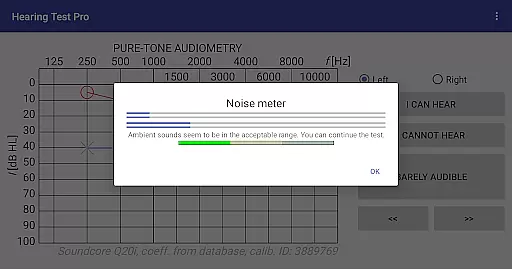
Beyond basic testing, the app incorporates several advanced tools to enhance accuracy and usability. These include a built-in noise meter to monitor environmental sound levels during tests, customizable calibration options for non-standard headphones, and features like high-frequency audiometry for more detailed assessments. Users can also benefit from practical utilities such as result comparisons with age-related norms, test result printing, and note-taking capabilities. For those opting for the Pro version, exclusive features like offline database access, cloud synchronization, and manual stimulus control provide added convenience and flexibility in managing hearing test data.
In the realm of medical applications, content credibility is paramount. Hearing Test Pro establishes its authority by offering scientifically-validated hearing assessments. The pure-tone audiometry and digits-in-noise tests are grounded in audiological practices, ensuring that users receive clinically-relevant feedback on their hearing capabilities.
The app's reliance on predefined calibration coefficients from a database for pure-tone audiometry underlines its commitment to accuracy. Furthermore, features such as classification of hearing loss and comparison with age-related norms are indicative of a deep integration of expert knowledge, elevating the app beyond a simple sound test to a comprehensive auditory health tool.
Users benefit from this expertly curated experience by gaining access to reliable data about their hearing health. With additional functionalities like high-frequency audiometry and calibration adjustment, Hearing Test Pro not only informs but empowers users to take charge of their auditory wellness with confidence.
While Hearing Test Pro does not facilitate teleconsultations directly, it enhances the quality of potential teleconsultations through meticulous documentation and analysis of hearing assessments. The ability to print test results, add notes, and classify hearing loss ensures that users can compile detailed reports for healthcare providers.
The Pro version extends these capabilities by introducing a local database and synchronization feature, which means users' data can be securely stored and easily shared across devices. This seamless transfer of information is crucial when consulting with healthcare professionals remotely, as it provides a longitudinal view of auditory health.
By enabling precise tracking and sharing of hearing assessments, Hearing Test Pro indirectly supports high-quality teleconsultations. Users and doctors can make informed decisions based on consistent and accurate data, thus improving patient outcomes and optimizing remote care strategies.
Accurate hearing tests
User-friendly interface
Advanced calibration options
Comprehensive reporting tools
Pro version cloud sync
Limited free features
Requires calibration
Premium version costly
Dependent on headphone quality
Complex for beginners

Behavioral Health Portal
 4.70
4.70
Adaptive-learning flashcards and quizzes for the Top 250 Drugs
4.60
Secure video visits with your VA care team from anywhere
4.50
Amplify surrounding sounds, conversations, TV or lectures for louder hearing.
4.70
Hearing aid app for Android solves your hearing problems.
4.00
Enables quick access to medical data and contacts in case of emergency (ICE)
4.70
Use the phone microphone or headset mic as sound amplifier for louder hearing.
4.30
Take on apraxia and aphasia with a powerful video-driven speech therapy app.
4.60
Boost reading, writing, speaking and listening with a scientifically proven app.
4.70
Pelvic Floor Muscle Exercises
4.80
Be more confident prescribing homeopathy at home for your family.
4.80
PPP provides quick offline access to over 350 field treatment protocols.
4.60
ASCCP Management Guidelines- There’s an app for that!
4.60
Check and Track your Blood Pressure & Heart Rate.
4.50
Modivcare members can book and manage trips.
4.50
We’ve made it easy for Oscar members to get care on the go.
4.30
One app to unlock your health
4.30
Master AEMT with 1,400+ study items, TEIs, practice tests, and scoring.
4.10
A fantastic 3d reference that includes over 300 structures and a quiz function.
3.00


User Reviews