
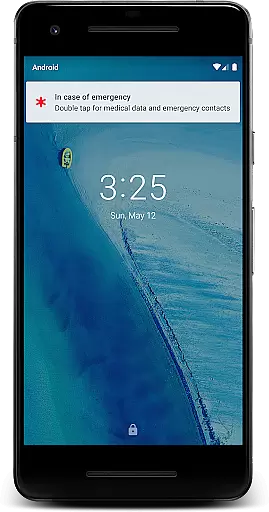
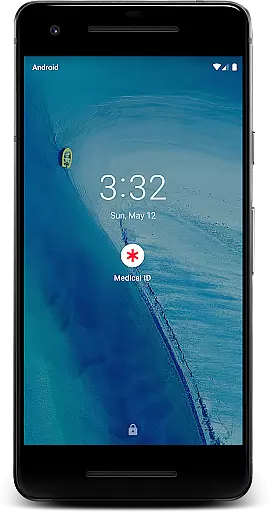
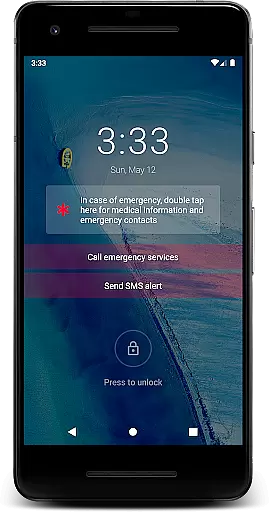
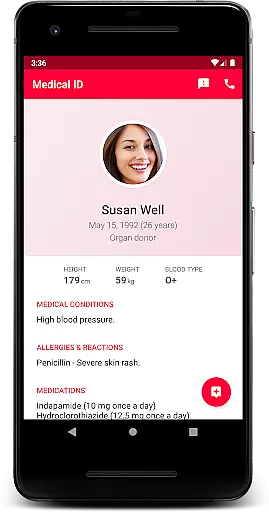
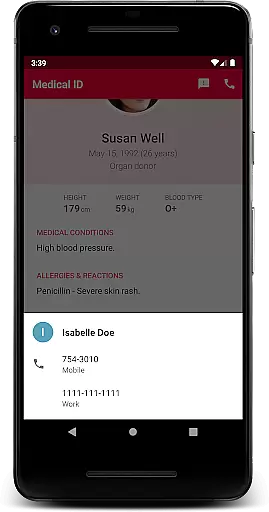
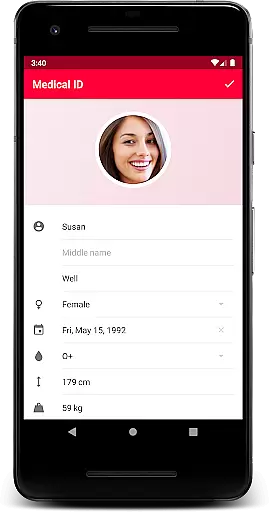
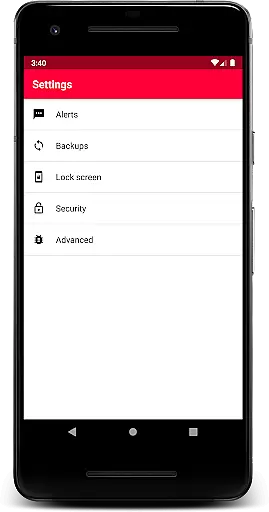
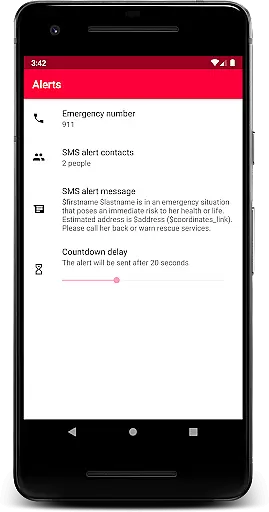
Medical ID (premium) is a vital application that allows users to create comprehensive medical profiles accessible directly from their device's lock screen. This feature ensures that, in case of an emergency, first responders can quickly access critical information such as allergies, blood type, and emergency contacts. The premium version enhances this experience by unlocking all features including one-click emergency SMS alerts, location sharing with emergency contacts for up to 24 hours, and the ability to call emergency contacts directly from the lock screen.
In addition to its core functionalities, Medical ID offers advanced tools like Body Mass Index (BMI) calculation, current location tracking via GPS coordinates, and a built-in compass. These features are powered by an accessibility service which displays a widget over the lock screen, making it easier for individuals with disabilities or medical personnel to take necessary actions swiftly. With privacy at its heart, your data remains on your device, ensuring you have full control over your personal information.
This app transforms your Android device into a life-saving tool during emergencies. It is invaluable for attending medics who need immediate access to your medical details. Whether you're managing everyday health conditions or preparing for unforeseen circumstances, Medical ID provides peace of mind knowing essential information is always within reach.
Medical ID (premium) stands out due to its robust set of features designed to ensure user safety and convenience. One notable feature is the quick access to medical information right from the lock screen, facilitated by an accessibility service that overlays a widget displaying crucial data. This ensures that even if your phone is locked, authorized personnel can still retrieve vital details needed in emergencies.
The app also includes an emergency alert system capable of sending SMS messages with just one click, complete with your estimated location. Furthermore, it allows continuous location sharing with designated emergency contacts for up to 24 hours, even when the app isn't actively running. Users can make direct calls to their emergency contacts without unlocking their devices—a significant advantage in urgent situations where time is of the essence.
Additional functionalities include BMI calculations, precise GPS-based location services, and a compass for navigation purposes. All these features work together seamlessly to provide not only basic identification but also advanced support mechanisms tailored to individual needs. By prioritizing both functionality and privacy, Medical ID empowers users to manage their health information effectively while maintaining strict control over who accesses it.
Medical ID (premium) ensures the credibility of its medical content by allowing users to input vital information such as allergies, blood type, and emergency contacts directly into their profiles. This self-reported data is considered reliable as it is expected that users will enter accurate personal health details.
The app's design reflects an understanding of medical needs in emergency scenarios. By enabling features like quick access to medical information from the lock screen, it provides first responders with essential data needed for effective treatment. The inclusion of a Body Mass Index (BMI) calculator further demonstrates attention to offering medically relevant tools.
While Medical ID does not explicitly mention expert review of its content, the app integrates accessibility services that are part of Androidu2019s core system features. These services ensure that people with disabilities or medical professionals can easily access critical health information during emergencies.
Users benefit from having their medical profiles readily available even when their device is locked. This immediate access could prove invaluable in situations where every second counts, potentially aiding medics in making informed decisions about patient care based on verified and up-to-date personal health records.
Although Medical ID (premium) does not offer traditional teleconsultation services, it enhances remote consultation quality through its emergency alert feature. Users can send an SMS with their estimated location to designated contacts with just one click, facilitating quicker response times during crises.
The app allows direct calls to emergency contacts from the lock screen without needing to unlock the device. This functionality ensures that help can be summoned rapidly, which is crucial for maintaining high-quality communication between patients and medical staff when time is of the essence.
Location sharing is another key aspect contributing to teleconsultation effectiveness. Even if the app is closed, users can share their location with trusted contacts for up to 24 hours or until they stop sharing manually. This continuous flow of location data supports better decision-making by healthcare providers who may need this context while advising over distance.
By providing current GPS coordinates and address details alongside other pertinent health information, Medical ID empowers both patients and responders alike. Such comprehensive support significantly improves the overall quality of remote interactions related to urgent medical situations.
Quick Access
Comprehensive Data
Privacy Control
Emergency Alerts
Advanced Tools
Premium Cost
Device Compatibility
Complex Setup
Limited Customization
Battery Usage

An easy way to earn money donating plasma. Book a visit, sit back, and get paid.
 3.80
3.80
Master AEMT with 1,400+ study items, TEIs, practice tests, and scoring.
4.10
Conveniently receive lab results, schedule lab appointment and pay your bills
3.70
Care Simplified by MyChart
3.40
MHealth is the mobile version of MEDITECH’s Patient and Consumer Health Portal.
3.10
Log your symptoms in the MyZio app — the perfect companion to the Zio monitor!
4.60
Your donation experience just got smoother; Donor Hub is your go-to place.
4.70
Tap & save. Coupons that fit in your pocket. Find low prices on prescriptions.
4.80
Online Doctors & Condition Management
4.40
Manage your prescriptions anytime, anywhere with the Publix Pharmacy mobile app.
4.80
Boost reading, writing, speaking and listening with a scientifically proven app.
4.70
Secure video visits with your VA care team from anywhere
4.50
Secure video appointments
4.50
Control your hearing aids discreetly with the touch of a finger
4.30
Voice pitch monitor for speech therapy, LSVT, Parkinson's, singing & trans
4.30
A rapid reference for healthcare professionals caring for pediatric patients.
4.30
Your pocket guide to following The Monash University Low FODMAP diet.
4.20
Over 1,200 review questions and 5 exams—pass the NREMT with EMT Review Plus!
4.10
ECG modules improve rhythm ID. ACLS is a simulator for cardiac arrest scenarios.
4.5


User Reviews