
Flow Weather is a comprehensive weather application designed to be your personal weather assistant. It provides accurate real-time weather data, including temperature, humidity, wind speed, and air quality for your location. The app stands out with its multi-dimensional forecasting capabilities, offering both hourly and long-term weather predictions, which are crucial for planning your daily activities.
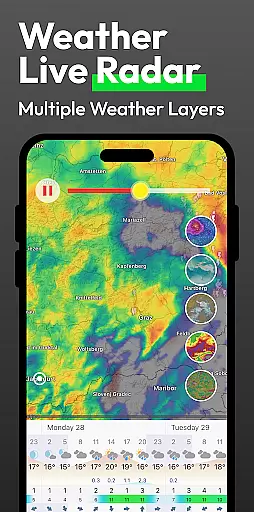
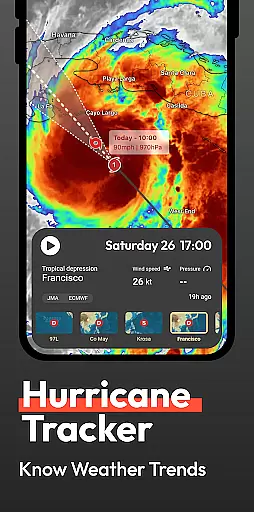
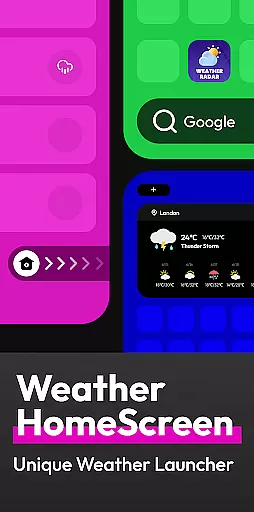
In addition to basic weather information, Flow Weather offers advanced features such as severe weather alerts and interactive weather layers. These layers allow users to explore various meteorological phenomena like wind patterns, cloud coverage, and UV indexes. The app also innovates with an Android launcher that integrates weather updates directly onto your smartphone's home screen, making it easier than ever to stay informed about the weather.
This app is particularly useful for individuals who need reliable weather information to manage their travel, work, and daily life effectively. With its user-friendly design and privacy-conscious approach, Flow Weather ensures you're always prepared for whatever weather comes your way.
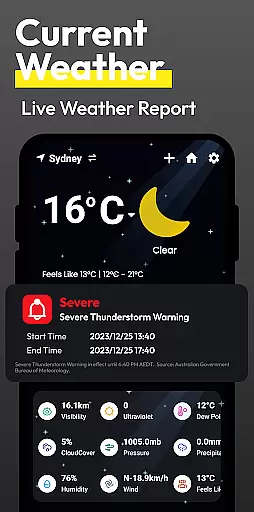
Flow Weather boasts a range of sophisticated features tailored to meet the needs of weather-conscious users. One of its standout functionalities is the advanced weather reporting system, which delivers precise current weather conditions, ensuring you have up-to-date information at your fingertips. This includes detailed metrics such as temperature, humidity, wind speed, and air quality index.
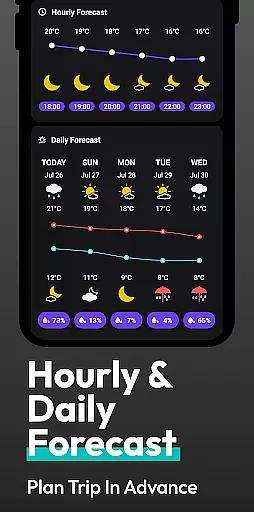
The app's forecasting abilities are equally impressive, providing both short-term hourly forecasts and extended outlooks for several days ahead. This allows users to plan their schedules with confidence, knowing what weather to expect. Additionally, Flow Weather incorporates a weather layer feature, enabling users to visualize complex weather patterns through interactive maps showing wind, clouds, waves, and more.
Another innovative aspect of Flow Weather is its integration with the Android launcher, allowing users to access weather updates seamlessly from their home screen. This unique approach simplifies navigation and enhances accessibility, making it an invaluable tool for anyone looking to stay ahead of weather changes while maintaining privacy and security.
Flow Weather provides highly accurate weather forecasts by partnering with advanced meteorological services. This ensures users receive reliable data for temperature, humidity, wind speed, and air quality.
The app's forecasting technology leverages multi-dimensional analysis to predict hourly changes and trends over several days. Such precision empowers users to plan their activities effectively, whether for travel, work, or leisure.
With real-time updates and detailed indicators like UV levels and PM2.5 concentrations, Flow Weather equips users with the insights needed to make informed decisions. The app's commitment to accuracy makes it a dependable tool in daily life.
Flow Weather excels in delivering extensive temporal and spatial forecast coverage. It offers localized weather predictions that span hours, days, and even broader periods, ensuring comprehensive planning support.
Users benefit from interactive weather layers, including wind patterns, cloud movements, and wave forecasts. These features allow for an in-depth understanding of dynamic weather systems across different regions.
By integrating innovative Android launcher capabilities, Flow Weather simplifies access to critical weather information. Its seamless design enhances user experience while maintaining a focus on delivering expansive and precise forecasts.
User-friendly interface
Accurate weather data
Comprehensive forecasting
Interactive weather layers
Privacy-focused design
Limited iOS functionality
Occasional data delays
Advanced features require learning
Some features are subscription-based
Geolocation must be enabled

Live Weather Forecast app with acu weather radar, weather alert & weather widget
 4.80
4.80
Personal Weather Station PRO - Meteo monitor to check your WU info and charts.
4.20
Accurate Thermometer: indoor & outdoor temperature, humidity, pressure, and wind
4.50
My Aurora Forecast is the app for Northern Lights and Aurora Borealis alerts.
4.60
Get accurate rainfall and snowfall totals for pinpoint locations on a map.
4.60
Most precise & accurate compass app give true North South East West directions.
3.00
Quickly check the Hanalei river gauge height during heavy rains on Kaua'i.
4.3
The reliable and trusted global air quality, wildfire, pollen, PM2.5 forecast
4.70
NOAA forecast & radar for your exact location.
4.80
Hurricane Tracker, Rain Map
4.80
The moon phases app for tracking the lunar calendar, blue moon and full moon.
4.80
Powerful US and worldwide earthquake feed with earthquake alerts and maps.
4.70
Powerful US and worldwide earthquake feed with earthquake alerts and maps.
4.60
The most accurate weather app, hourly and daily weather, severe weather alerts
4.50
14-day & 24-hour Forecast | Real-time Alert | Accurate & Fast
4.40
Accurate weather forecast and beautiful weather & clock widgets
4.20
Know the weather earlier.
3.90
Storm Radar, Alerts & Live Weather Forecasts Right on Your Home Screen
3.70
The Weather Network TV App - Your weather when it really matters
2.90


User Reviews