
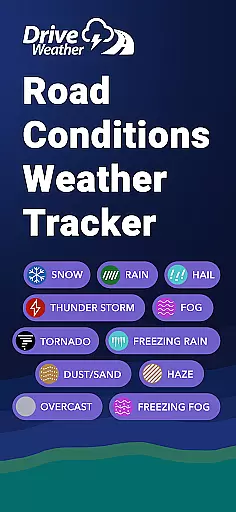
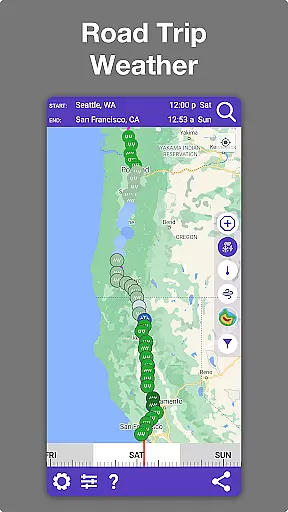
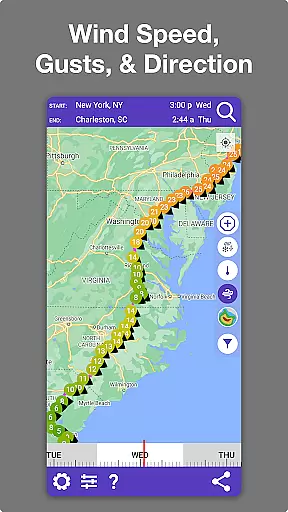
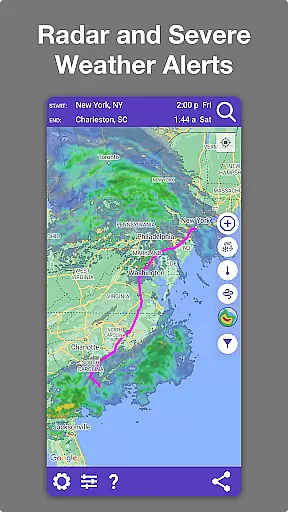
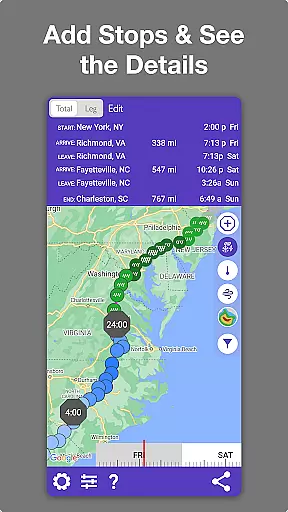
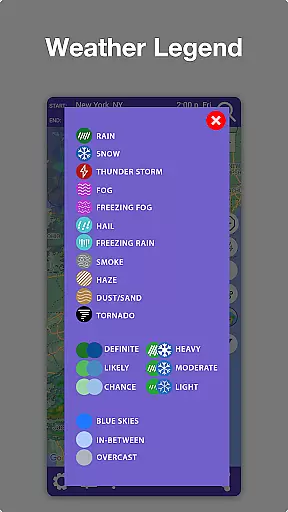
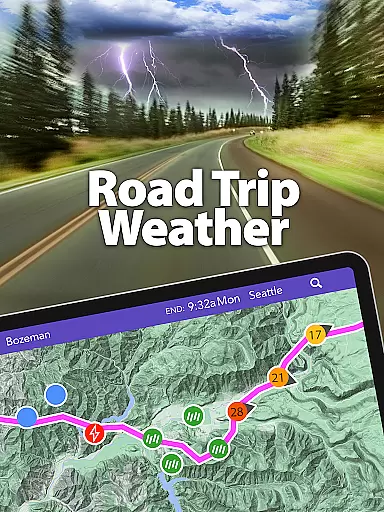
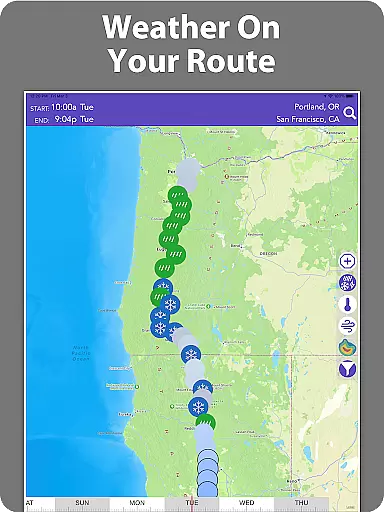
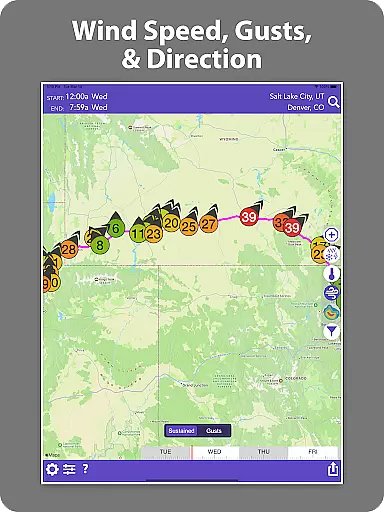
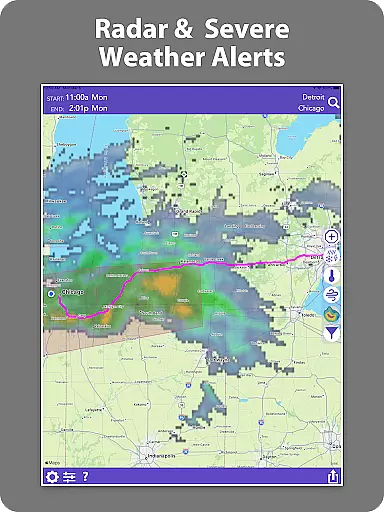
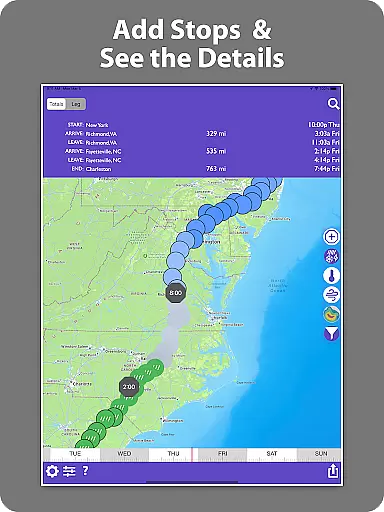
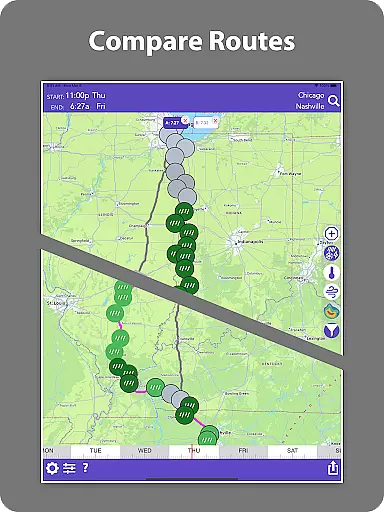
Drive Weather is a specialized weather application designed to provide real-time weather updates tailored specifically for drivers. The app's core functionality revolves around delivering detailed weather information along your driving route, ensuring safer and more informed travel decisions. With features like live radar, road condition monitoring, and severe weather alerts, it caters to various driving needs from daily commutes to long-distance road trips.
What sets Drive Weather apart is its ability to automatically adjust forecasts based on your travel speed and ETA. This ensures the weather information remains relevant throughout your journey. Whether you're a truck driver navigating major interstates or a casual commuter, the app provides critical data such as wind speeds, visibility changes, and storm warnings that could impact your specific route and vehicle type.
The app's value extends beyond just weather reporting; it serves as an essential safety tool. By presenting comprehensive weather details - including temperature fluctuations, precipitation levels, and icy road risks - directly on your route map, Drive Weather helps drivers avoid hazardous conditions and choose optimal travel times. This makes it an indispensable companion for anyone who regularly travels by road.
Drive Weather distinguishes itself through a robust set of features designed specifically for road travelers. The application's most notable capability is its route-specific weather forecasting system, which utilizes advanced modeling to deliver precise weather predictions along your exact driving path. Unlike generic weather apps, this feature adjusts dynamically based on your travel speed and estimated arrival time.
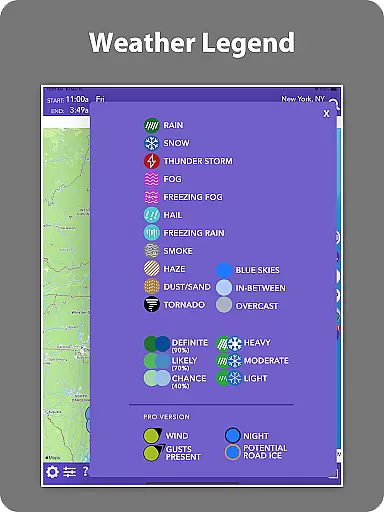
The app's live radar functionality represents another significant advantage. It overlays real-time weather data directly onto your route map, allowing drivers to visualize approaching storms, snowfall intensity, and wind patterns with remarkable clarity. This visual representation, combined with detailed road condition reports covering snow, rain, ice, and visibility factors, creates a comprehensive safety net for drivers.
Particularly noteworthy is Drive Weather's specialization in highway weather conditions. The application provides critical insights for major interstates across the country, making it invaluable for commercial truck drivers and RV owners. Its ability to deliver wind condition analysis specifically tailored for large vehicles like semis and trailers demonstrates a deep understanding of different drivers' unique needs. These specialized features, coupled with severe weather warnings and a user-friendly map interface, establish Drive Weather as a leader in driver-focused weather applications.
Drive Weather provides highly accurate weather forecasts tailored specifically to your driving route. The app uses advanced weather modeling to predict conditions along your journey, ensuring reliable and trustworthy data for drivers.
The forecasting system takes into account real-time updates and adjusts predictions based on your vehicle's speed and estimated arrival times. This ensures that the displayed weatheru2014temperature, precipitation, wind conditions, and storm alertsu2014is as precise as possible for every segment of your trip.
Users benefit from dependable information about road conditions, including snow levels, visibility changes, icy patches, and wind speeds. These details are crucial for truck drivers, commuters, and travelers who need to make informed decisions before embarking on their journeys.
With Drive Weather, you can trust that the forecast is designed to keep you safer and smarter on the road, helping you avoid hazardous weather and choose optimal travel times.
Drive Weather offers an extensive temporal and spatial forecast range, providing comprehensive weather insights across both time and geographical dimensions. This feature allows users to view detailed weather predictions not only for their current location but also along their entire driving route.
The appu2019s live radar displays ongoing weather patterns directly over your planned path, covering major interstates like I-80, I-95, I-70, and I-25. It tracks storms, snowfall, wind gusts, and other potential hazards ahead, giving drivers a complete picture of what to expect during their travels.
By utilizing a timeline slider, users can quickly assess how weather conditions will evolve throughout their journey. This helps in selecting the best departure times and avoiding adverse weather events such as heavy storms, strong winds, or icy roads.
This broad coverage empowers drivers with the knowledge needed to plan safer trips, whether they're commuting locally or embarking on long-distance road adventures.
User-friendly interface
Real-time weather updates
Route-specific forecasts
Comprehensive road conditions
Live radar integration
Premium features locked
Occasional data delays
Limited free version
High data usage
Subscription costs

Local weather forecast, reliable daily weather report
 4.30
4.30
View weather widget and map. Wind direction and speed. Tides times and waves
4.70
Your Trusted Weather Companion
4.40
Storm Radar, Alerts & Live Weather Forecasts Right on Your Home Screen
3.70
Local Weather provides accurate and current hourly and daily forecasts.
4.80
My Aurora Forecast Pro is the app for the Northern Lights and Aurora Borealis.
4.70
NOAA forecast & radar for your exact location.
4.80
Local forecast, alerts, rain, snow and wind radar, air quality & weather widget
4.60
Weather channel forecasts weather daily & hourly, local and national air quality
4.70
Ultimate Lunar Calendar for 2021!
4.80
Hurricane Tracker, Rain Map
4.80
Hourly and daily weather forecast, current condition, temperature, UV and more!
4.70
The weather channel, tiempo weather forecast, weather radar & weather map
4.70
Your ultimate app for real-time weather information!
4.70
Your ultimate app for accurate local weather information!
4.60
Weather watch face for Wear OS 5
4.40
14-day & 24-hour Forecast | Real-time Alert | Accurate & Fast
4.40
Determine Best Hunting Times for any date, any location.
2.50
Dynamic weather watch face with glass effect, bold time & 7 complications.
4.5


User Reviews