
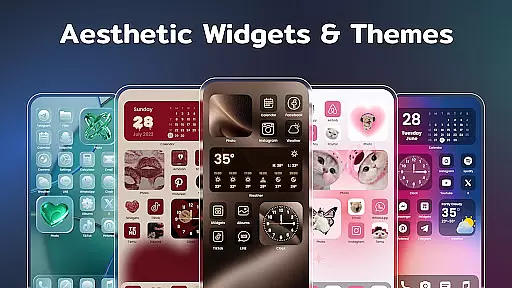
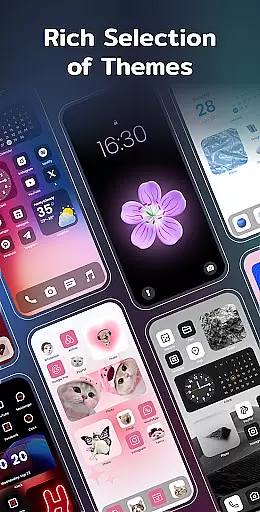
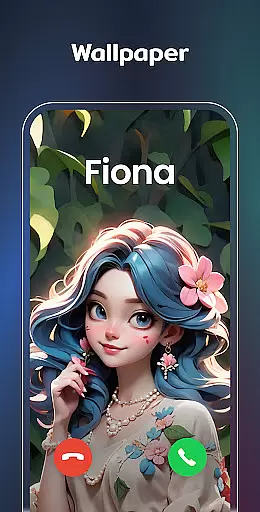
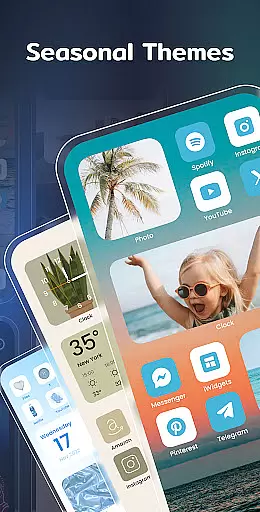
Color Widgets, Theme is a comprehensive lifestyle app designed to enhance your Android device's home screen with customizable widgets and themes. This app offers a wide range of aesthetic themes and practical widgets including clocks, photos, X-panel, calendar, weather, battery level, Bluetooth status, and event timers. With multiple sizes and styles available, users can tailor their screens to fit personal preferences and needs.
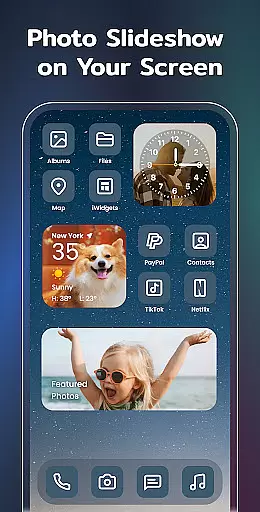
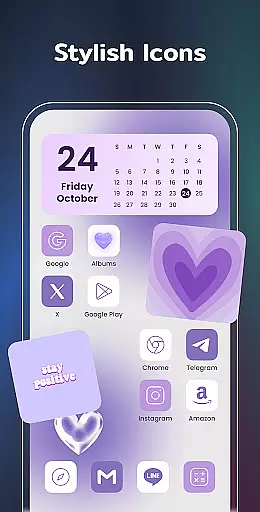
The app stands out with its one-click widget addition, custom icon redesign, and preset themes in various styles such as anime, neon, and vintage. Users can also enjoy features like the X-Panel for shortcuts and phone status checks, photo slideshow widgets, elegant clock designs, real-time weather updates, and event countdowns. These elements collectively allow for a personalized and functional home screen that reflects individual style while keeping life organized.
Color Widgets, Theme boasts an impressive array of features designed to offer both aesthetics and utility. The app provides various widget types such as X-Panel, which consolidates essential phone information and controls into one accessible place. It allows quick toggling of settings like flashlight, Wi-Fi, and more, streamlining daily device interactions.
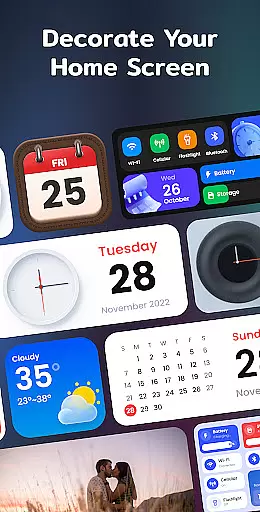
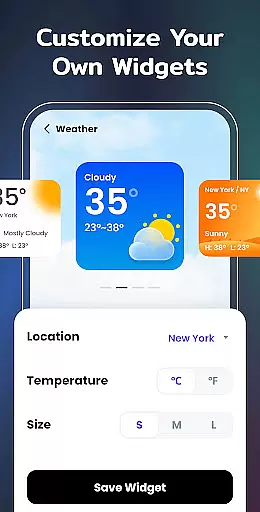
Additionally, the app includes specialized widgets like Photo, Clock, Weather, Calendar, and Event Timer, each offering unique customization options. For instance, the Clock Widget offers analog and digital formats with multiple styles, while the Weather Widget delivers real-time local weather data. The ability to customize app icons and apply matching widget styles ensures a cohesive look. These features not only beautify the home screen but also improve accessibility and organization, making it a versatile tool for personalization.
In the realm of mobile personalization, Color Widgets, Theme stands out by offering an extensive range of widgets and themes that cater to diverse lifestyle needs. This application is not just about altering appearances; it's a comprehensive tool that touches various aspects of daily life, ensuring users can tailor their devices to reflect personal tastes and functional requirements.
From clock widgets that come in analog and digital forms, weather widgets providing real-time local weather information, to calendar widgets displaying dates or entire months with creative styles, the app encapsulates essential elements one might need on their home screen. The inclusion of practical tools like the X-panel widget consolidates shortcuts and phone statuses into one accessible location, enhancing usability.
Moreover, the app goes beyond mere aesthetics by integrating meaningful functionalities such as event timers for important occasions and custom icons that allow for a unique look. By covering these broad categories, Color Widgets, Theme ensures that whether itu2019s for productivity, memory keeping, or simply beautifying one's device, there is something for every user looking to enhance their digital experience.
Color Widgets, Theme prides itself on delivering authentic content crafted with expertise, ensuring users receive reliable and high-quality features. Each widget and theme within the app is designed with attention to detail, reflecting a deep understanding of user needs and current design trends. This commitment to quality guarantees that every element, from stylish themes to practical widgets, serves its intended purpose effectively.
The developers behind Color Widgets, Theme leverage their knowledge in UI/UX design and software development to create intuitive and visually appealing components. Their expertise ensures that all included features, such as the photo slideshow widget or the customizable app icons, are not only attractive but also functionally sound and easy to integrate into any Android device's home screen setup.
Furthermore, by actively seeking feedback through their support email, widgetsfeedback@gmail.com, the team demonstrates dedication to continuous improvement based on real user experiences. This approach reinforces trustworthiness, as updates and new additions are likely informed by genuine user insights, maintaining both relevance and reliability in the ever-evolving landscape of mobile personalization.
User-friendly interface
Wide variety of widgets
Highly customizable themes
Real-time weather updates
Efficient event management
Requires multiple permissions
Some features may feel redundant
Premium themes cost extra
Occasional performance lags
Limited iOS compatibility

Healthy eating timer app to track meal pace, improve habits, and eat slowly.
 4.4
4.4
Unique informative Dial with Live Moon Phase at a glance!
3.60
Big bold weather watch face with dynamic backgrounds and 3 complications
4.3
Daily lessons from A Course in Miracles with scheduled reminders
4.80
Spiritus Ghost Box is an Audio and Visual ITC tool for paranormal research.
4.00
Unique Dual Colors with 6 Custom Complications for Wear OS watches!
3.40
Smart & Healthy Living
4.60
No more juggling multiple apps, now you can control everything in one place!
4.60
Just play, earn rewards, fetch gift cards, and turn gaming into real payouts!
4.80
My Diary - Daily Journal with lock: Diary journal app and secret diary with lock
4.80
Simple, stylish & fresh watch face. Customize colors, gradients & complications.
4.70
Crochet made easy: step-by-step tutorials, beginner patterns & projects
4.60
A smart Siddur with halachic times
4.60
This app is intended to support professional EMDR therapy.
4.50
Earn money & gift cards when you take surveys, play games, scan receipts & more.
4.50
The Work of Byron Katie— the mobile app for inner peace.
4.40
Play fun games, complete quick surveys, and earn money. It's fun and easy!
4.40
Mixing Colors for Menswear
4.20
Do you want to communicate with spirits?
3.80


User Reviews