
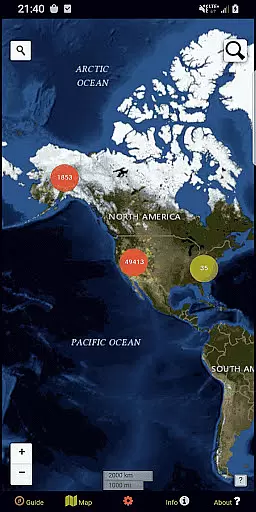
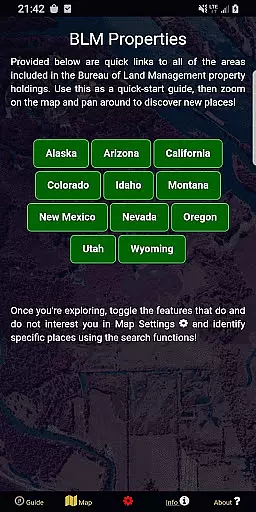
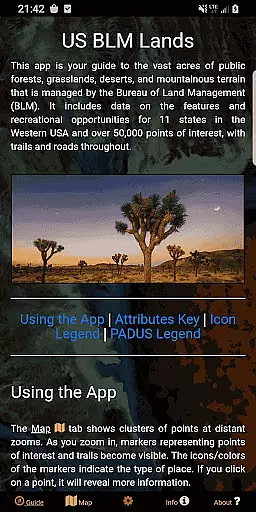
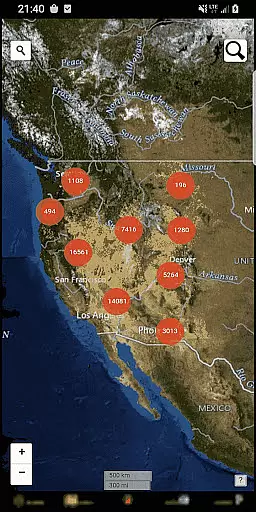
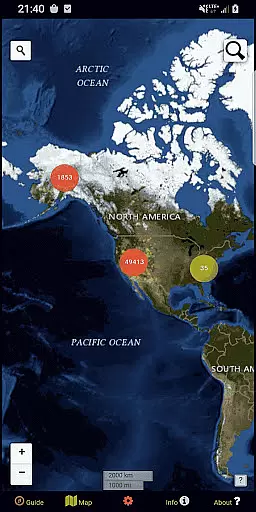
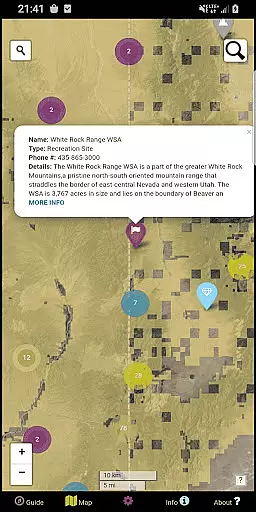
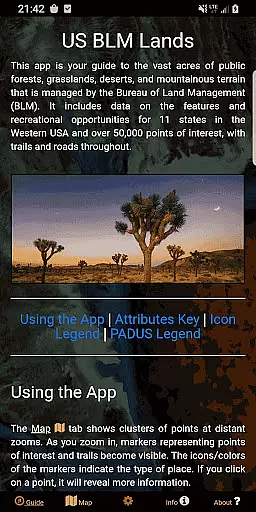
BLM Public Lands Map Guide USA is a comprehensive navigation tool designed specifically for exploring the vast expanses of Bureau of Land Management (BLM) properties across the Western United States. With over 52,000 recreational points mapped as of Summer 2024, this app provides an unparalleled resource for outdoor enthusiasts. Users can discover access points, campgrounds, hiking trails, and various points of interest through an intuitive interface that includes color-coded icons for easy identification.
The app's functionality extends beyond basic mapping. It features property boundary delineations, multiple basemap options, offline imagery downloads, and geolocation services. The newly added My Points tool allows users to create custom waypoints with unique identifiers and export them for future use. Whether you're planning a cross-country road trip or a local day hike, BLM Public Lands Map Guide USA serves as your personal guide to the natural wonders of public lands.
This application particularly benefits adventurers who want to explore lesser-known areas while maintaining awareness of their surroundings. By providing detailed spatial information and user-friendly tools, it empowers individuals to safely navigate and appreciate the diverse landscapes managed by the BLM. The inclusion of open-source resources and developer transparency further enhances its value as a trustworthy navigation companion.
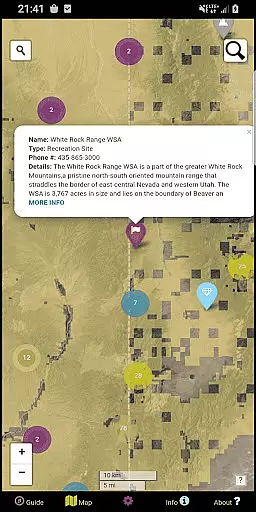
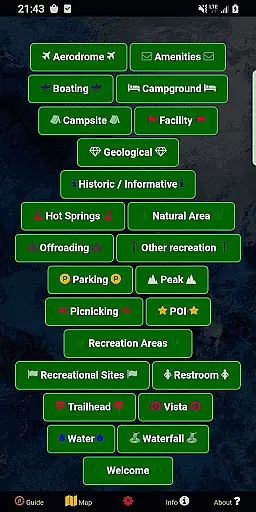
One of the standout features of BLM Public Lands Map Guide USA is its extensive point categorization system. The app organizes recreational points into distinct categories such as Access Points, Boating locations, Campgrounds, Points of Interest (POIs), Vistas, Bathrooms, Parking Lots, and Recreational Areas. Each category is represented by specific icons, making it easy for users to identify and locate desired amenities or attractions on the map.
The application offers advanced customization options through its Map Settings screen. Users can switch between four different basemaps, download offline imagery for areas without cellular service, enable geolocation tracking, and toggle visibility of specific point categories. The innovative My Points tool allows users to create personalized markers with custom colors and symbols, which can be exported for sharing or future reference. These features collectively provide a highly adaptable navigation experience tailored to individual preferences and needs.
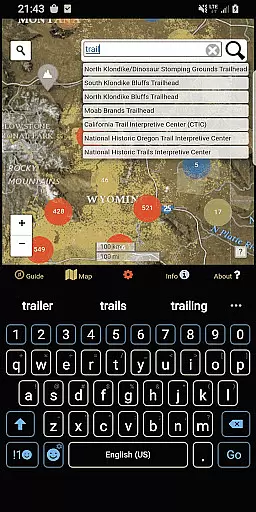
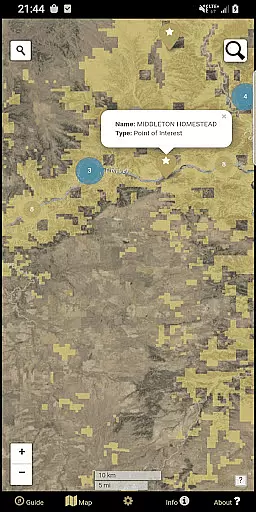
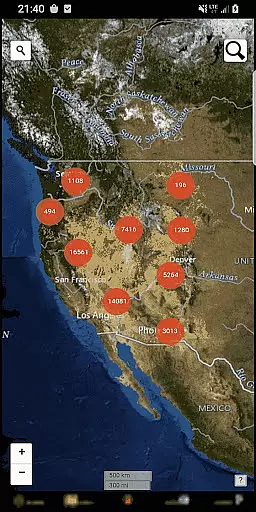
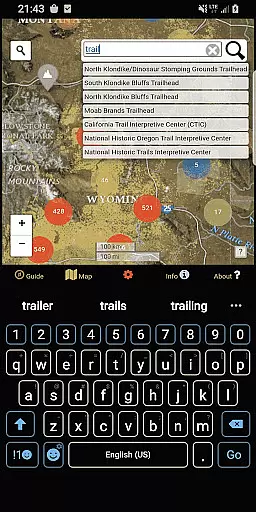
Additional functionalities include two search tools on the main map interface. The left search tool enables address and town lookups, while the right tool queries feature names within the database. As users zoom in, cluster circles expand to reveal individual points with detailed information about each location. This combination of comprehensive data sets, customizable display options, and interactive tools creates a powerful platform for exploring public lands with unprecedented detail and convenience.
Map accuracy is essential for any navigation app, and BLM Public Lands Map Guide USA excels in this area. The app provides up-to-date data as of Summer 2024, featuring over 52,000 recreational points on Bureau of Land Management property.
These points are meticulously categorized with color-coded icons, representing various features such as Access Points, Campgrounds, and Vistas. This detailed representation ensures users can easily identify and locate points of interest.
Users benefit from the app's precise mapping, which includes property boundaries, hiking trails, and roads. Such comprehensive coverage allows for accurate trip planning and exploration of the vast landscapes within the Western US.
The value of this accuracy is evident when users zoom into the map to discover clusters of points revealing finer details. This level of detail empowers adventurers to navigate public lands confidently, enhancing their outdoor experience.
Route planning is a critical feature for explorers using the BLM Public Lands Map Guide USA. With multiple basemaps and offline imagery download options, users can chart their courses effectively, even without internet connectivity.
The app offers specific tools like the custom My Points feature, enabling travelers to create personalized waypoints. These waypoints enhance route planning by marking significant locations with unique colors and icons.
Explorers gain immense value from the ability to toggle different point categories and utilize geolocation services. This functionality supports efficient navigation through diverse terrains and helps in discovering new places.
Moreover, two search tools facilitate querying addresses, towns, or database feature names. This dual capability ensures that whether you're traveling cross-country or exploring local areas, your route planning is both flexible and reliable.
User-friendly interface
Extensive point database
Offline map capability
Customizable waypoints
Multiple basemap options
Limited to BLM lands
No real-time traffic
Occasional data delays
Western US focus
Requires updates

Offline maps & GPS for hiking, travel, fieldwork & outdoor adventures
 4.70
4.70
OpenCPN is a full featured ChartPlotter and Navigator for Android.
3.60
Use GPS maps or search by property owner, address or parcel to view parcel data
4.30
Explore Live Earth Map with 3D World Map & locate cites, mountains real time.
3.80
ParkWhiz, an Arrive Mobility brand, part of the Arrive Network
4.30
Explore Earth with live GPS, satellite view & street navigation
3.60
Live Satellite view app for find GPS navigation Direction and live location map
3.70
Get route, find shortest path, near by places and weather update
3.90
Route Planner is travel map to get turn by turn navigation & driving directions
3.90
Order a cab online. An affordable taxi ride and driver in no time. What a bolt!
4.80
Bolt is a ride-hailing app for requesting fast, safe, and affordable transport
4.80
Explore with GPS Navigation with GPS offline, voice GPS, speed camera radar
4.60
Maps, Driving Directions & GPS navigation using directions app & GPS App
4.30
GPS phone tracker, family locator, secure location sharing app
4.20
Get directions, Maps, GPS navigation & GPS Maps using GPS App
4.10
Navigate seamlessly with Real-Time Traffic, Offline Maps, and Voice Navigation.
4.10
Navigate via GPS Maps of GPS Voice Navigation, driving directions to find routes
3.60
Turn your tablet or Android powered unit into a full blow Android Auto headunit.
2.30
All of NHSA's trail information at your fingertips for the 2025-2026 season
4.0


User Reviews