
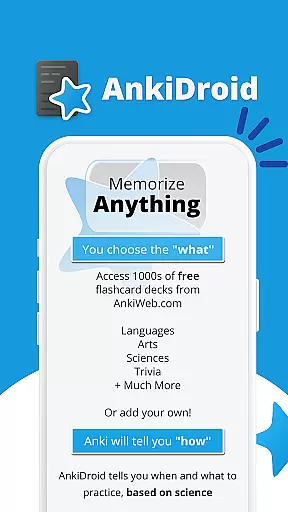
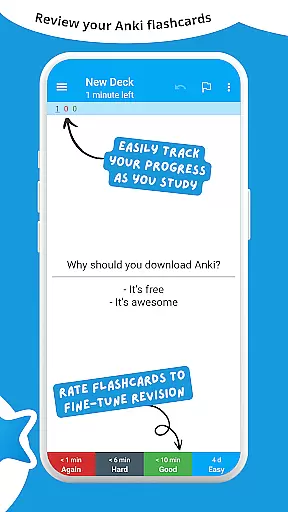
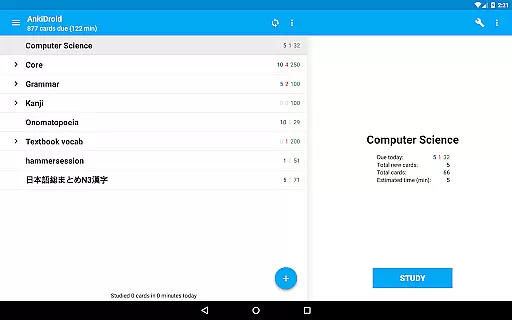
AnkiDroid Flashcards is a powerful educational app designed to help users memorize anything efficiently. Using the scientifically-backed spaced repetition method, it displays flashcards just before you're likely to forget them, ensuring maximum retention. The app seamlessly syncs with Anki, making it accessible across Windows, Mac, Linux, ChromeOS, and iOS platforms.
With AnkiDroid, learning becomes flexible and convenient. Whether you're on a bus, waiting in line, or have a few spare minutes anywhere, you can study any topic. You can create your own flashcard decks or choose from thousands of free pre-made decks covering various languages and subjects. Additionally, the app supports multimedia content like text, images, sounds, and even mathematical formulas through MathJax.
AnkiDroid offers an extensive array of features tailored for effective learning. It supports diverse flashcard contents including text, images, sounds, and MathJax, catering to different learning styles. The app's spaced repetition algorithm (SuperMemo 2) ensures that you review material at optimal intervals for long-term retention.
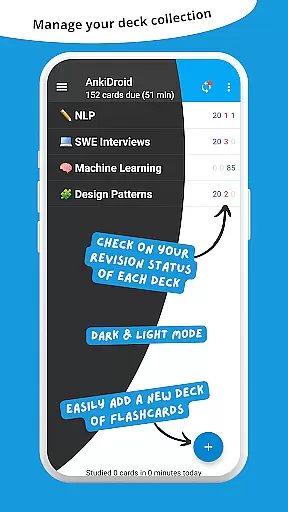
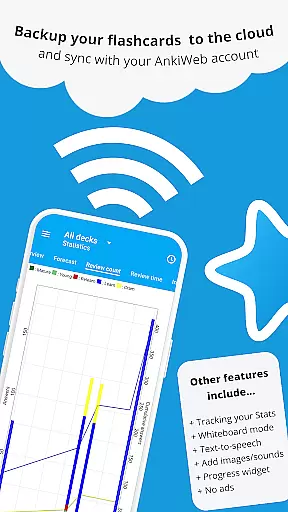
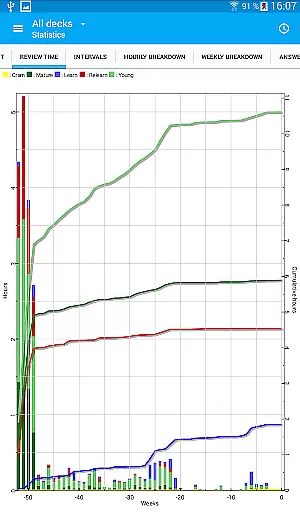
Additional functionalities include text-to-speech integration, progress tracking widgets, detailed statistics, and synchronization with AnkiWeb. Users can write answers, utilize a whiteboard for sketches, and enjoy a fully customizable experience. With support for over 100 localizations, dynamic deck handling, dark mode, and navigation by swipe, tap, or shake, AnkiDroid provides a versatile and user-friendly learning environment.
When it comes to educational applications, the precision and reliability of content are paramount. AnkiDroid Flashcards ensures content accuracy by allowing users to create their own flashcards or download from a vast library of pre-made decks covering various subjects and languages. This guarantees that learners have access to vetted and relevant study materials.
The app employs the SuperMemo 2 algorithm for spaced repetition, a scientifically-backed method proven to enhance memory retention. By integrating this system, AnkiDroid not only assures the correctness of the displayed information but also optimizes the timing of its presentation, reinforcing learning just before the user is likely to forget.
Furthermore, AnkiDroid supports multimedia flashcards containing text, images, sounds, and even mathematical formulas through MathJax. This diverse range of media types enriches the learning experience and caters to different learning styles, ensuring authoritative and engaging content delivery.
AnkiDroid Flashcards stands out in providing personalized learning experiences tailored to individual needs. Users can craft their unique flashcards or select from thousands of available decks, effectively customizing their learning journey according to personal academic goals or interests.
The application's synchronization feature with AnkiWeb allows seamless integration across multiple devices, enabling learners to continue their studies on different platforms without missing a beat. This cross-device compatibility ensures that each learneru2019s path is coherent and uninterrupted, adapting to various study environments and schedules.
Additionally, AnkiDroid offers advanced features such as text-to-speech integration, a whiteboard for explanatory sketches, and an adaptive progress widget displaying detailed statistics. These tools empower users to adjust their learning strategies dynamically based on performance metrics and evolving educational requirements.
Efficient learning
Versatile content
Seamless syncing
Customizable
Open source
Complex interface
Requires setup
Limited offline help
No built-in tutor
Advanced options

An aviator’s preparation, study and test tool for FAA Knowledge Exams.
 3.90
3.90
Dinosaurs coloring book game. Drawing and painting dinos.
4.50
Hebrew Vocab
4.90
Pass your FAA written with flying colors - Study Buddy can help.
4.30
An aviator’s preparation, study and test tool for FAA Knowledge Exams.
4.10
An aviator’s preparation, study and test tool for FAA Knowledge Exams.
3.80
Learn & Speak New Languages
4.70
Reading for kids has never been easier. Learn phonics, letter tracing & more!
4.70
Your Arts+Culture Guide
4.00
Stack the Countries makes learning world geography fun!
4.50
Latest TLC Practice Questions! Multiple languages available!
4.50
Monkey Preschool Lunchbox: 7 exciting educational games for your preschooler.
4.30
Skelly is a fully poseable, anatomically correct reference skeleton for artists.
4.10
Learn to make peaceful contact with extraterrestrial civilizations
4.10
Make your own game and world. Draw and animate characters
3.70
Flashnote Derby is the fun way for kids to learn music notes and memorize them.
3.40
Snap a dog photo to identify its breed instantly. Fast, accurate and easy to use
3.40
AR planetarium app that brings the solar system to you via XREAL Glasses.
4.2
Learn and joke with the Silly Turkey!
4.4


User Reviews