




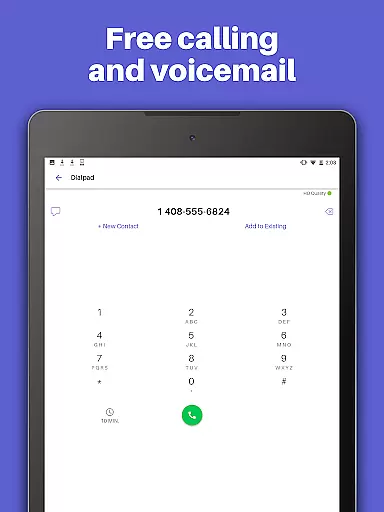
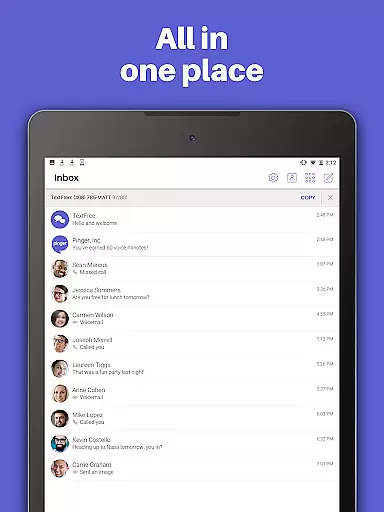
TextFree Voice is a comprehensive communication app that provides users with a free second phone number for unlimited calling and texting. The app allows you to make calls and send messages, including photos, videos, GIFs, audio messages, and PDFs, over Wi-Fi without using your primary number. It's an ideal solution for those who want to maintain privacy or separate personal and professional communications.
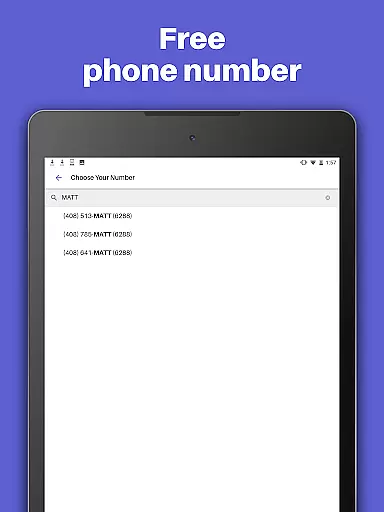
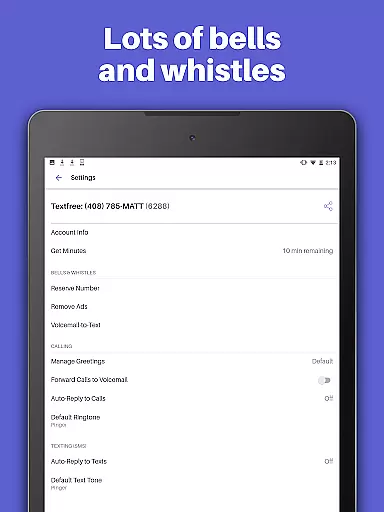
One of the standout features of TextFree Voice is its ability to offer a personalized local phone number with free unlimited texting and calling. This makes it easier than ever to stay connected with friends and family while enjoying the flexibility of custom call and texting tones, wallpapers, and Auto-Reply functions. Whether you're looking to avoid unwanted charges on your main phone plan or need a reliable way to communicate when traveling, TextFree Voice delivers a seamless experience.
The app also offers advanced features through its premium subscription, TextFree Plus, which includes ad-free usage, access to verification codes, and the ability to lock in your chosen number indefinitely. With 24/7 customer support and compatibility across multiple devices, TextFree Voice ensures you're always reachable and in control of your communications.
TextFree Voice stands out with its extensive feature set designed to enhance user communication. At its core, the app provides a free second phone number with an area code of your choice, allowing for unlimited calling and texting over Wi-Fi. This functionality not only saves on mobile plan costs but also adds a layer of privacy by keeping your primary number undisclosed.
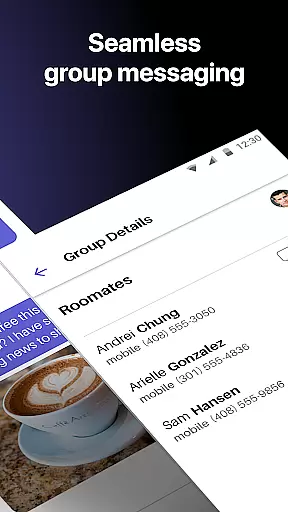
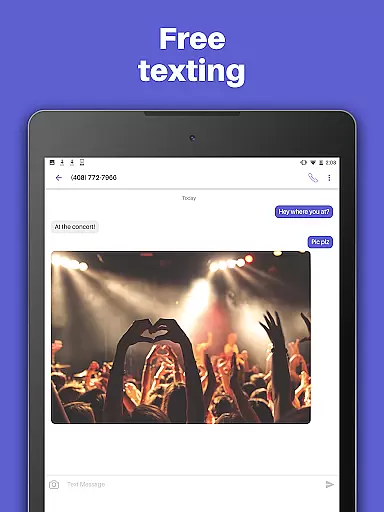
Beyond basic communication, TextFree Voice supports multimedia messaging, enabling users to share photos, videos, GIFs, audio messages, and even PDFs. Group texting capabilities ensure you can stay in touch with multiple contacts simultaneously, while custom call and text tones help differentiate incoming communications. The app also includes practical features like Auto-Reply, which automatically responds to calls and texts when you're unavailable.
For power users, upgrading to TextFree Plus unlocks additional benefits such as an ad-free experience, access to verification shortcodes for online account validation, and the ability to reserve your second phone number indefinitely. These premium features, combined with 24/7 customer support and cross-device compatibility, make TextFree Voice a versatile tool for managing both personal and professional interactions efficiently.
User profile customization and authenticity verification are essential features in social applications like TextFree Voice. These functionalities ensure that users can create personalized profiles while maintaining a level of trust and security within the app.
TextFree Voice allows users to select a personalized local phone number, which serves as their unique identifier within the app. This feature not only provides a sense of ownership but also enhances user engagement by allowing them to choose an area code that is meaningful to them. Additionally, the ability to assign custom call and text tones adds another layer of personalization, making each interaction more distinctive and enjoyable.
The app's authenticity verification process is implicit in its design; by providing users with a dedicated second phone number, it inherently verifies that the communications are coming from a legitimate source. Moreover, the option to upgrade to TextFree Plus offers enhanced features such as ad-free experiences and reserved numbers, further reinforcing the credibility of user profiles.
By offering these robust customization options alongside implicit and explicit verification methods, TextFree Voice ensures that users can connect with confidence, knowing they are interacting with genuine profiles. This dual focus on personalization and authenticity ultimately leads to a safer and more engaging social environment.
Connection discovery is a pivotal aspect of social apps, enabling users to find and interact with friends, family, and new contacts effortlessly. In TextFree Voice, this feature is designed to facilitate seamless communication through various innovative tools.
One of the primary ways TextFree Voice supports connection discovery is by allowing users to share multimedia content such as photos, videos, GIFs, audio messages, and even PDFs. This capability not only enriches conversations but also helps users express themselves more vividly, thereby strengthening their connections.
Moreover, the app includes group texting functionality, which is crucial for staying in touch with multiple people simultaneously. Whether coordinating with family members or chatting with a circle of friends, group messaging makes it easier to maintain active and dynamic conversations.
Additionally, TextFree Voice offers Auto-Reply features and custom call and text tones, which streamline the process of managing numerous connections. By identifying incoming communications quickly, users can prioritize responses and keep their interactions organized. Overall, these comprehensive connection discovery tools make TextFree Voice a powerful platform for building and maintaining meaningful relationships.
Free second phone number
Unlimited calling & texting
Customizable call tones
Group messaging support
24/7 customer support
Premium features locked
Ads in free version
Limited customization
Occasional bugs
Verification delays

This is to support the developer of Infinity for Reddit. No exclusive features.
 4.2
4.2
Video call, live video chat & talk to strangers. Meet people on Omega!
3.60
Meet local people, make friends & network: Join a community, group, host events
4.00
Date single & make friend
4.60
FREE calling and texting (SMS texts + MMS) in US & Canada with FREE phone number
4.30
Social App Used By Millions
4.40
Raise cute Pengus with friends
4.70
Calling and texting app. 2nd virtual line plus new phone number. Txt & talk now.
4.40
A warm, simple dating app for adults seeking real connection.
4.20
Watch super live shows 24/7, chat & meet friends in Plamfy social networking app
4.70
The hottest live chat app so far. Video chat and meet great people...
4.60
Live Chat & Match! Explore Real-Time Dating and Make Friends!
4.40
TikTok Lite - Designed for speed, simplicity, and saving your phone’s space!
4.40
Looking for a date or a friend? Swipe to match and meet open-minded singles.
4.20
The official Skool app. Stay connected to your communities on the go.
4.20
Join your friends and discover videos you love, only on TikTok
4.10
Instant messaging — simple, fast, secure, and synced across all your devices.
4.00
The video chat to meet people in the blink of an eye!
3.90
Create & share photos, stories, & reels with friends you love
3.90


User Reviews