
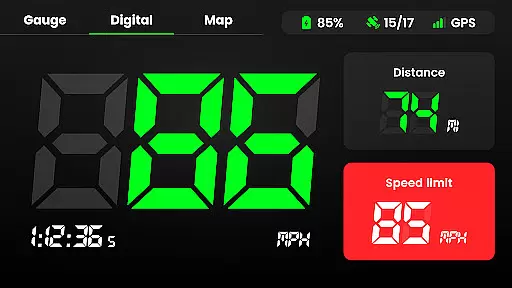
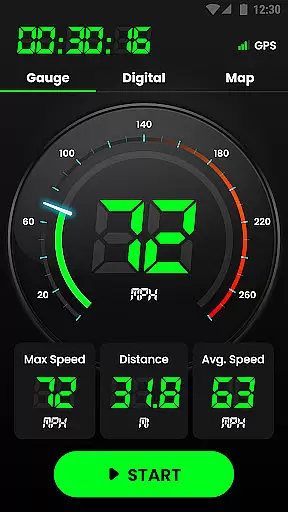
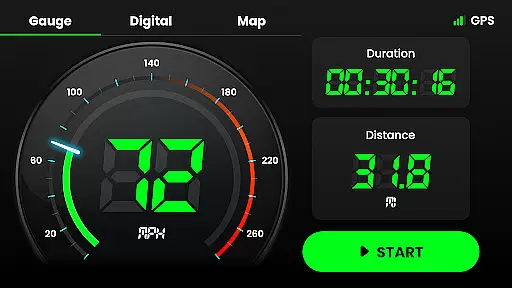
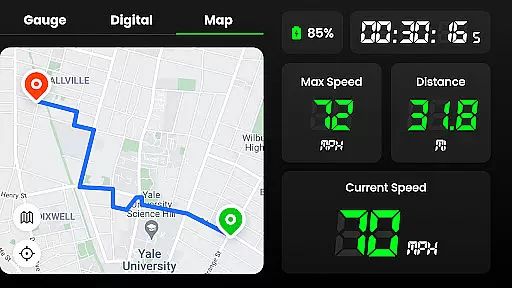
Speedometer is a highly accurate GPS-based speed tracking application designed for various modes of transportation. The app provides real-time speed monitoring, distance tracking, and speed limit alerts through notifications. It supports both digital and analog display modes, catering to different user preferences. With its offline functionality, users can accurately track their speed and location even without an internet connection. Whether you're driving, cycling, or jogging, Speedometer ensures you stay informed about your velocity and journey details.
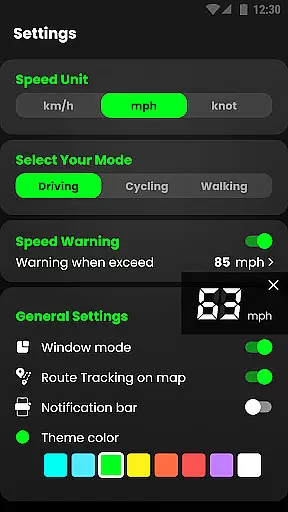
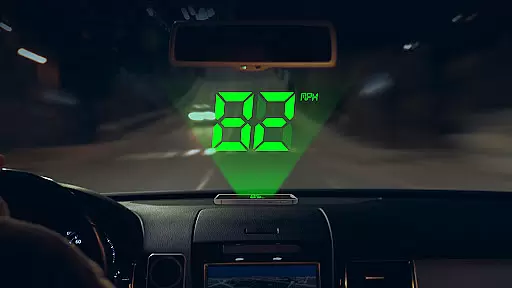
The application's head-up display (HUD) mode projects your speed onto your car's windshield for easy viewing. It also records trip data such as average speed, maximum speed, and mileage. Users can switch between speed units like kilometers per hour (km/h), miles per hour (mph), and knots. This versatile app is perfect for anyone looking to replace a broken vehicle speedometer or simply monitor their travel statistics with precision.
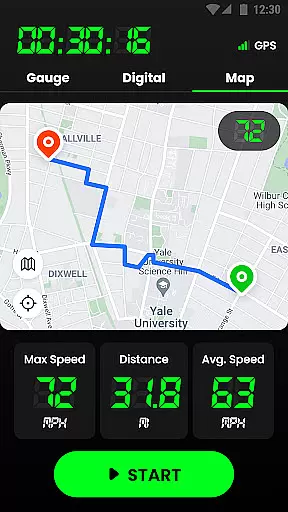
Speedometer stands out with its comprehensive feature set tailored for navigation and speed tracking enthusiasts. One of the key features is its ability to work offline, ensuring that users can rely on it in areas with poor internet connectivity. The built-in GPS navigation allows for fast and intuitive tracking of every journey route on the map, providing users with detailed insights into their trips.
The app offers multiple display options including digital and analog speedometer views, along with attractive UI themes. Users can enable map recording to track their trails and receive speed limit alerts via vibration, voice, and alarms. Additional functionalities include HUD mode for windshield projection, switching between portrait and landscape modes, and widgets for quick access. These features collectively make Speedometer a powerful tool for anyone needing reliable speed and distance tracking.
Map accuracy is a crucial feature for any navigation app, and Speedometer excels in this area. The application uses advanced GPS technology to provide real-time location tracking with impressive precision. Whether you're driving, cycling, or walking, the app ensures that your position is accurately displayed on the map.
The speedometer function relies heavily on precise location data to calculate current speed, average speed, and maximum speed. With its reliable GPS integration, Speedometer delivers consistent and accurate readings, which are essential for users who depend on this information for their travels. This level of accuracy helps in making informed decisions while on the move.
Moreover, the app's ability to work offline enhances its reliability. Users can count on Speedometer to maintain accuracy even when internet connectivity is poor or non-existent. This feature is particularly beneficial for those venturing into areas with limited network coverage, ensuring they remain on course without interruptions.
Route planning is an integral part of the Speedometer app, designed to make your journeys as efficient as possible. By leveraging sophisticated GPS navigation, the app offers intuitive route suggestions that adapt to your current location and destination. This functionality not only saves time but also optimizes travel by considering various factors such as distance and traffic conditions.
In addition to providing real-time location tracking, Speedometer allows users to pause or reset their routes at any time. This flexibility is ideal for those who may need to make stops or change directions during their trips. The app records detailed information about each journey, including starting and ending points, total distance, and trip duration, making it easy to plan future routes based on past experiences.
Furthermore, the app supports both portrait and landscape modes, catering to user preferences and specific navigational needs. With multiple beautiful theme colors available, users can customize their interface for a more personalized experience. These features combine to create a comprehensive route planning tool that ensures safe and efficient travels under various circumstances.
User-friendly interface
Accurate GPS tracking
Offline functionality
Multiple speed units
Customizable display options
Battery consumption may be high
Limited advanced analytics
No social sharing features
Premium features require subscription
Occasional GPS inaccuracies

Navigate with your watch and keep the phone in your pocket!
 4.60
4.60
Plan routes, share locations, and set custom alert zones
4.40
Navigate confidently with our precise Digital Compass app & Direction Compass!
4.70
Get directions, Maps, GPS navigation & GPS Maps using GPS App
4.10
Your real-time window to the world. Explore anywhere, anytime.
3.30
Navigate via GPS Maps of GPS Voice Navigation, driving directions to find routes
3.60
GPS Navigation: Get map directions and find the shortest routes to avoid delays!
4.00
ParkWhiz, an Arrive Mobility brand, part of the Arrive Network
4.30
Ride or drive at YOUR price
4.70
Rideshare, taxi cabs, and more for your airport travels and everyday trips.
4.50
Instant diesel discounts - save big with each fill up!
4.40
"Balad" is a map and navigator with a Persian voice assistant and a complete city guide
4.40
Use GPS maps or search by property owner, address or parcel to view parcel data
4.30
GPS phone tracker, family locator, secure location sharing app
4.20
Find routes fast with GPS Maps, GPS Navigation & driving directions.
4.10
Easy, Moderate and difficult offroad adventures.
4.00
Get real-time bus and train schedules for easy, hassle-free city transportation.
3.90
Explore Earth with live GPS, satellite view & street navigation
3.60
Turn your tablet or Android powered unit into a full blow Android Auto headunit.
2.30


User Reviews