
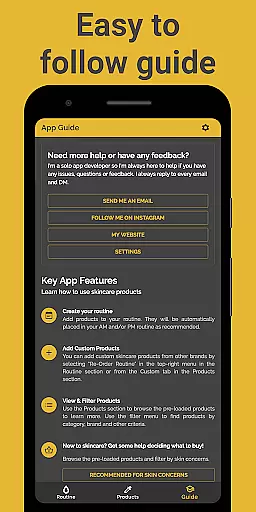
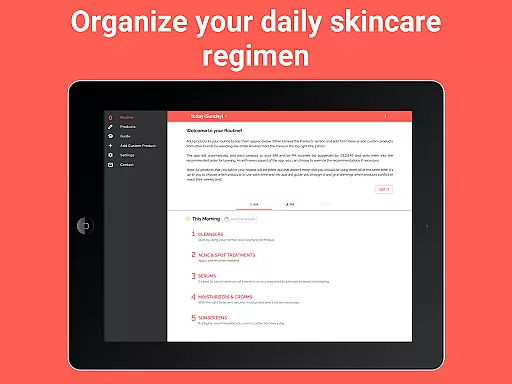
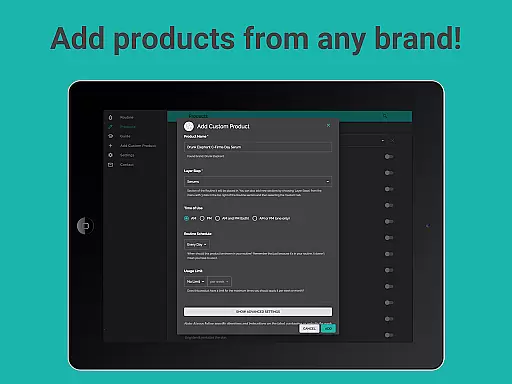



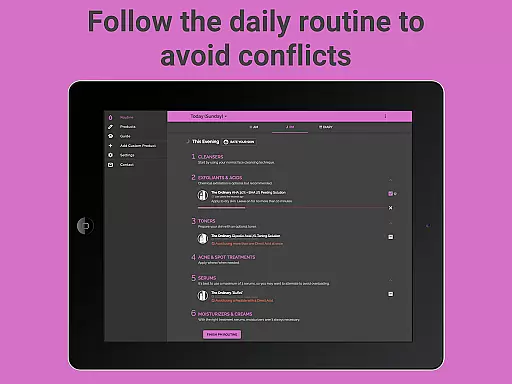
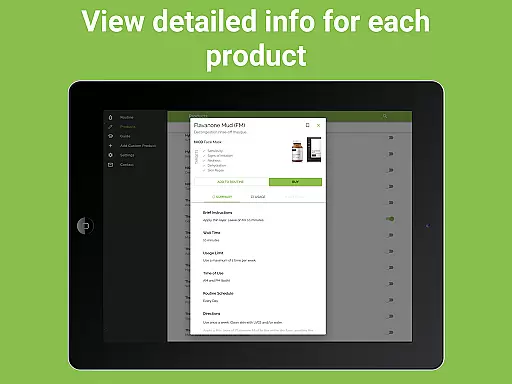

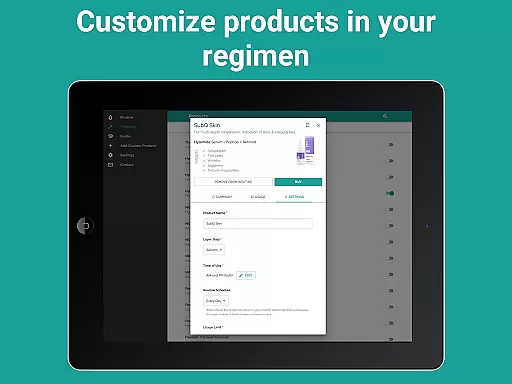
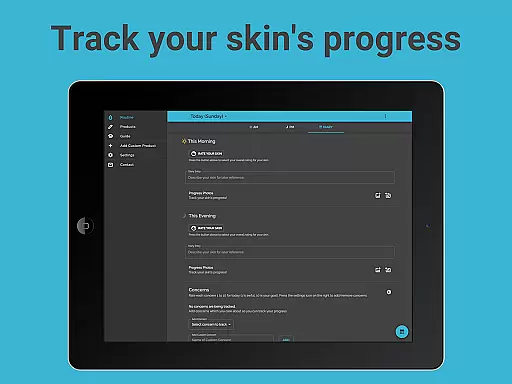
Skincare Routine is a comprehensive beauty app designed to optimize your daily skincare regimen. The app provides personalized routines by recommending the ideal order for applying skincare and makeup products, ensuring maximum effectiveness. With pre-loaded DECIEM products and support for custom entries from any brand, it caters to diverse skincare needs.
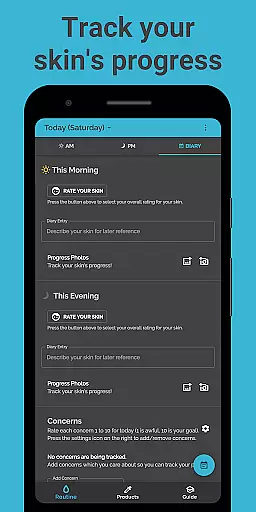
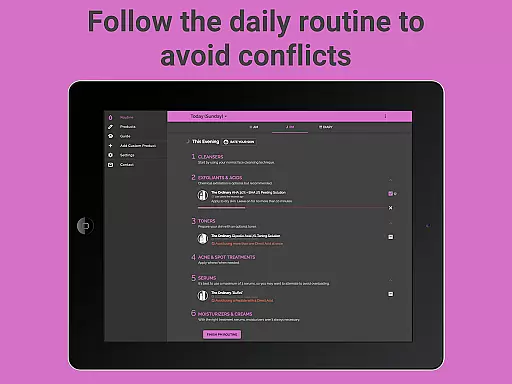
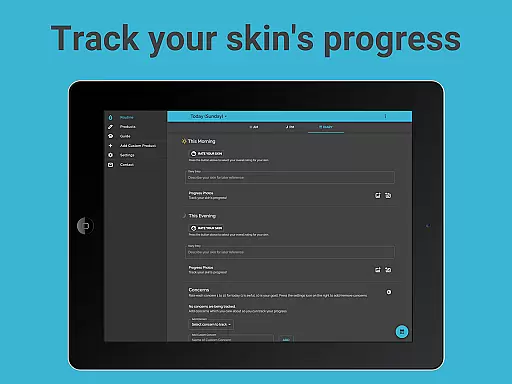
A standout feature is its conflict-tracking system that monitors product usage, preventing overuse or incompatible combinations. Users can also track their skin's progress through notes, photos, and routine adjustments. Whether addressing dryness, acne, or aging, Skincare Routine offers tailored solutions to help users achieve their skincare goals efficiently.
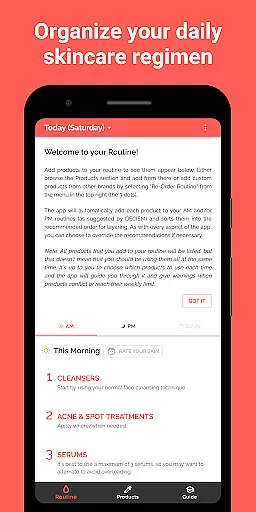
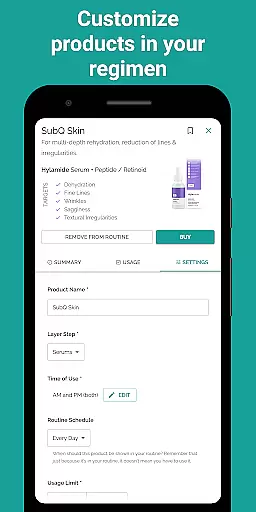
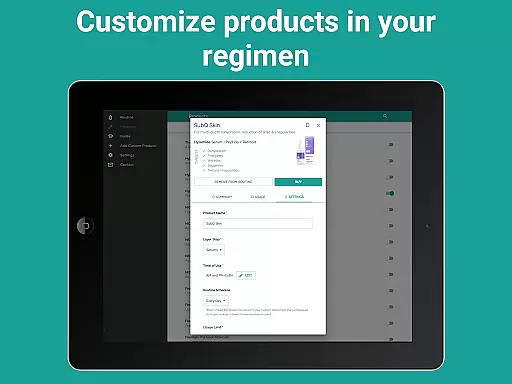
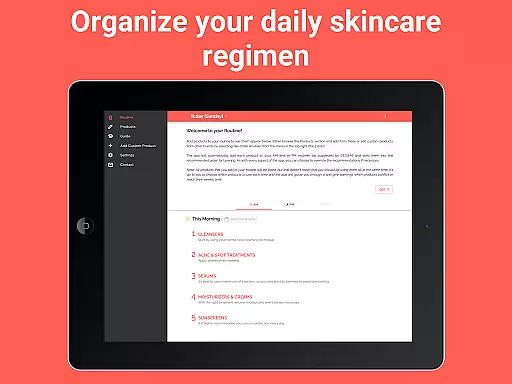
Skincare Routine stands out with its robust customization options and user-friendly interface. The app automatically organizes products into AM and PM routines based on expert recommendations, while still allowing users to manually adjust the order. Advanced features like scheduling specific products for certain days or intervals provide flexibility for targeted treatments.
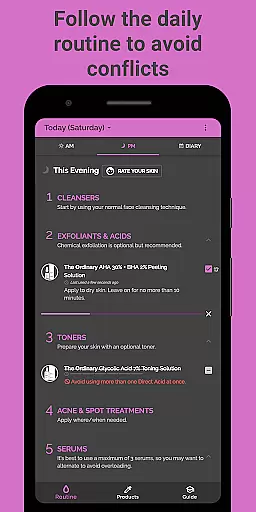
Another key highlight is the app's tracking system. By marking off daily product usage, users receive alerts about potential conflicts or overuse. Additionally, the ability to add progress photos and notes creates a detailed skincare diary. With reminders, timers, and compatibility with various brands, this app ensures a seamless and effective skincare experience tailored to individual preferences.
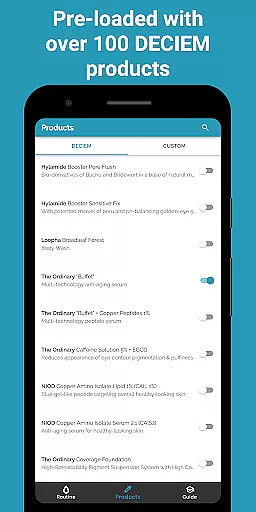
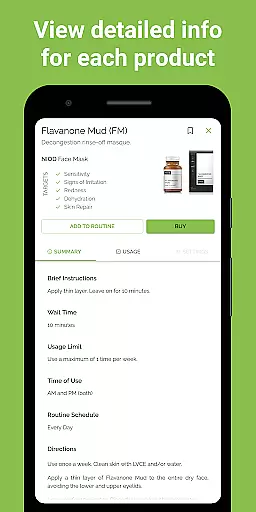
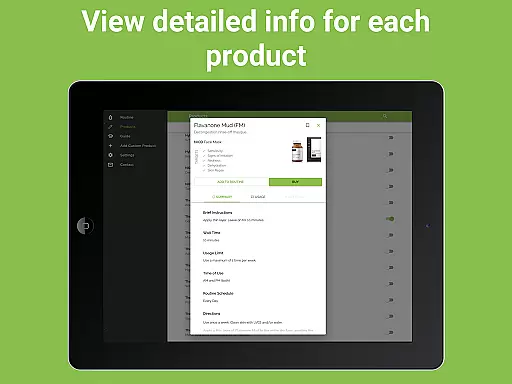
Skincare Routine offers an extensive product database that caters to a wide range of skincare needs. The app comes pre-loaded with DECIEM products, including The Ordinary, NIOD, Hylamide, and Fountain, ensuring users have access to detailed information about these popular skincare lines.
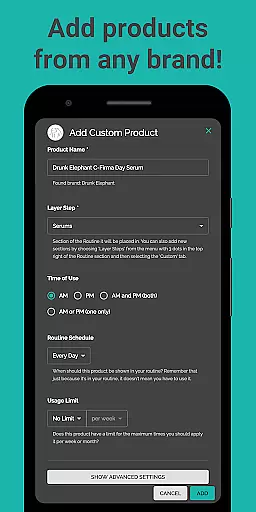
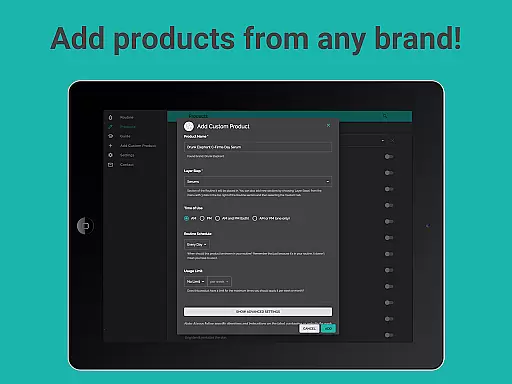
Beyond the pre-loaded options, users can add custom skincare products from other brands. This feature allows for a comprehensive tracking system where each product's specifications, active ingredients, and usage instructions are meticulously recorded. Such depth in the product database ensures that users can manage their routines with precision.
The value of this extensive database lies in its ability to prevent product conflicts and overuse. By maintaining detailed records of each product's properties, the app advises users on the optimal application order and frequency, thus enhancing the efficacy of their skincare regimen.
Personalization is at the core of Skincare Routine, allowing users to tailor their skincare regimen to their unique needs. The app automatically places products into AM and PM routines based on recommendations, ensuring each user's routine is optimized for effectiveness.
Users benefit from advanced customization options such as re-ordering routines and scheduling products for specific days or intervals. These features provide flexibility and precision, accommodating various skincare strategies and preferences.
This high degree of personalization extends to addressing specific skin concerns like dryness, acne, and aging. By aligning product use with individual skin goals, Skincare Routine empowers users to achieve noticeable improvements in their skin's health and appearance.
User-friendly interface
Customizable routines
Conflict prevention system
Progress tracking tools
Wide brand compatibility
No subscription option
Limited advanced features
Premium one-time cost
Manual data entry required
Occasional bugs reported

Beauty Camera - Selfie Camera with beauty editing tool, makeup, filter, sticker
 4.60
4.60
Wacky mirror filter, waves effect & wavy effect to make your own funny videos.
4.60
Design unique tattoos and preview them on your body image using Tattoo Maker App
3.30
Try interesting trending filters allows you switch to a cute girl
4.70
Edit Your Photos and Videos with Beauty Filters & Get Makeup Artist Tutorials
3.60
Beauty Camera AI Photo Editor with effect, filter, makeup tools for photo editor
4.30
Try On Style with AI: Virtual Dressing Room & Personal Fashion Stylist App
4.00
This barber game allows you to create and design hair styles on diverse people
3.80
Never run out of your go-to beauty & get 5% off with auto-replenish deliveries!
4.00
Use your phone as a makeup mirror, shaving mirror. Magnifying mirror with light!
4.80
The ultimate beauty membership
4.70
Selfiechat Filters for amazing photos with Funny face filters
4.60
Beauty camera to take nature selfie with photo filter. Photo makeup face editor.
4.50
Professional HD Camera App: Capture Bright HD Selfie & Record Stunning Moments
4.40
Download Today
4.40
True mirror app with zoom, LED light, for makeup & shaving anywhere!
4.20
Seasonal color palette, my personal color, hair color changer, makeup, wardrobe
4.20
Shop Smarter, Dress Better, and Shine Brighter!
4.10
Create, design and dress up your own beautiful characters in cute fashion styles
3.50


User Reviews