
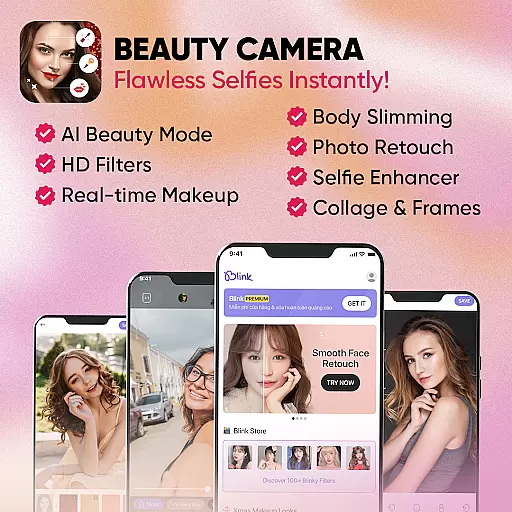
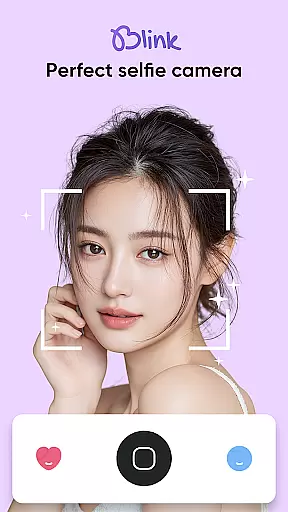
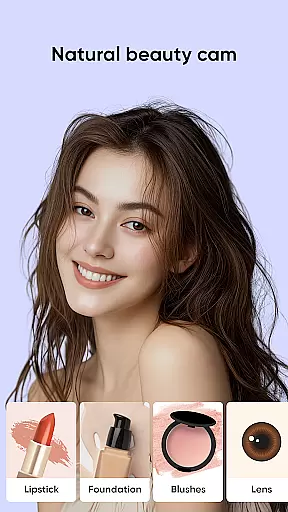
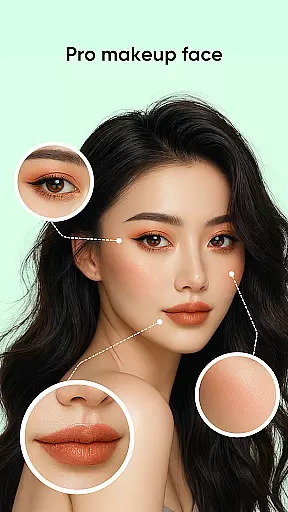
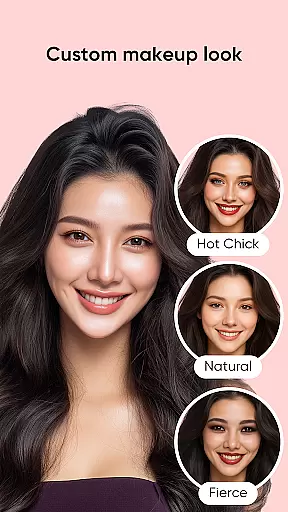
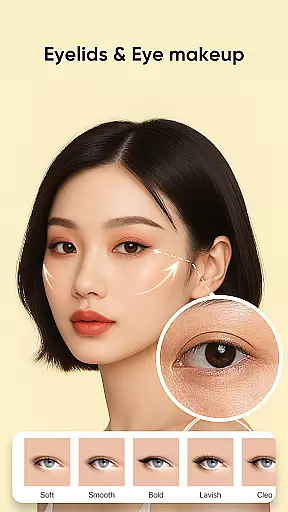
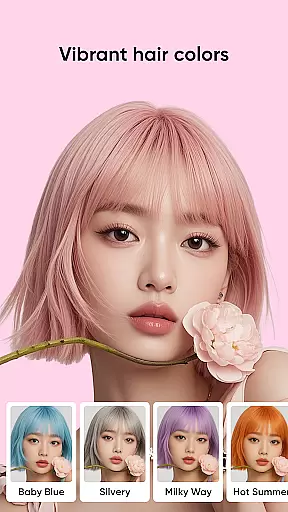
Blink Beauty Cam is a comprehensive beauty camera application designed to enhance your selfie experience. This app allows users to take stunning photos with advanced face beautifying filters and professional photo retouching tools. The core functionality revolves around its powerful makeup features, enabling users to apply various makeup styles from natural to bold looks effortlessly.
One of the standout features is the detailed face retouching capability, which lets users edit specific facial attributes such as eyes, lips, and eyebrows. Additionally, the app offers creative tools like hair color changing and an extensive range of photo filters. Whether you're looking to perfect your selfies or experiment with different makeup styles, Blink Beauty Cam provides all the necessary tools in one place.
This app is particularly useful for individuals who enjoy taking selfies and want to enhance their photos instantly without needing professional editing skills. With Blink Beauty Cam, users can achieve magazine-quality photos anytime, anywhere, making it an essential tool for social media enthusiasts and photography lovers alike.
Blink Beauty Cam stands out with its rich set of features tailored for beauty enthusiasts. The app includes a beautiful selfie camera that smooths skin and removes blemishes naturally, ensuring every shot looks flawless. It also supports live scoring while shooting, providing instant feedback on your photos.
The professional photo makeup section offers over 50 different makeup styles ranging from gentle to bold, including trendy themes like Christmas and Halloween. Users can customize their look by editing specific facial features such as eyes, lips, and eyebrows. Moreover, the face retouch feature allows detailed editing of facial contours, nose shape correction, and dark circle removal.
Beyond makeup, the app provides pro tools for image editing, including photo cropping with various ratios, flash mode, and photo enhancement options. The unique Blink Store offers more than 100 filters categorized into themes like trends, festivals, and nature, allowing users to explore endless creative possibilities. These features collectively make Blink Beauty Cam a versatile tool for anyone looking to elevate their photo editing game.
When it comes to beauty applications like Blink Beauty Cam, the depth of the product database plays a crucial role in providing users with comprehensive makeup solutions. This app offers an extensive range of features that cover various aspects of digital makeup and photo editing.
Blink Beauty Cam includes over 50 makeup styles ranging from gentle to personalized looks, allowing users to choose the right style for any occasion. Whether it's themed makeovers for Christmas, Halloween, or other festivals, users can find trendy options that suit their preferences.
The application provides detailed customization for facial features such as eyes, lips, eyebrows, and blush. Users can experiment with different lipstick colors, eye colors, mascara effects, and even contouring. The app also supports changing hair color with AI technology, offering popular shades without the need for real hair dye.
With these capabilities, users gain access to a rich database of beauty tools that ensure their selfies are flawless. From blemish removal to teeth whitening, Blink Beauty Cam delivers professional-grade edits that enhance natural beauty while maintaining authenticity.
Personalization is at the heart of Blink Beauty Cam's appeal, setting it apart as a leader in customized beauty solutions. The app leverages advanced algorithms to deliver precise personalization options tailored to individual user needs.
One of the standout features is the ability to retouch and reshape facial contours with meticulous detail. Users can adjust specific areas like nose width, eye shape, and face structure, ensuring each selfie reflects their ideal aesthetic.
Blink Beauty Cam goes beyond basic editing by offering specialized tools such as skin smoothing, acne removal, and dark circle reduction. These functions are designed to address common concerns while preserving a natural look. Additionally, the app's AI-driven hair color changer helps users preview different styles to find what best complements their features.
This high degree of personalization empowers users to create stunning, magazine-quality photos effortlessly. By learning individual preferences over time, Blink Beauty Cam ensures that every editing session becomes more intuitive and satisfying.
User-friendly interface
Wide range of makeup styles
Advanced face retouching tools
Live makeup application
Extensive filter collection
May require premium purchase
Occasional ads
High storage usage
Limited free features
Learning curve for beginners

Beauty camera for perfect selfie with makeup, sticker and filter
 4.50
4.50
Edit Your Photos and Videos with Beauty Filters & Get Makeup Artist Tutorials
3.60
Unique selfie filter camera! Upload live sticker & face filter every week!
4.70
Beauty/age defining ai coach guides you through the exercises in daily routine.
3.30
Beauty Mirror - True mirror app with light, shaving mirror, makeup mirror app
4.50
AI Stylist, Try On Millions Of Clothes In Any Brand & Style, AI Clothes Changer
4.70
Hair style app, Face shape finder, Face shape, Hair style, Face shape detector
4.30
DSLR Hd camera capture high quality 4k hd picture with filters and blur editor
4.50
Book your appointments
4.90
Use your phone as a makeup mirror, shaving mirror. Magnifying mirror with light!
4.80
Get Smart About Your Skin with Fully Personalized Beauty Tech!
4.80
Photo enhancer 360, image enhancement, restore old photos, colorize photo ai
4.70
The ultimate beauty membership
4.70
Your on-demand aesthetician
4.40
All-in-one solution for independent beauty pros to manage & grow their business
4.30
True mirror app with zoom, LED light, for makeup & shaving anywhere!
4.20
Shop Smarter, Dress Better, and Shine Brighter!
4.10
Make beautiful Hairstyles for girls with your own hands in little bit of time
4.00
Enjoy convenience wherever you are with the Tune Up, The Manly Salon app.
3.20


User Reviews