
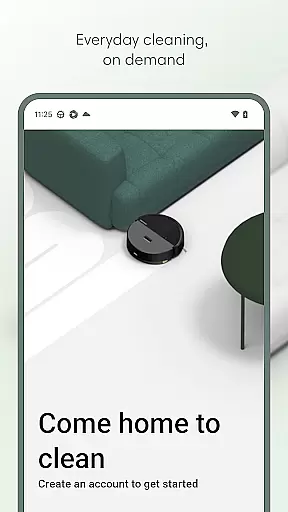
Roomba Home is a comprehensive lifestyle application designed to elevate your cleaning experience through smart home integration. The app serves as the central control hub for Roomba 100, 200, 400, 500, and 700 series robots, enabling users to manage their robotic vacuums with unprecedented ease and precision.
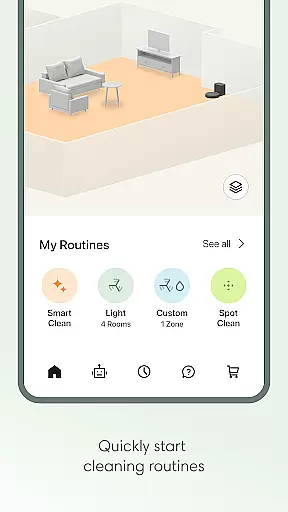
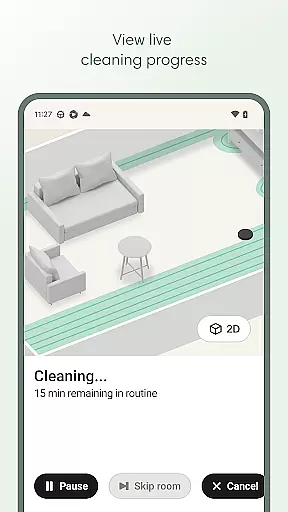
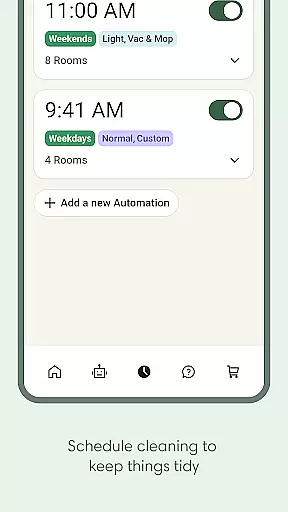
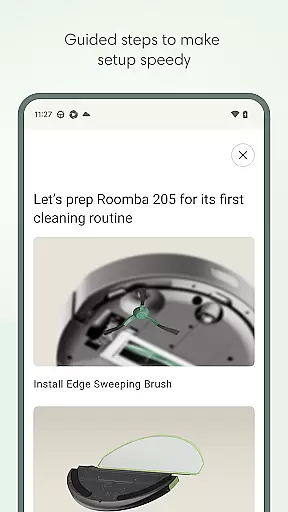
With its intuitive interface, Roomba Home allows you to start, stop, or schedule cleaning sessions effortlessly. You can customize detailed maps of your living space, create personalized cleaning routines, and adjust various cleaning settings according to your preferences. The app also provides real-time insights into your robot's cleaning activities, ensuring optimal performance and proactive maintenance.
This application is particularly beneficial for busy households that require regular cleaning but lack the time to manage it manually. By offering seamless smart home integrations and intelligent recommendations, Roomba Home ensures your living spaces remain spotless with minimal effort, making it an essential tool for modern, tech-savvy homeowners.
Roomba Home offers a rich array of features that cater to both novice and advanced users. One of its standout capabilities is the Routine Builder, which lets you effortlessly create customized cleaning schedules. You can select specific rooms for cleaning, adjust suction power, mopping liquid levels, and even enable advanced scrubbing modes to suit different cleaning needs.
The app supports up to five detailed maps, allowing you to label rooms, add zones, and mark furniture locations for more targeted cleaning control. Real-time tracking provides insights into where and how your robot is cleaning, empowering you to make adjustments on the fly. Additionally, voice control compatibility with Alexa, Siri, and Google Assistant enables hands-free operation, perfect for multitasking individuals.
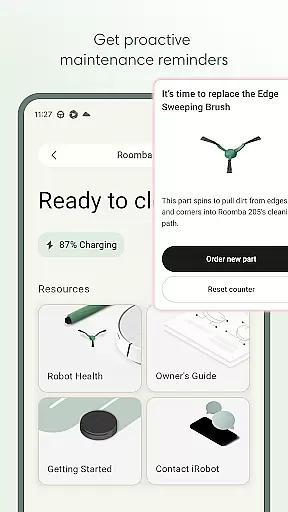
Another notable feature is the Robot Maintenance & Health Dashboard, which monitors the status of your robot and its accessories. It offers timely maintenance alerts and troubleshooting suggestions, ensuring your device remains in peak condition. These innovative features collectively enhance user convenience and deliver a superior cleaning experience tailored to individual preferences.
The Roomba Home app offers comprehensive lifestyle category coverage by integrating multiple essential home management features into one intuitive platform. This includes advanced cleaning routines, scheduling options, and personalized cleaning settings tailored to different rooms.
Users can create detailed cleaning plans using the Routine Builder feature, which allows them to select specific rooms for cleaning, adjust suction power, and even enable advanced scrubbing modes. The app also supports saving up to five maps of your home, providing targeted cleaning control through labeled rooms and designated zones.
Beyond basic cleaning functions, the app provides real-time insights into the robot's cleaning path and status. These features ensure users maintain optimal cleanliness with minimal manual intervention, elevating their overall home maintenance experience.
The Roomba Home app ensures content authenticity and expert credibility by offering verified information directly from iRobot, the industry leader in robotic cleaning solutions. All functionalities within the app are designed based on extensive research and development in home cleaning technologies.
Through the Robot Maintenance & Health Dashboard, users receive professional recommendations for maintaining their devices. This feature monitors both robot and accessory health, providing timely alerts for necessary upkeep actions such as filter replacements or brush cleaning.
Additionally, seamless integration with smart home ecosystems like Alexa, Siri, and Google Assistant demonstrates the app's commitment to delivering reliable and innovative solutions. These integrations undergo rigorous testing to guarantee smooth operation across various platforms, reinforcing user trust in the app's capabilities.
User-friendly interface
Customizable cleaning schedules
Real-time robot tracking
Voice assistant compatibility
Proactive maintenance alerts
Limited to specific Roomba models
Requires 2.4 GHz Wi-Fi network
No offline functionality
Premium features may need subscription
Initial setup can be complex

Earn points with every purchase with Moe Rewards.
 4.20
4.20
Designed to delight, impress and energize your festive spirit every single day
4.5
Take Hobby Lobby with you wherever you go!
3.40
Paranormal EVP, Ghost Box, Spirit box, ITC, Haunted, Spirit communication device
3.70
Unique Dual Colors with 6 Custom Complications for Wear OS watches!
3.40
Smart home security protection
3.20
Colorful minimal digital watch face for Wear OS
4.60
Wear your favorite memories, loved ones, pets or travel photos on your watch
4.2
Earn money for every survey and game you play, and get real rewards every time
4.50
Play. Earn. Repeat. Get rewarded for playing mobile games. Welcome to Mobius!
4.80
Earn money & gift cards when you take surveys, play games, scan receipts & more.
4.50
Material You inspired colors with BIG and Bold looks for Wear OS watches.
4.20
Use your device sensors to detect energy and convert it into spoken words.
4.10
Healthy eating timer app to track meal pace, improve habits, and eat slowly.
4.3
Big bold digital watch face with 30 colors, 6 complications and AOD.
4.0
Cute animated Thanksgiving watchface for your WearOS smartwatch
4.5
Bring the warm colors of fall directly to your wrist with Autumn Leaves!
4.3
A uniquely designed isometric digital watch face made for Wear OS
4.1
Celebrate the holidays with Advent Calendar: daily surprises and festive fun!
4.1


User Reviews