
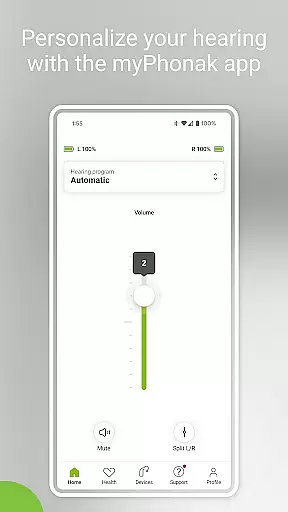
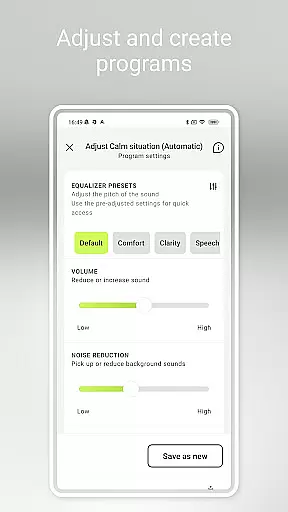
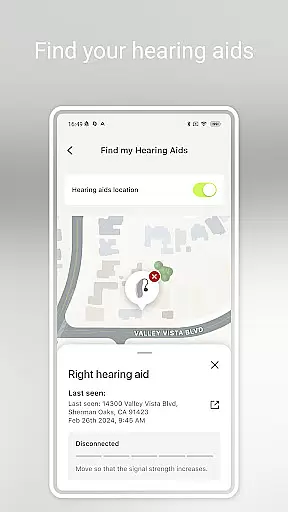
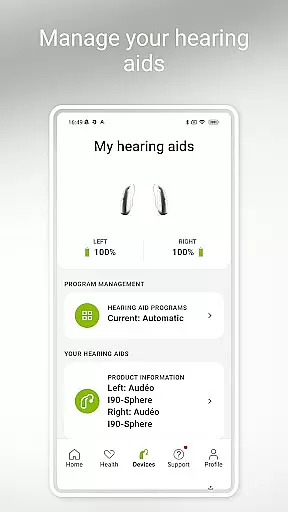
myPhonak is a comprehensive hearing aid management application designed for users of Phonak hearing aids. The app offers advanced remote control features, allowing users to adjust volume, noise reduction, microphone directionality, and equalizer settings to suit different listening environments. With personalized presets and detailed sliders for sound customization, users can tailor their hearing experience with precision.
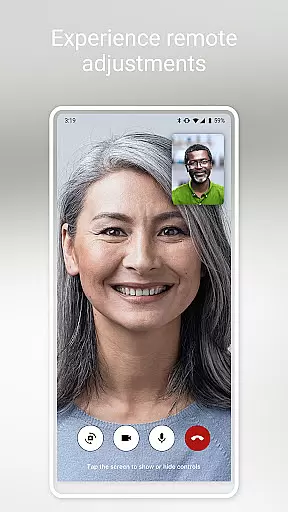
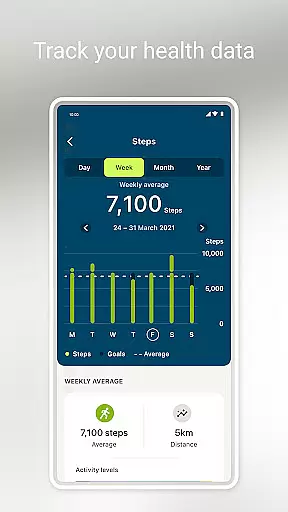
In addition to its core functionality, myPhonak provides remote support through live video calls with hearing care professionals, enabling remote adjustments and consultations. The app also integrates health tracking features such as step counting, activity levels, heart rate monitoring, and more, offering a holistic approach to personal health management for hearing aid users.
This application is particularly beneficial for individuals using Phonak hearing aids with Bluetooth connectivity, ensuring seamless device compatibility and enhancing the overall quality of life by providing both convenience and personalized care.
myPhonak stands out with its extensive feature set tailored specifically for hearing aid users. One of its primary features is the Remote Control functionality, which allows users to make precise adjustments to their hearing aids. This includes modifying volume levels, toggling noise reduction, adjusting microphone directionality, and customizing sound pitch through an intuitive equalizer interface with both presets and manual slider controls.
Another significant feature is Remote Support, which facilitates virtual appointments with hearing care professionals. Through integrated live video calls, users can receive professional guidance and have their hearing aids fine-tuned without needing to visit a clinic physically. This feature significantly enhances accessibility and convenience for ongoing hearing aid maintenance.
Furthermore, myPhonak incorporates various health tracking capabilities, such as monitoring steps, activity levels, heart rate, and distance metrics. These features are complemented by goal-setting options and reminders for device maintenance, making it a versatile tool for managing both hearing health and overall wellness.
In the realm of medical applications, content credibility is paramount. myPhonak stands out by offering features that are not only innovative but also grounded in expert-reviewed science. The app provides users with access to advanced hearing controls and personalization options for Phonak hearing aids, which have been developed under stringent medical guidelines.
Each function within myPhonak, from Remote Control to Health tracking, undergoes rigorous testing and validation. This ensures that users can adjust their hearing aids with confidence, knowing that these adjustments are based on proven audiological research. Furthermore, the inclusion of Remote Support allows users to receive professional guidance through live video calls, reinforcing the reliability of the advice given.
The app's compatibility with various Phonak hearing aids underscores its commitment to quality and safety. By listing specific models and detailing device compatibility, myPhonak demonstrates transparency and builds trust with its users. This dedication to verified medical content empowers users to manage their hearing health effectively.
Teleconsultation has become an essential aspect of modern healthcare, and myPhonak excels in this area by integrating Remote Support. This feature enables users to connect with their hearing care professionals via live video calls, ensuring that expert assistance is always within reach. Such teleconsultations are conducted by appointment, guaranteeing personalized attention and care.
The quality of these virtual consultations is enhanced by the app's ability to facilitate real-time adjustments to hearing aids. During these sessions, professionals can fine-tune settings, addressing individual needs without requiring physical presence. This level of interaction ensures that users receive precise and effective modifications tailored to their unique hearing profiles.
Moreover, myPhonak's integration with Apple Health when connected to compatible devices like Phonak Audu00e9o Fit adds another layer of sophistication to its teleconsultation services. By syncing health data, the app provides a comprehensive view of the user's well-being, enabling more informed discussions during teleconsultations. This holistic approach elevates the standard of remote care offered by myPhonak.
User-friendly interface
Comprehensive hearing controls
Remote professional support
Integrated health tracking
Customizable settings
Limited device compatibility
Advanced features require specific models
Dependent on Bluetooth connectivity
Health data accuracy varies
Premium features may need subscription

Adaptive-learning flashcards and quizzes for the Top 250 Drugs
 4.60
4.60
Leafly is a weed app for finding dispensaries, cannabis strains, & more.
4.70
HealtheLife lets you easily manage your health online.
3.20
The Better Pharmacy Experience
4.90
Remote, medical-grade heart care at your fingertips
4.70
Take your aphasia therapy to the next level with 4 evidence-based advanced apps
4.70
PPP provides quick offline access to over 350 field treatment protocols.
4.60
Secure video appointments
4.50
Online Doctors & Condition Management
4.40
A comprehensive 3D atlas of the human body
4.80
Live vet support by text/video
4.80
Access health information and communicate with your care team anytime, anywhere.
4.80
Enables quick access to medical data and contacts in case of emergency (ICE)
4.70
Your donation experience just got smoother; Donor Hub is your go-to place.
4.70
Anthem/Wellpoint and other health insurance plans
4.60
The official DSM-5-TR® app
4.50
Your pocket guide to following The Monash University Low FODMAP diet.
4.20
A scientifically-proven method to help people with dementia or memory impairment
4.1
A rapid reference for prehospital providers caring for pediatric patients.
4.5


User Reviews