
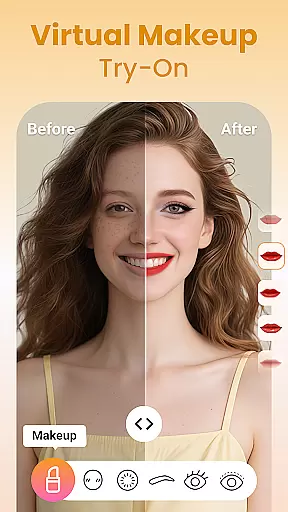
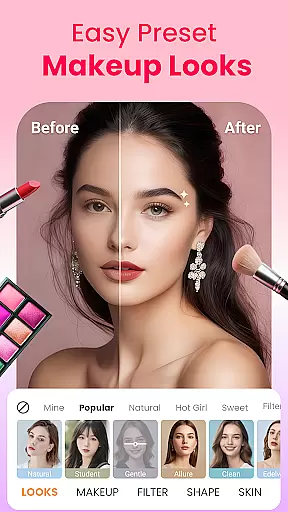
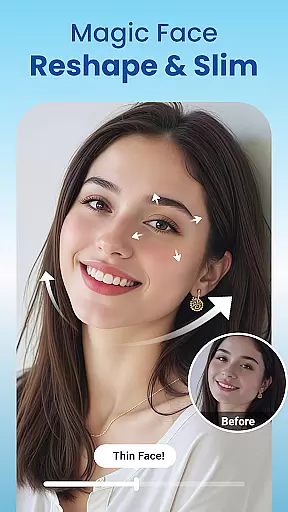
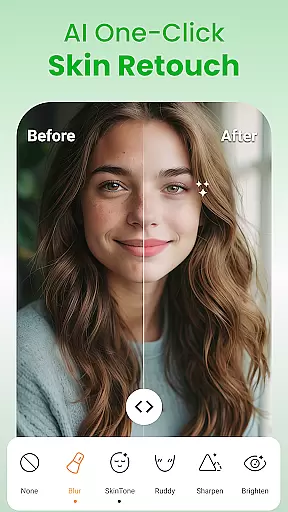
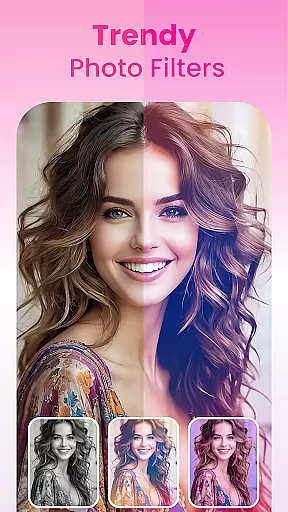
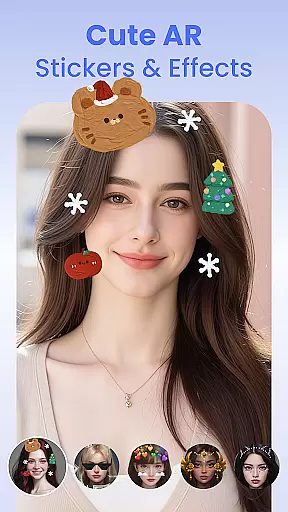
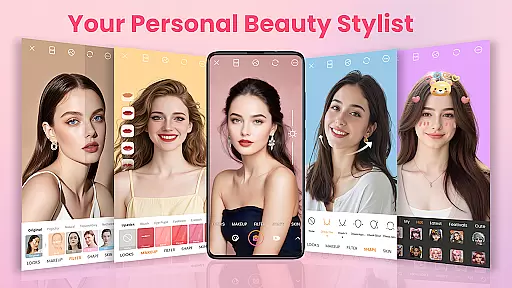
Makeup Camera & Selfie Editor is a comprehensive beauty app designed to help users achieve flawless and stunning selfies. This all-in-one beauty camera offers powerful makeup tools, face editing features, trendy filters, and fun AR effects. Users can apply virtual makeup such as lipstick, blush, and eyeshadow with a single tap, reshape facial features, smooth skin, whiten teeth, and add playful stickers. Whether you're aiming for a natural look or bold transformations, this app provides everything needed to enhance your beauty effortlessly.
The app's standout feature is its real-time makeup application that allows users to experiment with different styles instantly. With 100+ stylish filters and numerous AR stickers, every selfie can be unique and playful. The intuitive interface makes it easy for both beginners and photo-editing enthusiasts to capture, beautify, and shine in seconds. Suitable for daily use, Makeup Camera & Selfie Editor empowers users to express their personal style and capture their most beautiful moments anytime, anywhere.
Makeup Camera & Selfie Editor stands out with its extensive range of features tailored to enhance user experience. One of the key highlights is the powerful makeup tools section where users can apply lipstick, blush, colored contacts, eyebrows, eyelashes, eyeliner, eyeshadow, highlight, contour, and foundation. Each tool is designed to provide realistic results with just one tap, allowing users to create subtle or bold looks effortlessly.
In addition to makeup tools, the app includes advanced selfie editing capabilities. Users can retouch their photos by smoothing skin, reshaping faces, enhancing eyes, and whitening teeth. The app also offers trendy filters and cute AR stickers that transform ordinary selfies into extraordinary ones. With over 100 filters ranging from soft pastels to dramatic tones, users can set the perfect mood for each photo. These features collectively ensure that every selfie taken with Makeup Camera & Selfie Editor is polished, vibrant, and reflective of the user's unique style.
Makeup Camera & Selfie Editor offers an extensive product database that caters to a wide array of beauty needs. The app includes features such as lipstick, blush, colored contacts, eyebrows, eyelashes, eyeliner, eyeshadow, highlight and contour, and foundation options. Each feature is designed to provide users with detailed customization for their makeup preferences.
The depth of the product database ensures that users can experiment with different looks ranging from subtle to bold. With real-time application, users can try vibrant or natural shades, add a healthy glow, change eye color, shape and fill eyebrows, define eyes, layer colors for 3D effects, and enhance facial features naturally.
This comprehensive approach allows users to achieve their desired makeup style effortlessly. Whether it's smoothing skin, reshaping the face, enhancing eyes, or whitening teeth, the app provides precise editing tools that cater to various beauty requirements.
By offering such an in-depth and versatile product database, Makeup Camera & Selfie Editor empowers users to express themselves fully. It makes it possible to mix and match beauty tools, apply real-time makeup, and use trendy filters to create the perfect photo, ensuring a personalized and satisfying user experience.
Personalization is at the core of Makeup Camera & Selfie Editor, allowing users to tailor their beauty experience with remarkable precision. The app offers powerful and easy-to-use makeup tools that enable users to craft their signature look effortlessly. From lip color to facial reshaping, each tool is designed to offer granular control over the final appearance.
Users can choose from preset makeup styles that apply full-face looks with a single tap, ensuring consistency and ease of use. Moreover, the selfie editor and face retouching features provide advanced options like blemish removal, face slimming, cheek lifting, jawline refining, eye enlargement, dark circle removal, and teeth whitening.
The app also includes trendy filters and cute AR stickers, adding another layer of personalization. These features allow users to switch between soft pastel tones to retro vibes, and incorporate fun, interactive elements into their photos.
With Makeup Camera & Selfie Editor, users can capture, beautify, and shine with precision. This level of personalization ensures that every user can express their unique style and beauty, making the app an essential tool for anyone looking to explore their most beautiful self anytime, anywhere.
User-friendly interface
Real-time makeup application
Wide variety of filters
Advanced retouching tools
Frequent updates
Some features require purchase
Occasional performance issues
Limited customization options
Ads may interrupt usage
High system requirements

Beauty camera for perfect selfie with makeup, sticker and filter
 4.50
4.50
Make beautiful Hairstyles for girls with your own hands in little bit of time
4.00
Enhance Your Look with Face Analysis, Hair Style Changer, Beauty Score, Rating
3.90
Enhance your selfies with face beauty makeup tool and an easy background remover
4.70
Beauty Camera - Selfie Camera with sweet selfie, makeup, filter, sticker, editor
4.50
AI Stylist, Try On Millions Of Clothes In Any Brand & Style, AI Clothes Changer
4.70
Hair style app, Face shape finder, Face shape, Hair style, Face shape detector
4.30
DSLR Hd camera capture high quality 4k hd picture with filters and blur editor
4.50
Snap stunning selfies with AI from the Sweet Beauty Camera editor
4.10
Unleash your (Pro)tential with the hottest hair, nails and beauty brands!
4.60
A tool that brings skin care and technology together at your fingertips.
4.50
Winter picture editor: Christmas stickers, frames for photos & Christmas cards.
4.40
Your on-demand aesthetician
4.40
This application is for the Luvme Hair official website: shop.luvmehair.com .
4.30
True mirror app with zoom, LED light, for makeup & shaving anywhere!
4.20
Glow up with science: cosmetics, ingredients scanner, tracking & face analysis
4.10
Change your hairstyle and color instantly with AI-powered virtual makeovers.
3.90
This barber game allows you to create and design hair styles on diverse people
3.80
Design unique tattoos and preview them on your body image using Tattoo Maker App
3.30


User Reviews