
Firestorm for Hue is an innovative entertainment application that allows users to create immersive lighting experiences using Philips Hue lights. The app enables your lights to glow and flicker in sync with various fire-themed sound effects, creating unique ambient environments.
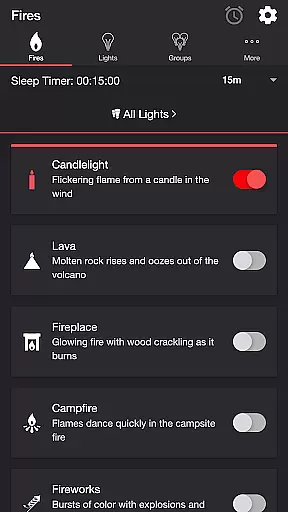
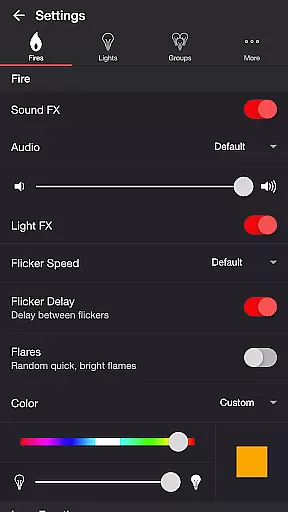
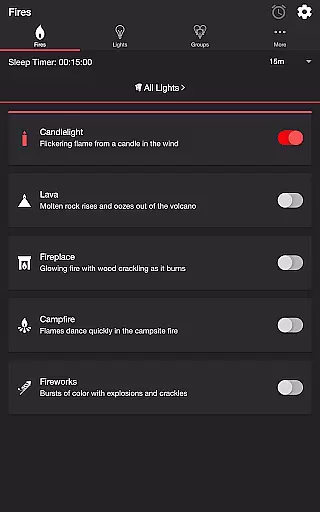
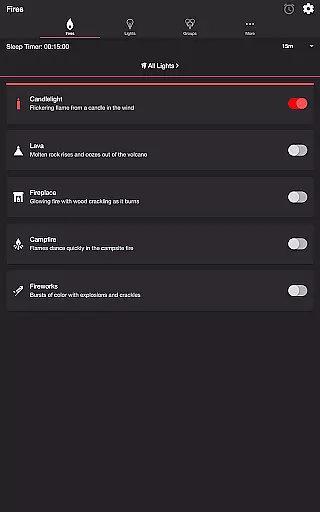
The application offers multiple fire presets including Candlelight, Lava, Fireplace, Campfire, and Fireworks. Each preset comes with customizable settings for light effects, sound effects, flicker speed, color, brightness, and more. These features provide users with extensive control over their lighting experience, making it ideal for setting the mood or creating a relaxing atmosphere at home.
With additional functionalities like Sleep Timer, Bluetooth and Casting Support, as well as comprehensive light group management, Firestorm for Hue delivers a complete smart lighting solution for both casual and advanced users.
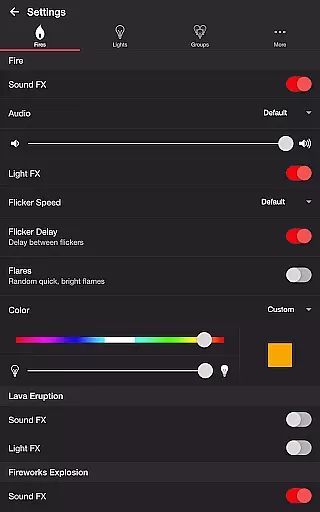
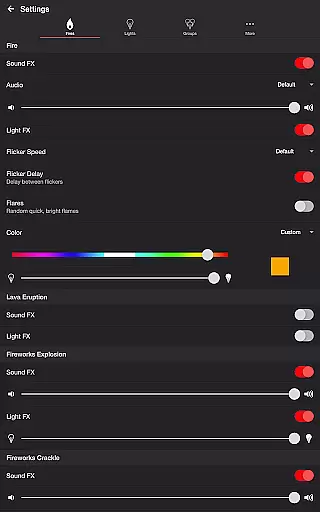
Firestorm for Hue stands out with its diverse range of customizable features. Users can choose from various fire presets such as Candlelight, Lava, Fireplace, Campfire, and Fireworks, each offering unique audio and visual effects. The app provides detailed controls for toggling sound and light effects, adjusting volumes, changing flicker speeds, and customizing colors and brightness levels.
Beyond basic fire effects, the app includes specialized settings for Lava Eruption and Fireworks Explosion/Crackle. These allow users to toggle specific sound and light effects, adjust intervals, and modify brightness levels. Background sounds like Birds, Cicadas, Crickets, and Frogs add another layer of ambiance customization.
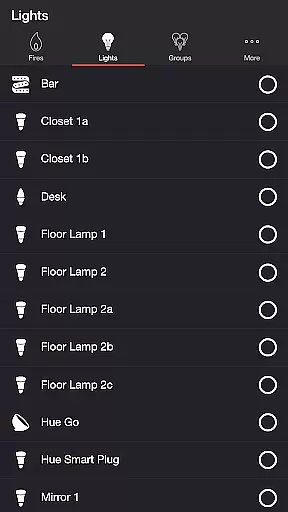
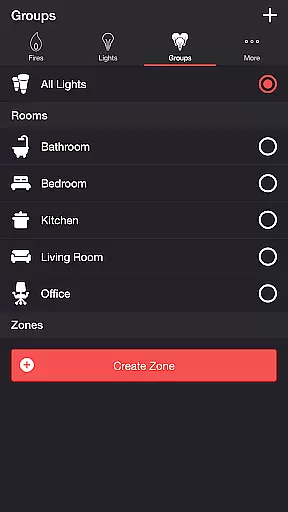
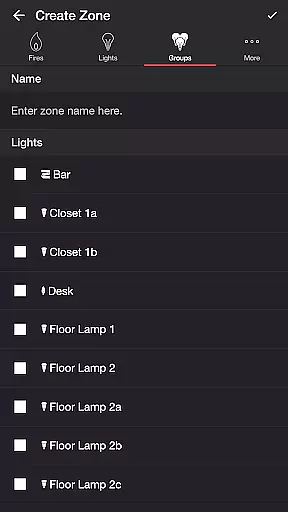
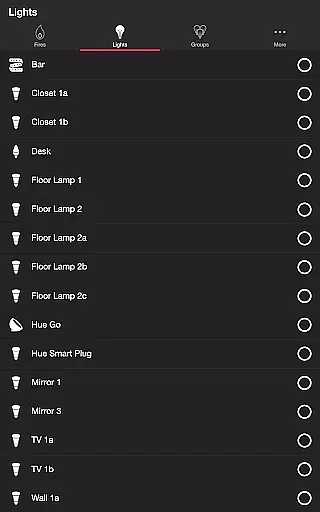
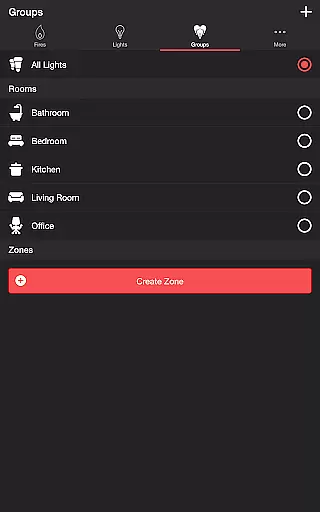
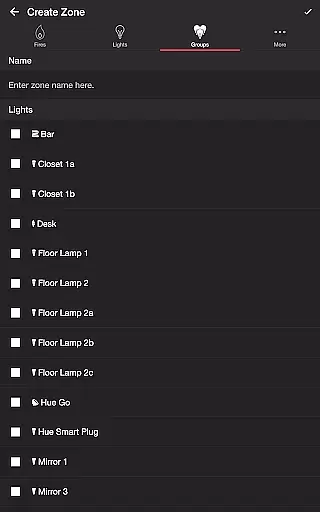
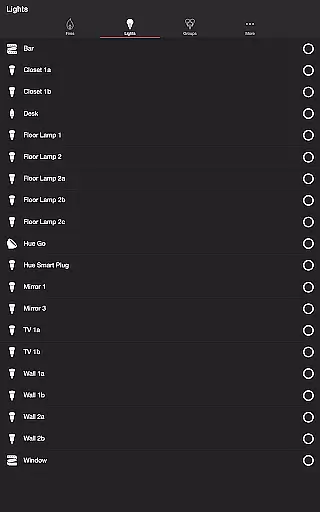
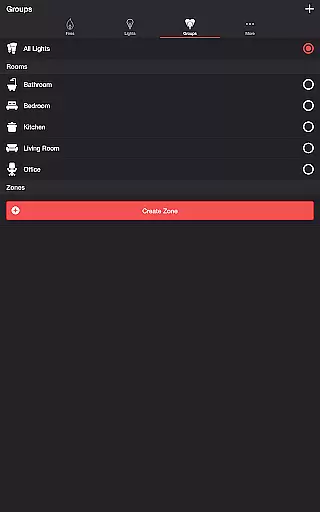
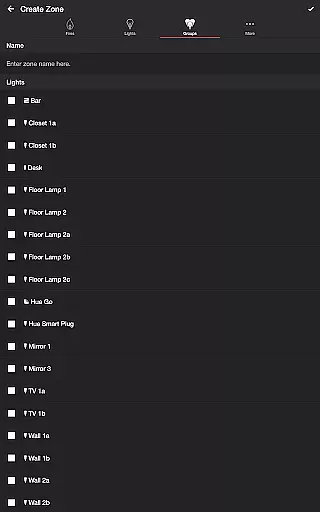
Additional notable features include a Sleep Timer with audio fade-out functionality, Bluetooth and Casting Support for wireless speakers, and robust light/group management options. Users can easily select and manage individual lights or groups, set up recurring cycles, and customize default end states, providing a truly personalized smart lighting experience.
Firestorm for Hue offers a diverse range of content options that cater to various moods and settings. With five distinct fire modes, including Candlelight, Lava, Fireplace, Campfire, and Fireworks, users can customize their ambiance with rich visual and audio effects.
The app's versatility is further enhanced by customizable settings for each fire mode. Users can adjust sound effects, flicker speed, color, brightness, and even background sounds, ensuring a fresh experience with every use. These dynamic options allow for endless combinations, keeping the content engaging and adaptable to different environments.
Moreover, Firestorm for Hue supports real-time adjustments, enabling users to modify settings on the fly. This instant feedback loop maintains user interest and encourages experimentation with different configurations. The ability to save preferred settings ensures that users can quickly access their favorite setups.
The integration with Philips Hue lights creates an immersive experience that extends beyond the screen. By synchronizing light effects with audio cues, the app delivers a multisensory experience that feels both novel and captivating. Regular updates and new feature additions promise to keep the content fresh and exciting for long-term users.
Firestorm for Hue excels in maintaining user engagement through its sophisticated feature set and intuitive design. The combination of visually striking light effects and complementary soundscapes creates an absorbing experience that encourages extended usage sessions.
The app's sleep timer feature, complete with audio fade-out functionality, promotes longer engagement by allowing users to enjoy uninterrupted sessions. The ability to set automatic start and stop times for different modes enables users to incorporate the app into their daily routines, enhancing retention rates.
Advanced customization options contribute significantly to user retention. By offering precise control over every aspect of the light show, from flicker speed to eruption intervals, the app caters to both casual users and enthusiasts seeking detailed configuration. This depth of control fosters a sense of ownership and investment in the experience.
Furthermore, the app's support for multiple lights and groups, along with its wireless audio capabilities through Bluetooth and Chromecast, creates opportunities for shared experiences. These social elements, combined with the app's ability to create recurring cycles of light shows, help maintain user interest and encourage regular return visits.
Extensive customization
Multiple fire presets
User-friendly interface
Advanced sound controls
Comprehensive light management
Hue Bridge required
Premium features locked
Complex for beginners
Limited device compatibility
Occasional connectivity issues

Fun brain twisting challenge with trending Whirlpool Filter.
 4.70
4.70
Wodfix Air aggregates popular online content for you.
4.80
Stream live TV shows, sports, news, movies & more - all without cable.
3.00
Christmas Globe: Transform your Wear OS device into a festive timekeeper!
4.5
See the frequencies! Watch the magic!
4.0
Himnario LLDM - Fast and Easy to read , updated Hymnal 2019 Edition Official
4.20
Explore the unknown!
3.00
Watch New Episodes & Live TV
3.80
Earn big rewards like PayPal & Amazon gift cards by playing games you love!
4.30
The OFFICIAL PeeWee Purpdrank Soundboard!
4.80
Find out if you're on Santa's Naughty or Nice List with this magical scanner!
4.60
Stream Online TV - Watch Live IPTV Playlist & Channel with Built-In Player
4.50
Browser for Chromecast to stream webvideos, online movies, IPTV & HD livestreams
4.40
A companion app for the game Elite Dangerous
4.10
Experience the video editing experience brought by our intuitive interface
4.10
Your choice of 350+ networks plus movies and full TV series on-demand.
3.70
VR 360 Cinema Player is the ultimate VR player for playing videos on mobile
3.50
A wonderful collection of the most beautiful sounds of animals and birds
4.0
Neon Christmas Tree Animated: Festive Wear OS watch face with fitness info
4.5


User Reviews