
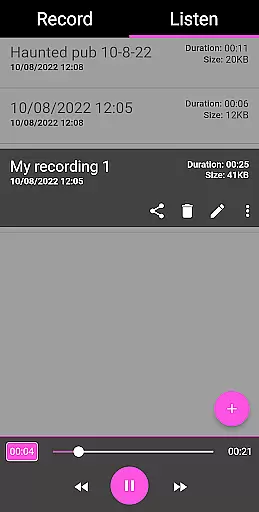
EVP Recorder is a specialized application designed for paranormal enthusiasts who are interested in ghost hunting. The app utilizes the device's built-in microphone to capture Electronic Voice Phenomena (EVP), which are believed to be responses from spirits. It has been rigorously tested by experienced ghost hunting teams, ensuring its reliability and effectiveness.
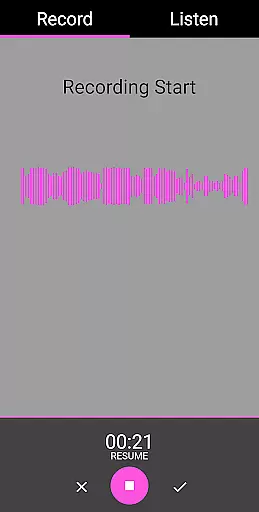
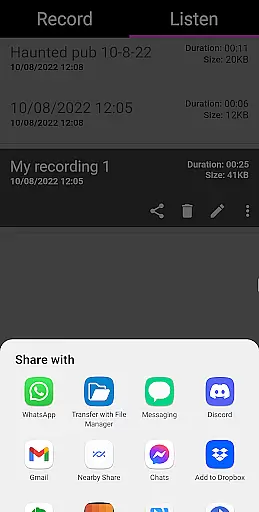
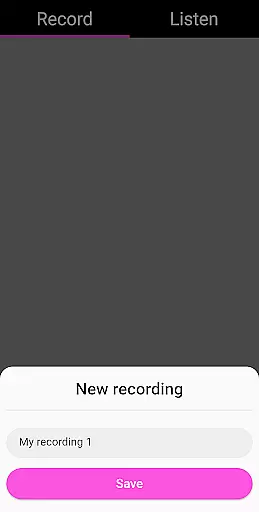
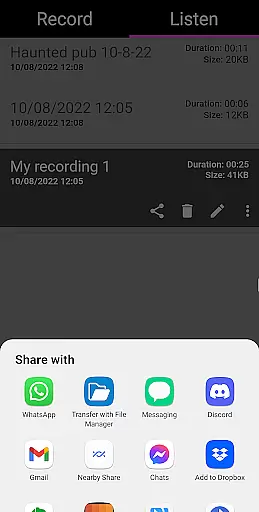
With features like EVP recording, pause functionality, and audio visualization, users can both hear and see potential spirit communications. The app allows for saving, renaming, and deleting recordings, as well as sharing them via social media platforms. Its user-friendly interface ensures ease of use while providing essential tools for capturing and analyzing EVPs without any ads or in-app purchases.
Whether you're an amateur ghost hunter or a seasoned investigator, EVP Recorder offers a practical solution for those seeking to explore the paranormal. By asking questions and carefully listening to the playback, users can analyze the responses within the quiet gaps between their inquiries, potentially uncovering otherworldly communications.
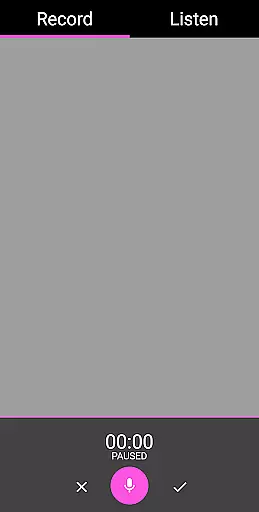
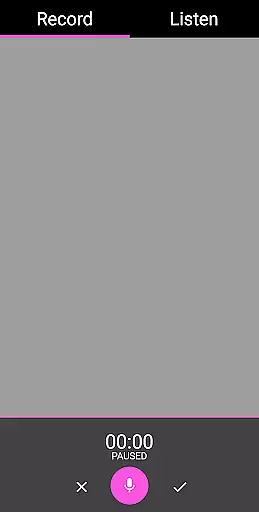
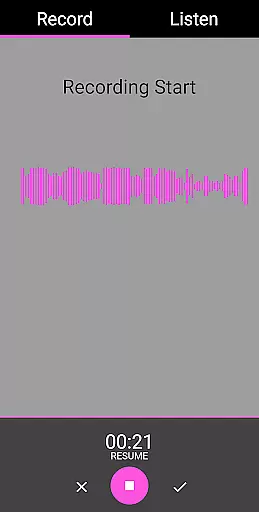
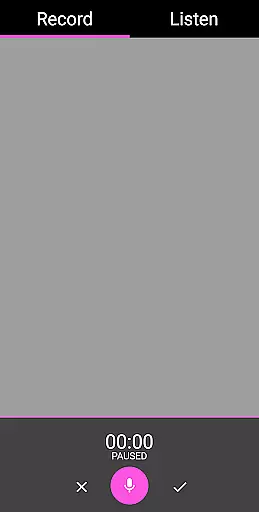
EVP Recorder stands out with its comprehensive set of features tailored specifically for ghost hunting. One of the core functionalities is the ability to record EVP sessions using the phone’s microphone, allowing users to capture potential spirit voices. The pause function during recording provides flexibility, enabling hunters to manage sessions effectively without stopping the entire process.
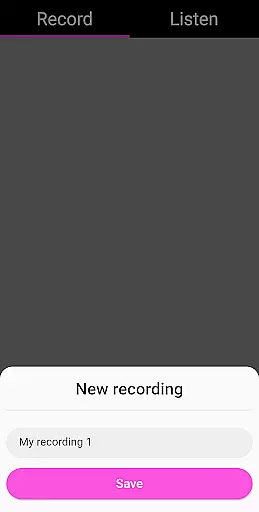
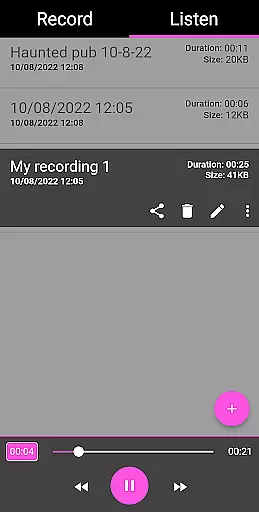
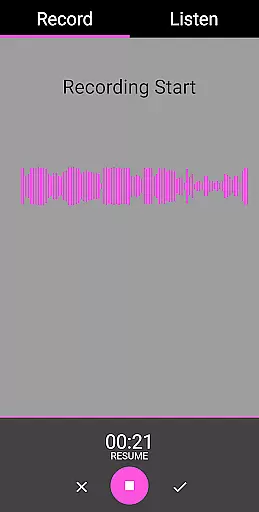
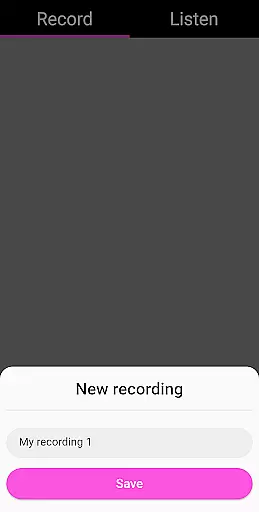
The app also includes advanced options such as audio visualization, which translates sound waves into visual data, helping users identify anomalies that might indicate spirit presence. Users can save recordings directly within the app, rename files for better organization, and even import existing audio files for analysis. Sharing capabilities extend to popular platforms like Facebook and WhatsApp, making it easy to distribute findings.
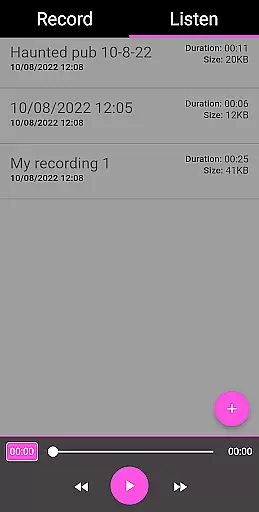
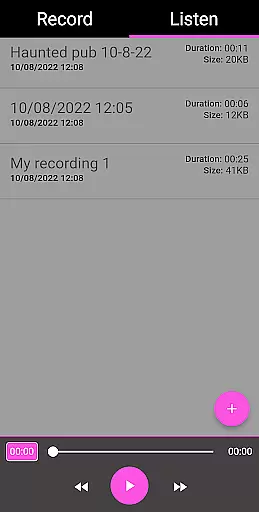
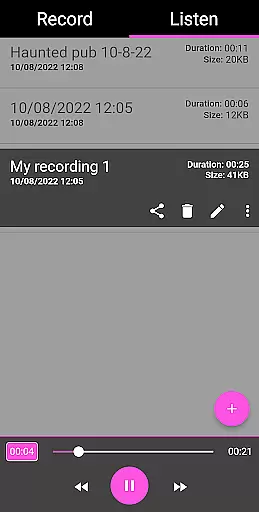
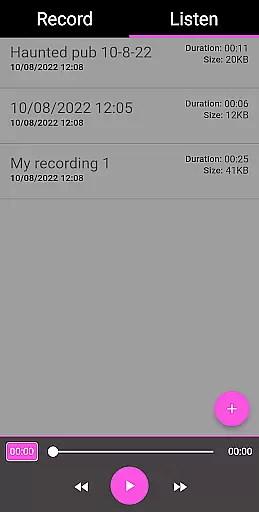
Additional features include playback controls with fast forward and reverse options, detailed recording information such as duration and file size, and a clean, ad-free interface. These elements combine to create a robust toolset that empowers users to conduct thorough investigations and share their experiences effortlessly.
The EVP Recorder app offers a unique blend of entertainment and paranormal exploration, providing users with an innovative platform for ghost communication. With its specialized design for Electronic Voice Phenomena (EVP) recording, the app stands out in the entertainment category by offering fresh and engaging content that taps into the intriguing world of spirit communication.
This application is not just about recording; it's an entire suite of features crafted to enhance your ghost hunting experience. Users can take advantage of pause functions during recording, audio visualization for visual feedback, and advanced playback options including fast forward and reverse. These features ensure that each session remains distinct and captivating, encouraging users to delve deeper into their explorations with every use.
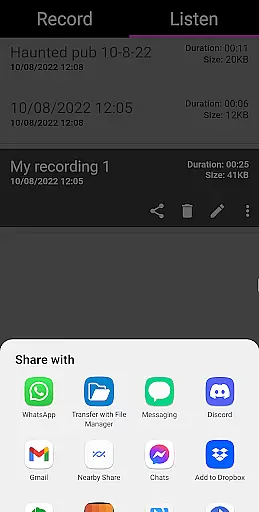
Moreover, the ability to save, rename, delete, and even import existing recordings adds a layer of personalization and control over the content created within the app. Sharing options via social media platforms like Facebook and WhatsApp further enrich the user experience by allowing hunters to distribute their findings easily. This constant interaction with dynamic content ensures that no two sessions feel alike, keeping the entertainment value high and maintaining user interest over time.
User engagement is at the core of the EVP Recorder app's design, ensuring that users remain captivated throughout their ghost hunting sessions. The app's intuitive interface and straightforward functionality make it easy for both novice and experienced hunters to dive into EVP recording without a steep learning curve. By simplifying the process of asking questions, recording responses, and reviewing results, the app encourages longer and more frequent usage periods.
Retention is further bolstered by the app's comprehensive feature set, which includes detailed recording information such as time recorded, filename, duration, and file size. These details help users keep track of their sessions and maintain an organized library of recordings, making it easier to return to previous sessions or pick up where they left off. Additionally, the absence of ads and in-app purchases creates a seamless experience that keeps users focused on their investigations without interruptions.
Finally, the EVP Recorder app fosters a sense of community and continuity through its sharing capabilities. Hunters can exchange their recordings with others, promoting collaborative analysis and discussion. This social aspect not only extends individual sessions beyond the initial recording but also builds a network of engaged users who are invested in the ongoing pursuit of paranormal evidence. Such features contribute significantly to sustained user interest and long-term retention within the app.
User-friendly interface
No in-app purchases
Comprehensive EVP tools
Free lifetime updates
Sharing capabilities
Limited to EVP phenomena
Requires quiet environment
No live monitoring
Dependent on device mic quality
Not scientifically proven

Stream Movies & TV Series: Original Shows, Family Movies & New Releases Weekly
 4.60
4.60
Stories that spark in seconds.
4.80
Earn gift cards for playing games. Become a real game tester!
4.40
Stream Live TV, News & Documentaries. Watch Full Seasons with PBS Passport.
4.80
Series,Películas y Telenovelas
4.50
Realistic Baby Simulator App
4.00
Binaural Brainwave Doses for Every Imaginable Mood
3.60
With the Steam Mobile App, you can take Steam with you anywhere.
3.00
Bold original series & hit movies that don't hold back.
4.40
The OFFICIAL PeeWee Purpdrank Soundboard!
4.80
Wodfix Air aggregates popular online content for you.
4.80
Create, chat & bond with AI souls who truly listen.
4.50
Browser for Chromecast to stream webvideos, online movies, IPTV & HD livestreams
4.40
Himnario LLDM - Fast and Easy to read , updated Hymnal 2019 Edition Official
4.20
Watch New Episodes & Live TV
3.80
Necrophone is spirit box ghost hunting app made for spirit communication.
3.70
Explore the unknown!
3.00
With the credits you earn play more games
2.90
Control your AWTRIX 3 easily
4.4


User Reviews