
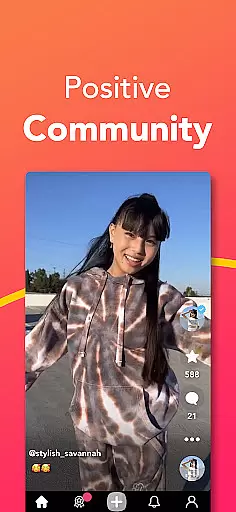
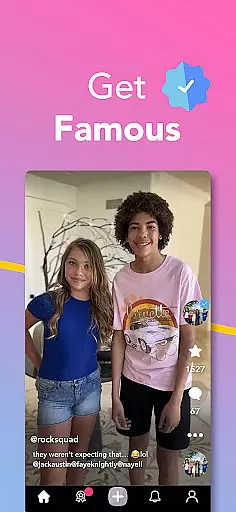
Coverstar is a social platform designed for creative expression without the negativity often found in other social media apps. The app allows users to record and share short videos, participate in challenges, and explore trends while being part of a friendly community that's fully moderated. With features like custom avatars, face tracking tools, and live streaming with Picture in Picture support, Coverstar offers a unique space for creativity.
What sets Coverstar apart is its commitment to safety and positivity. As an American company, it ensures privacy and maintains a family-friendly environment by reviewing every post, disallowing bullying, explicit content, and direct messaging. This makes it an ideal platform for those who want to express themselves freely without the fear of online harassment.
Whether you're into vlogging, GRWM clips, or dance videos, Coverstar provides a safe haven for creators to connect and share their passions. Its focus on kindness and respect fosters a supportive atmosphere where users can truly be themselves and enjoy creating content in a worry-free space.
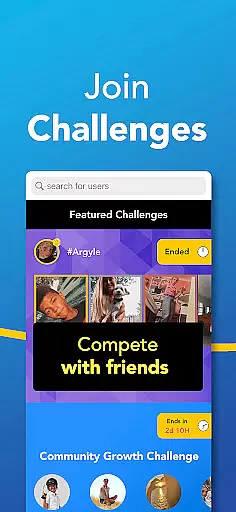
Coverstar boasts a variety of features that cater to creative individuals looking for a positive social experience. Users can create diverse types of video content such as vlogs, GRWM clips, hauls, reactions, and dance videos. The app also encourages participation in fun challenges which not only boost creativity but also help users engage more deeply with the community.
One standout feature is the ability to use custom avatars and new face tracking tools, allowing users to bring emotes and reactions to life in their videos. Additionally, Coverstar supports live streaming with background audio and Picture in Picture functionality on supported devices, enhancing the interactive experience for creators and viewers alike.
The app's dedication to safety is evident through its strict moderation policies. Every post is reviewed, ensuring that there's no bullying, explicit content, or direct messaging—creating a secure environment where users can focus on their creativity without any distractions or threats.
User profile customization is a crucial aspect of any social platform, allowing users to express their individuality and establish their digital identity. Coverstar excels in this area by offering a range of personalization options while maintaining a safe environment. Users can create custom avatars and utilize advanced face tracking tools to bring their profiles to life with unique emotes and reactions.
The authenticity verification process on Coverstar ensures that each user's profile accurately represents them. This feature helps build trust within the community by confirming that users are who they claim to be. The platform employs a thorough review system for every post, which extends to profile content, guaranteeing a genuine and drama-free social experience.
By combining robust customization features with strict verification protocols, Coverstar creates a space where users can confidently connect with others. This approach not only enhances user engagement but also contributes to the overall safety and credibility of the platform. Members can focus on creating and sharing content without worrying about encountering fake profiles or misleading information.
Connection discovery is an essential feature in modern social platforms, enabling users to find like-minded individuals and expand their networks. Coverstar implements this function thoughtfully, prioritizing quality connections over quantity. The platform's algorithm suggests potential connections based on shared interests, participation in similar challenges, and engagement with comparable content types.
Unlike other social media applications, Coverstar maintains a fully moderated environment where every interaction is carefully monitored. This ensures that connection suggestions remain appropriate and valuable. The platform's focus on kindness and respect creates a welcoming atmosphere for users to explore new relationships and collaborations without fear of encountering harmful elements.
Through its innovative connection discovery system, Coverstar fosters meaningful interactions while maintaining its commitment to safety. Users can join live streams, participate in challenges, and engage with trends knowing that their network is composed of verified, respectful members. This approach not only enhances the social experience but also encourages creative collaboration within a supportive community framework.
User-friendly interface
Fully moderated content
Custom avatar creation
Live streaming capabilities
Positive community focus
Limited direct messaging
Fewer advanced editing tools
Restricted adult content
Smaller user base
Device compatibility issues

The hottest live chat app so far. Video chat and meet great people...
 4.60
4.60
Meet local people, make friends & network: Join a community, group, host events
4.00
Live video chat to connect with people around the world. Video chatting on Olive
4.40
Date single & make friend
4.60
Live pics from your friends - Only the photos you want to see
4.60
Dating & make friend to chat, meet, flirt, and make real connections!
4.60
Find your next obsession.
3.50
Unlimited calls & texts | WiFi voice line plus group txt | Call & text now
4.50
SuperLive is a super popular video-streaming social network
4.60
Watch super live shows 24/7, chat & meet friends in Plamfy social networking app
4.70
Watch 24/7 live stream, and make real friends nearby
4.30
Sell unwanted items and buy preloved stuff in your local community.
4.10
Instant messaging — simple, fast, secure, and synced across all your devices.
4.00
Dive into diverse fandoms. Connect, create, reblog.
3.90
The video chat to meet people in the blink of an eye!
3.90
Chat and make new friends around the world!
3.90
Instant video chat with cool people. Live video call & make friends with Monkey!
3.80
Go Live, Chat & Meet New People! Friends. And more than friends.
3.80
This is to support the developer of Infinity for Reddit. No exclusive features.
4.1


User Reviews