
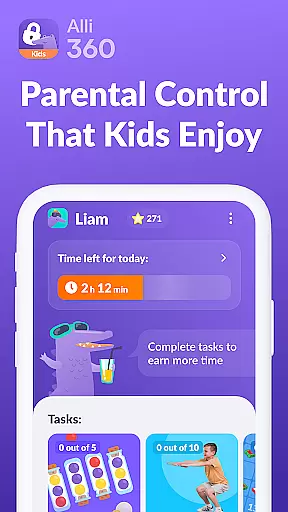
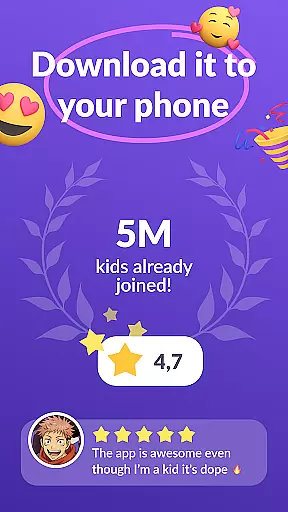
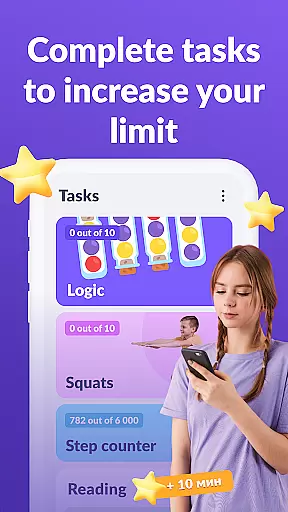
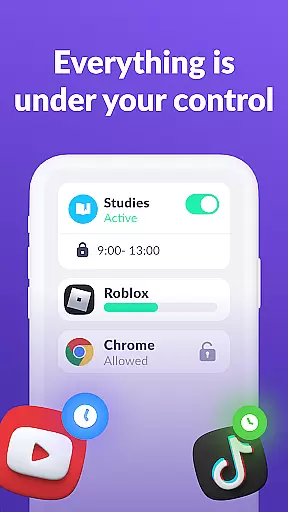
Alli360 by Kids360 is a parental control app designed to help parents manage their children's screen time effectively. The service allows setting time limits on entertainment apps and games, ensuring a balanced approach to digital consumption. Parents can create schedules for school hours and bedtime, blocking access to non-educational content during these periods.
The app provides detailed insights into the child's smartphone usage, highlighting the most frequently used applications. It ensures essential communication apps remain accessible, maintaining family connectivity. Alli360 operates transparently, requiring explicit consent for installation, and adheres strictly to GDPR regulations for data protection. This makes it a reliable tool for fostering healthy digital habits among teenagers.
Alli360 offers a comprehensive set of features for effective parental control. The Time Limit function enables parents to restrict usage of specific apps, promoting healthier device habits. The Schedule feature allows customization of access times, ensuring focus during school and rest periods. The List of Applications option lets parents choose which apps to limit or block entirely.
Parents can review the Time Spent section to understand their child's app usage patterns better. The Always Keep in Touch functionality guarantees that critical communication channels remain open. These features collectively empower parents to guide their children's digital experiences responsibly while maintaining necessary oversight and control.
When it comes to parenting applications, the credibility of content and expert validation are paramount. Alli360 by Kids360 stands out in this aspect by providing a service that is designed with family safety and parental control in mind. The app offers features such as setting time limits for entertainment applications and games, which are developed based on expert recommendations for healthy screen time habits.
The application tracker within Alli360 allows parents to monitor how much time their children spend on their smartphones. This feature is not only about control but also about understanding and guiding children towards balanced digital consumption. The app ensures transparency by allowing parents to see which apps are being used most frequently and for how long, thus enabling informed discussions between parents and children.
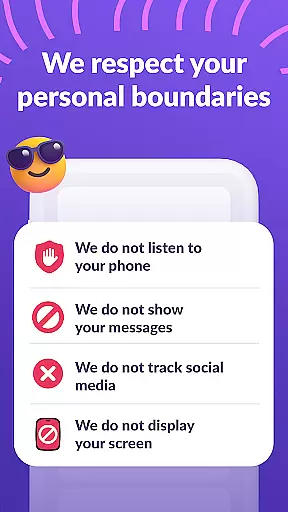
Alli360 cannot be installed without the child's knowledge, reinforcing its commitment to trust and openness within the family. Furthermore, personal data protection adheres strictly to legislation and GDPR policies, ensuring that families' privacy is safeguarded. This level of security provides peace of mind for parents who wish to keep their children safe while respecting their autonomy.
Growth tracking accuracy in parenting apps refers to the precision with which an application can monitor and report on a child's development across various metrics. Alli360 excels in this area by offering detailed insights into children's smartphone usage patterns. Parents can set schedules for school time and rest, ensuring that educational and leisure activities are balanced throughout the day.
The app provides specific tools like 'Time spent', which shows exactly how much time a teen spends on their device and identifies their most used applications. This information is crucial for parents who want to understand their child's digital behavior and make necessary adjustments to promote healthier habits.
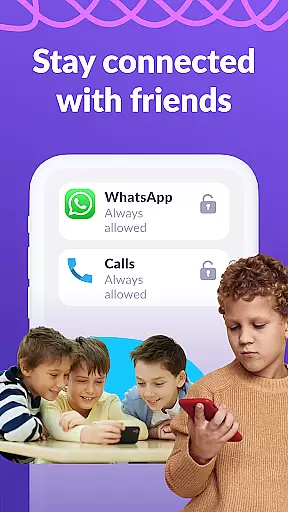
Additionally, Alli360 includes features such as 'Always keep in touch', where non-entertainment applications remain accessible at all times. This ensures that while certain apps may be restricted during designated periods, essential communication channels stay open. Such functionality supports both the safety and independence of teenagers, allowing them to reach out when needed while still adhering to agreed-upon rules set by parents.
Effective time management
Transparent data policies
Comprehensive app control
Real-time usage tracking
Essential communication access
Requires explicit consent
Limited free features
Subscription needed
Complex setup process
Dependent on another app

Educational resource for parents to inspire creativity in their children.
 4.00
4.00
Fake call application designed for parents and adults to discipline their children through the children's police.
4.20
Parental Control including Screen time control, GPS tracking, App/Game blocker.
3.90
Family GPS locator app — child location tracker. GPS kids tracker, family safety
4.70
Keep Your Family Safe with Pollog Family Assistants
4.10
Limit screen time, Block Apps & Games, Monitor with Parental control app
4.20
The 10 development leaps of your baby | newborn milestones & leap days tracker
4.10
Lullabies, Night Light & Age-based Routines to help your baby fall asleep
4.0
Speech Therapy Exercises For All!
4.40
3D Baby size, Fruit comparisons, Smart Checklist, Trending Names & Training.
4.90
Track Pregnancy, Baby Feeding, Sleep, Diaper Changes, Postpartum Health & More!
4.80
SENSORYSOOTHE and SENSORSAFE: Making car seats smarter and families safer.
4.70
Track your pregnancy & your baby's growth in 3D. Get support from our community
4.60
Reliable phone tracker by number & locate phone app. Protect your family.
4.50
All-in-one pregnancy app, contraction timer, kick counter & due date calculator
4.40
Learn according to the age of your child and consult with other moms.
4.20
Save money on diapers. Get the Pampers Rewards app.
3.90
SemLog aims to raise awareness among families and their children
3.40
Happiest Baby App replaces the SNOO App (the mobile companion to SNOO & SNOObie)
3.20


User Reviews