
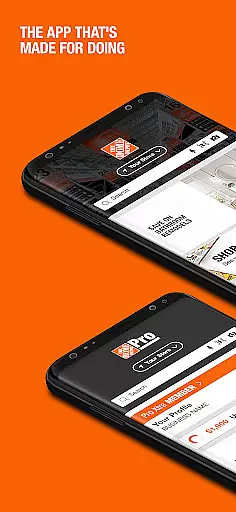

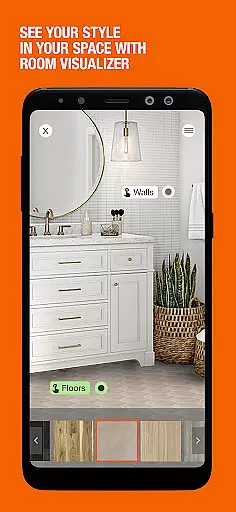

The Home Depot app is a comprehensive shopping tool designed for DIY enthusiasts and home improvement shoppers. With over one million products available, the app provides an efficient way to shop, locate items in-store, and make informed purchasing decisions.
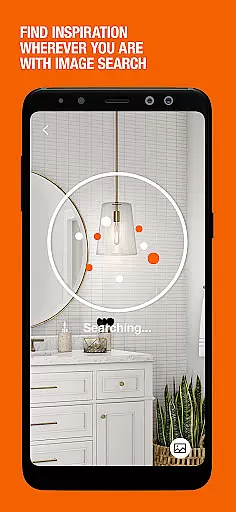
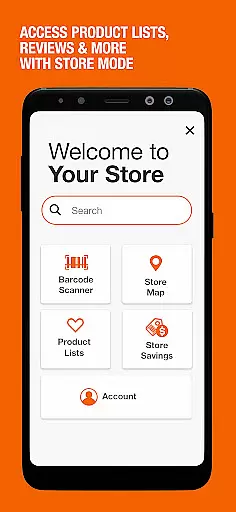
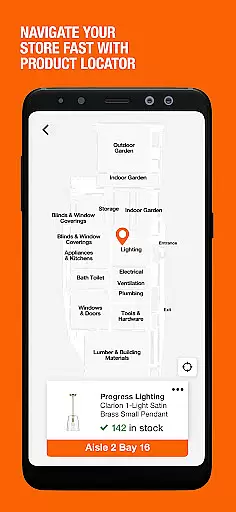
Key features include Image Search, which allows users to snap a picture to identify items, and Product Locator, which uses GPS technology to guide users to the exact aisle and bay for their desired products. Additionally, users can access Ratings & Reviews quickly through a barcode reader, making it easier than ever to evaluate products before purchasing.
Whether you're tackling a home improvement project or simply shopping for supplies, The Home Depot app streamlines the process by combining advanced search capabilities with convenient account management tools.
The Home Depot app offers a variety of innovative features tailored to enhance the shopping experience. One standout feature is the Image Search functionality, allowing users to take a photo of an item to find similar products within the app. This is particularly useful for identifying unfamiliar items or parts.
Another key feature is the Product Locator, which acts as a GPS for your shopping list. By checking store inventory and providing aisle and bay locations, this tool ensures that users can quickly find what they need in-store. Furthermore, the app includes a barcode reader that lets users scan items to access Ratings & Reviews from other customers, helping them make informed buying decisions.
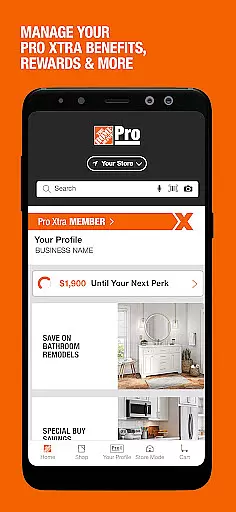
For those who create an account, additional benefits include real-time order tracking, purchase history, and instant checkout options. These features collectively save time and improve the overall shopping experience, whether users are browsing Special Buys or viewing their local ad for exclusive deals.
When it comes to shopping apps, product variety and categorization are crucial for a seamless user experience. The Home Depot app excels in this area by offering over one million products that cater to various home improvement needs. Whether you're looking for tools, paint, or garden supplies, the app provides clear categories that make browsing intuitive and efficient.
The app's organization ensures that users can easily navigate through different departments without feeling overwhelmed. Each category is thoughtfully arranged, allowing customers to quickly find what they need. This logical structuring not only saves time but also enhances the overall shopping experience by presenting relevant items at just the right moment.
Moreover, features like Image Search demonstrate The Home Depot's commitment to helping users locate specific products effortlessly. By simply snapping a picture, shoppers can identify items even if they don't know their exact names. This innovative approach bridges the gap between physical and digital shopping experiences.
For those who prefer traditional search methods, the app offers powerful filtering options. Shoppers can refine results based on price range, brand preference, customer ratings, and more. These comprehensive sorting capabilities ensure that every user can customize their shopping journey according to their unique requirements and preferences.
Pricing transparency is a cornerstone of The Home Depot's shopping experience. The app provides clear and upfront pricing information for all products, eliminating any guesswork during the purchasing process. Customers can view current prices alongside historical pricing data, empowering them to make informed decisions about when to buy.
The Home Depot app goes beyond basic price display by incorporating valuable features such as Special Buys and local advertisements directly on the home screen. These daily deals offer significant savings opportunities while keeping shoppers informed about ongoing promotions in their area. The integration of both national and local offers creates a comprehensive view of available discounts.
Competitiveness is further enhanced through the app's barcode scanning functionality. Users can compare prices across different stores by simply scanning an item's barcode. This feature not only promotes fair pricing practices but also helps customers verify that they're getting the best possible deal on their purchases.
Additionally, the app's real-time inventory checks contribute to pricing transparency. By confirming product availability and displaying accurate stock levels, users can trust that the prices they see reflect actual purchasable items. This combination of features establishes The Home Depot app as a reliable tool for finding competitive prices while maintaining complete transparency throughout the shopping process.
User-friendly interface
Extensive product range
Innovative image search
Accurate product locator
Comprehensive reviews
Limited international use
Occasional bugs
Heavy on storage
Account setup required
Ads may be intrusive

Stop overpaying. Grab coupons & deals for Walmart, Target, Amazon & more.
 4.80
4.80
Save with Coupons and Promotions
4.90
Live Auctions, Savings, and Always Free Shipping! Trusted Since 2008.
4.60
Smiles found here
3.90
Scan receipts, earn gift cards & fetch rewards with the Receipt Pal scanner app.
4.00
The PetSmart App is a great resource for every step of your pet parent journey!
3.40
Shop shoes, sneakers, activewear, and clothes from the adidas shopping app
4.80
One app for easy journeys.
4.60
Online shopping & digital coupons. Deals & local weekly ad in your myDG account
4.70
Furniture, Décor & Design Tips
4.80
With the IKEA app, you can explore, shop for furniture, and check out—simply.
4.70
Offering great hardware products.
4.70
Unlock the latest from Nike & Jordan. Shop sneakers & apparel for all athletes.
4.70
NCPMobile is the easy and intuitive way to scan and transmit your purchases!
4.50
Save with Kroger! Coupons, ads, rewards, find stores & shopping list in one app!
4.50
Scan receipts, earn gift cards & fetch rewards with CoinOut receipt scanner app.
4.30
LOCATE A LOVE'S TRAVEL STOP AND GET DRIVING DIRECTIONS
3.60
Shop with ease and save more; whether at home or in store!
3.60
Create Wishes & Get Inspired
3.20
Explore DICK'S Sporting Goods app features including virtual shoe fitting, ScoreCard rewards, and seamless shopping. Your complete guide to sports equipment shopping.



User Reviews