
Meal Planner & Recipe Keeper is a comprehensive food and drink application designed to simplify meal planning, recipe management, and grocery shopping. The app allows users to organize recipes into collections, create weekly meal plans, and generate shopping lists efficiently. Whether you're a home chef looking to streamline your cooking process or someone aiming to reduce food waste, this app provides the tools to make meal preparation more manageable.
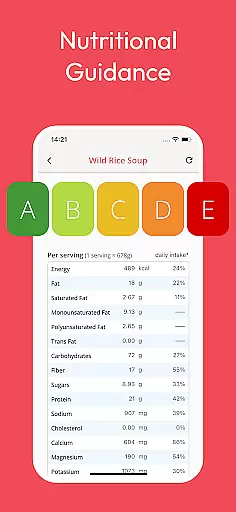
The app stands out with its ability to save recipes from any website, ensuring you never lose a great recipe again. With features like nutritional analysis, automatic ingredient scaling, and family sharing options, Meal Planner & Recipe Keeper caters to various dietary needs and household sizes. Its user-friendly interface makes it easy to plan meals, shop for groceries, and cook delicious recipes while saving both time and money.
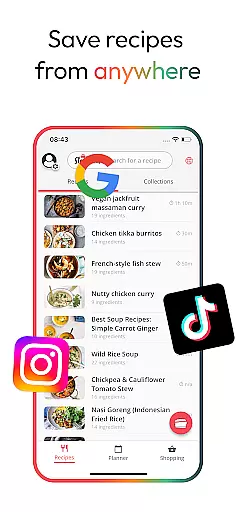
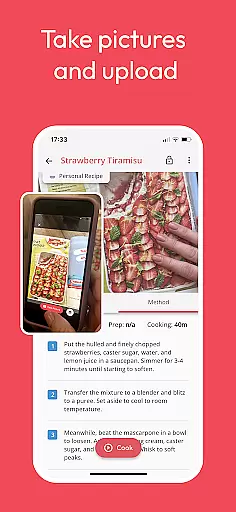
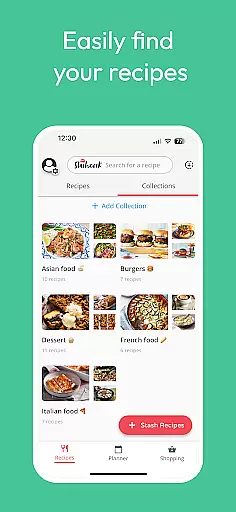
One of the standout features of Meal Planner & Recipe Keeper is its versatility in recipe management. Users can save recipes from virtually any online source, including popular sites like BBC Good Food and Pinterest, and access them anytime through the app's intuitive interface. This virtual cookbook ensures that all your favorite recipes are stored securely in one place, eliminating the risk of losing them.
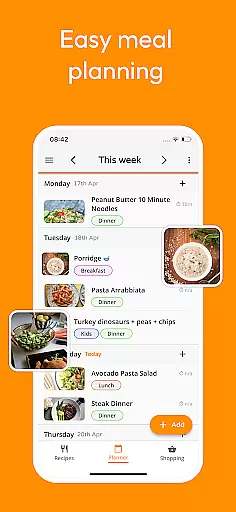
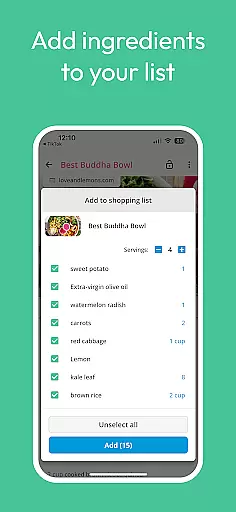
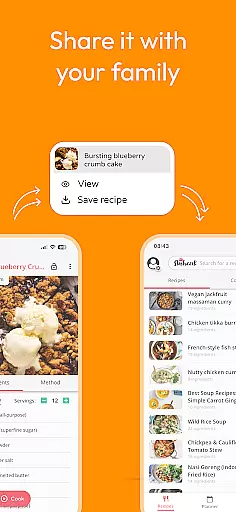
In addition to recipe saving, the app offers advanced meal planning capabilities. You can create detailed weekly meal plans, rearrange them based on your preferences, and even add notes for specific dietary requirements or leftover usage. The integrated shopping list feature organizes ingredients by supermarket aisle, streamlining the grocery shopping experience. Furthermore, the Family Share feature allows up to six accounts to sync and share recipes, meal plans, and shopping lists, making it ideal for collaborative household meal planning.
Locating the right store for your grocery needs is essential for efficient meal planning. The Meal Planner & Recipe Keeper app simplifies this task by integrating a robust store locator feature. This functionality allows users to find nearby supermarkets and specialty stores, ensuring they can acquire all the ingredients needed for their planned meals.
The app's store locator is designed with precision, offering accurate location data and detailed store information. Users can easily search for stores based on specific criteria such as product availability, store hours, and proximity. This ensures that whether you're looking for organic produce or international ingredients, you'll know exactly where to go.
By providing reliable store information, the app enhances the shopping experience. Shoppers can plan their grocery trips more effectively, saving both time and transportation costs. With the ability to locate stores that match dietary preferences and ingredient lists, users can streamline their shopping process while adhering to their meal plans.
Ultimately, the store locator feature adds significant value by connecting meal planning with actual shopping. It empowers home chefs to execute their culinary visions without the stress of searching for ingredients. This seamless integration between planning and purchasing makes the Meal Planner & Recipe Keeper an indispensable tool for anyone looking to simplify their cooking routine.
In today's fast-paced world, delivery services and pickup options have become vital for busy individuals who still want to enjoy home-cooked meals. The Meal Planner & Recipe Keeper app addresses this need by offering seamless integration with various delivery platforms and pickup services. This means users can order ingredients online and have them delivered directly to their doorstep or ready for pickup at their convenience.
The app provides clear information about delivery times, fees, and available pickup locations. By partnering with multiple grocery delivery services, it ensures that users have a variety of options to choose from, catering to different schedules and preferences. Whether you prefer same-day delivery or scheduled pickups, the app accommodates your lifestyle.
Moreover, the transparency in pricing and service details enhances user trust and satisfaction. There are no hidden fees, and users can compare different services to find the best deal. This level of clarity not only saves money but also reduces the anxiety associated with unexpected charges.
By incorporating delivery and pickup functionalities, the Meal Planner & Recipe Keeper app significantly boosts convenience. It bridges the gap between meal planning and ingredient acquisition, allowing users to focus more on cooking and enjoying their meals rather than worrying about logistics. This feature is particularly beneficial for those juggling work, family, and personal commitments, making meal preparation more accessible and less time-consuming.
User-friendly interface
Comprehensive recipe management
Advanced meal planning tools
Nutritional analysis feature
Family sharing functionality
Limited offline functionality
Premium features require subscription
Occasional syncing issues
Interface may feel cluttered
Learning curve for new users

Save at the pump AND in store with deals on gas, snacks & drinks at Murphy USA.
 4.80
4.80
Delicious cocktail recipes you can make with ingredients you already have.
4.40
Delivery. Pickup. Rewards.
4.70
Top restaurants delivered
4.70
Tons of tasty options, ready in an instant! Order for pickup or delivery.
4.70
Order for Pickup and Delivery
4.70
The ultimate app to save recipes from Instagram, TikTok, Facebook & more.
4.60
Mexican Food Pickup & Delivery
4.70
Order, Deals & Rewards
4.20
Bringing a piece of Louisiana to your fingertips!
4.90
Earn rewards, order ahead, and never miss a celebration! At select locations.
4.90
Conveniently order food ahead and avoid the wait at your favorite Jersey Mike's.
4.80
Quickly order, pay, reload your Starbucks Card and earn free drinks or food.
4.80
Order ahead at your favorite restaurants.
4.70
Order ahead, receive points with qualifying purchase & redeem available rewards.
4.50
Discover. Create. Plate.
4.40
Get exclusive food deals, earn rewards, fast reordering & order ahead options.
4.30
Order Beer, Snacks & More 24/7
4.20
Food Delivered to your door! Order from 1800+ Grocery & Retail Store Brands.
4.10


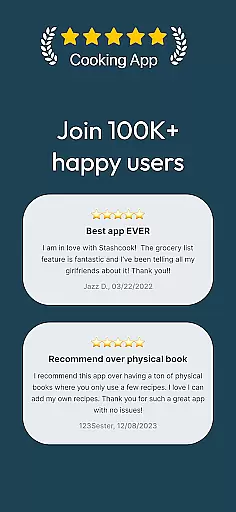
User Reviews