
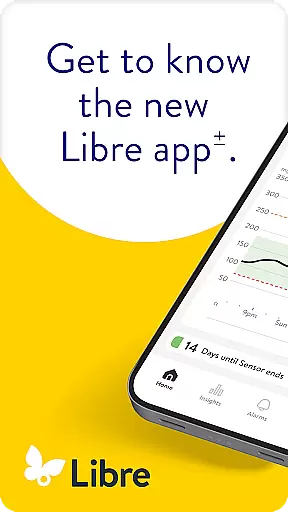
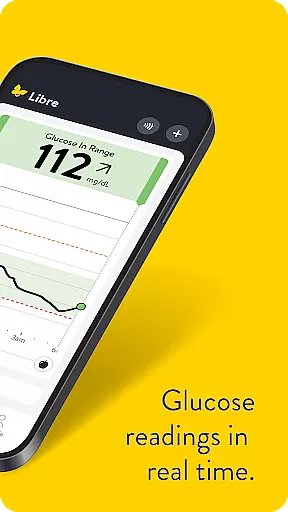
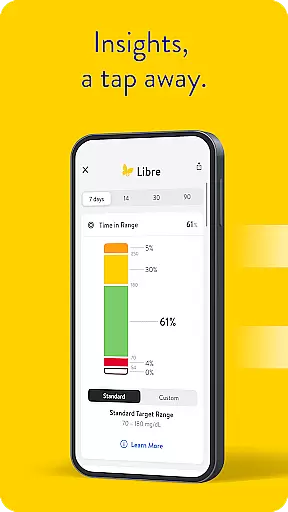
Libre by Abbott is a continuous glucose-monitoring (CGM) app designed to help individuals with diabetes effectively track their glucose levels. The app replaces the previous FreeStyle Libre 2 and FreeStyle Libre 3 apps and is compatible with these system sensors. It provides minute-by-minute updates directly on your phone, ensuring real-time monitoring of glucose levels.
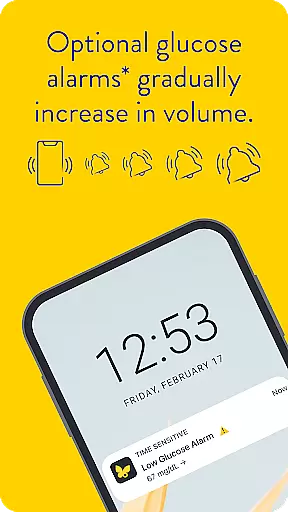
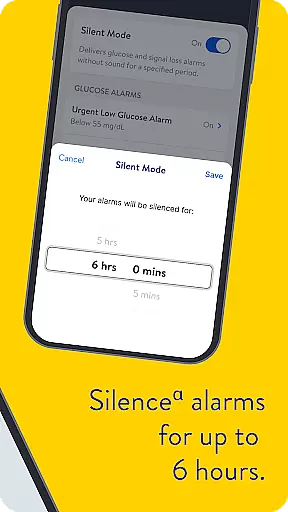
One of the standout features of Libre app is its optional alarms that discreetly notify users when their glucose levels are too high or too low. These alarms can be silenced for up to six hours, offering flexibility and convenience. This functionality makes it an essential tool for managing diabetes efficiently, particularly for those who require constant monitoring.
The app is suitable for people with diabetes aged four and older when used with FreeStyle Libre 2 and FreeStyle Libre 3 sensors, and for children aged two and older when used with FreeStyle Libre 2 Plus and FreeStyle Libre 3 Plus sensors. By providing accurate and timely data, Libre by Abbott empowers users to make informed treatment decisions in consultation with healthcare professionals.
Libre by Abbott offers several advanced features that set it apart from other CGM apps. Firstly, it provides automatic readings every minute, ensuring users have the most current glucose data at their fingertips. This feature is crucial for maintaining optimal glucose levels and preventing potential health issues.
Another significant feature is the optional alarms that alert users when their glucose levels are outside the normal range. Users can choose to silence these alarms for up to six hours, allowing for uninterrupted periods if needed. Additionally, the app's compatibility with various sensors ensures broad usability across different user groups.
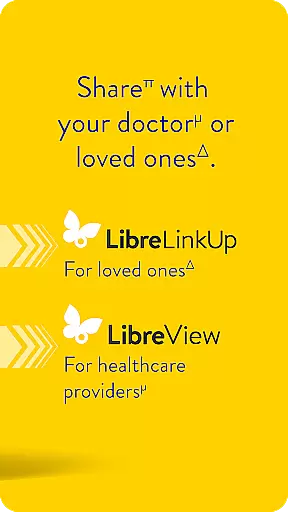
Furthermore, Libre app integrates seamlessly with LibreView data management software, enabling both patients and healthcare professionals to review and analyze historical glucose data. This integration supports effective diabetes management by providing comprehensive insights into glucose trends and patterns, ultimately aiding in better health outcomes.
In the realm of diabetes management, the credibility of medical content is paramount. Libre by Abbott app provides users with continuous glucose monitoring that is rooted in clinically validated technology. This ensures that every reading you receive is not just a number, but a reliable data point that reflects your true glucose levels.
The app's compatibility with FreeStyle Libre 2 and FreeStyle Libre 3 system sensors is indicative of Abbott's commitment to accuracy and precision. These sensors are designed based on extensive research and development, ensuring that they meet high standards of performance and reliability expected in critical health monitoring tools.
Furthermore, Libre app does more than just display numbers; it offers an interactive useru2019s manual within the app itself. This feature allows users to access detailed information about their FreeStyle Libre continuous glucose monitoring systems at any time, reinforcing the importance of understanding how to use this product effectively for making informed treatment decisions.
For those seeking additional assurance, consulting with healthcare professionals becomes seamless as the data from Libre app can be shared during consultations. The ability to present accurate historical glucose meter data empowers both patients and doctors to collaboratively devise effective diabetes management strategies tailored specifically for individual needs.
Teleconsultations have become increasingly vital in managing chronic conditions like diabetes. With Libre by Abbott, teleconsultation quality is significantly enhanced through its real-time glucose readings that update every minute on your phone. This immediacy ensures that healthcare providers can offer timely advice based on current data without requiring physical presence or traditional glucometer uploads.
Optional alarms further augment teleconsultation experiences by discreetly alerting users when glucose levels are too low or high. These alerts can be discussed during virtual appointments, allowing doctors to adjust treatment plans dynamically while also teaching patients how to respond appropriately under different scenarios.
Silent mode adds another layer of personalization where users may choose to silence certain notifications temporarily without losing track of their overall health status. Such flexibility demonstrates thoughtful design considerations aimed at improving patient comfort while maintaining robust communication channels between them and their caregivers.
Moreover, integration capabilities with LibreView data management software mean that all collected information automatically uploads whenever internet connectivity is available. This seamless transfer supports comprehensive reviews during teleconsultations, enabling thorough analysis and evaluation necessary for effective long-term diabetes care planning.
User-friendly interface
Real-time glucose updates
Optional alarm notifications
Compatible with multiple sensors
Seamless data integration
Requires internet connectivity
Device compatibility varies
Alarms can be silenced only temporarily
Preset silent mode duration
Professional advice necessary

We’ve made it easy for Oscar members to get care on the go.
 4.30
4.30
One app to unlock your health
4.30
The Omada app enhances your program experience and helps you stay engaged.
4.50
Radiographic Positioning Guide for Medical Imaging Professionals and Students
4.50
Control your hearing aids discreetly with the touch of a finger
4.30
Log your symptoms in the MyZio app — the perfect companion to the Zio monitor!
4.60
Use the phone microphone or headset mic as sound amplifier for louder hearing.
4.30
Search by insurance, see real-time openings & verified reviews, get care fast.
4.80
The doctor will see you now
4.70
Want to make it easier to manage your health? We’re with you, wherever you are.
4.70
Save up to 80% on your pharmacy prescriptions & medications with free Rx coupons
4.70
Your donation experience just got smoother; Donor Hub is your go-to place.
4.70
Remote, medical-grade heart care at your fingertips
4.70
Boost reading, writing, speaking and listening with a scientifically proven app.
4.70
The MDLIVE app makes connecting with a doctor fast, easy, and convenient.
4.60
Identify pills, search different drugs, get drug information and much more!
4.50
Modivcare members can book and manage trips.
4.50
The Client Portal app empowers you to manage care from one secure place
4.10
Easy access to benefits and rewards
3.70


User Reviews