
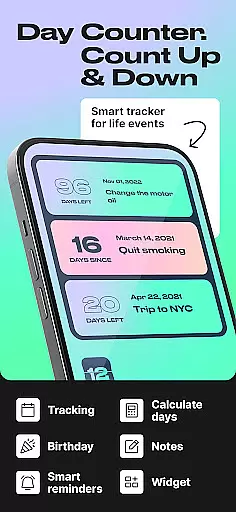
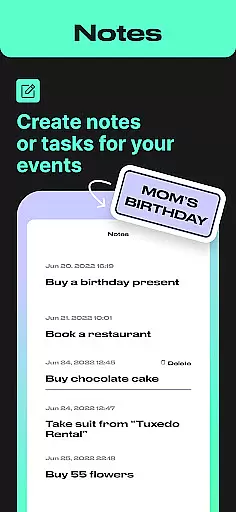
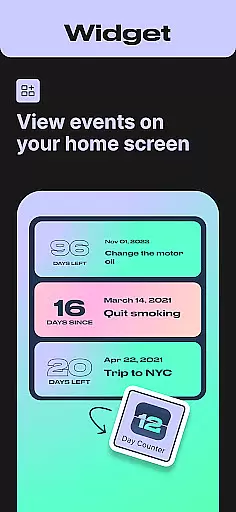
Day Counter is an elegant and versatile time tracking application designed to help users monitor important events, milestones, and habits. The app offers two primary modes - count up and countdown - allowing users to track days since or until any significant moment. With unlimited counters, customizable notifications, and a clean minimal design, it serves as the perfect productivity assistant for both personal and professional use.
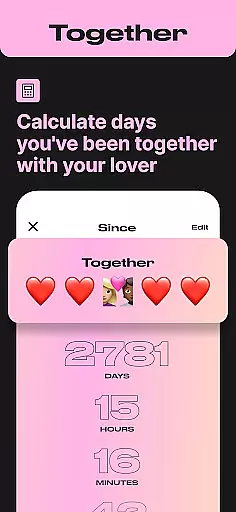
The application's functionality extends beyond simple date calculations. Users can create dedicated trackers for work deadlines, personal goals, sobriety milestones, and habit streaks. The widget support and reminder system ensure users never miss crucial dates while maintaining complete control over their time management. Whether tracking days together with a loved one or counting down to Christmas, Day Counter provides precise timing for every occasion.
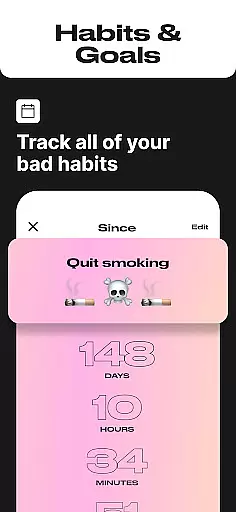
This Events category app particularly shines in its ability to help users build better habits and maintain long-term streaks. From quitting smoking to limiting social media usage, the app's intuitive interface makes it easy to celebrate progress and stay consistent. The combination of practical features and thoughtful design elements creates a powerful tool that helps users take control of their schedule while honoring meaningful life events.
Day Counter distinguishes itself through a comprehensive set of features designed to enhance time management and event tracking. The app's dual-mode functionality allows users to seamlessly switch between counting up for ongoing events and counting down for upcoming milestones. This flexibility extends to various life scenarios, from tracking sober days to monitoring approaching exam dates, making it an indispensable tool for diverse user needs.
A key differentiator is the app's unlimited counter capability, enabling users to manage multiple events simultaneously without restrictions. Each counter can be customized with specific names, dates, and notification preferences, ensuring personalized tracking for every occasion. The clean minimal design eliminates distractions while providing essential information at a glance, including widgets that display critical data directly on the home screen.
Advanced features include custom notifications that alert users about approaching milestones, detailed progress tracking by week, month, or year, and specialized tracking modes for birthdays, holidays, and personal achievements. The app's implementation of both countdown and count-up timers addresses various psychological aspects of time management, helping users maintain motivation through visual progress indicators and milestone celebrations.
Task creation and detail customization are essential features for any event management app. Day Counter excels in this area by providing users with the ability to create unlimited counters for various events, from personal milestones to work deadlines. Each counter can be individually named and set with specific dates, allowing for a highly personalized tracking experience.
The app's intuitive interface makes it easy to customize every aspect of your counters. Users can choose between count-up and countdown modes depending on their needs. Whether you're tracking days until an upcoming exam or counting the days since starting a new habit, the customization options ensure that each task is meaningful and relevant to your goals.
With Day Counter, users benefit from precise control over their time tracking. The ability to add detailed descriptions and categorize counters ensures that no important event or milestone is overlooked. This level of customization empowers users to stay organized and focused on both short-term tasks and long-term objectives.
Ultimately, the detailed customization options in Day Counter provide significant value by enabling users to tailor their time tracking to their unique lifestyles. By offering flexibility in how events are tracked and presented, the app enhances user engagement and helps maintain motivation for personal and professional growth.
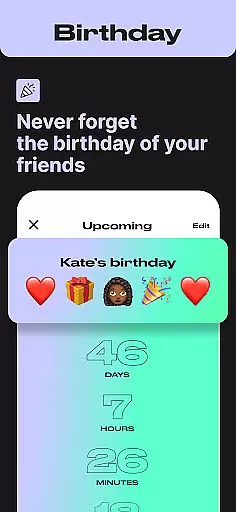
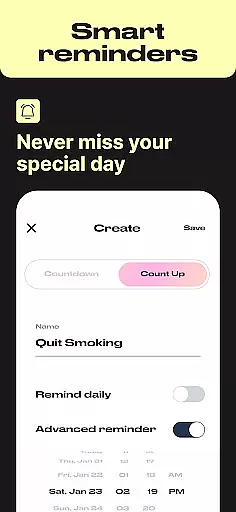
Reminder settings play a crucial role in ensuring that users never miss an important event or milestone. Day Counter offers robust reminder functionalities that allow users to set custom notifications for each counter they create. Whether it's a birthday, anniversary, or deadline, the app ensures timely alerts so that users can prepare and act accordingly.
The flexibility of reminder settings in Day Counter is one of its standout features. Users can configure notification preferences for each individual counter, choosing the timing and frequency of reminders. This personalized approach to notifications ensures that users receive alerts that suit their schedules and preferences, enhancing the overall user experience.
By leveraging the app's reminder settings, users gain peace of mind knowing that they won't overlook critical dates. The ability to set up multiple reminders for different events means that both personal and professional commitments are managed effectively. This functionality not only boosts productivity but also helps users maintain better relationships through timely acknowledgments of special occasions.
In summary, the reminder settings in Day Counter significantly enhance the app's utility by providing reliable and customizable notifications. This feature ensures that users remain informed and engaged with their time tracking, ultimately leading to improved organization and time management skills.
User-friendly interface
Unlimited event tracking
Customizable notifications
Minimalist design
Versatile functionality
Limited advanced analytics
No team collaboration
Premium feature costs
Occasional bugs
Basic widget options

Create Birthday Cards in Birthday Invitation Maker and Birthday Card Creator App
 3.00
3.00
The Ultimate Tournament Hub
4.70
Browse events, find transportation, keep up with the latest news from your team
4.5
Microsoft Build is an annual developer conference hosted by Microsoft
4.20
Local events, contests, and giveaways for local dads
3.70
For weddings, parties & events
4.60
Soft Proxy for Your Online World
4.2
RAISE-365 makes fundraising easy and fun!
3.20
TV Garden - World Live TV : Play & cast your videos seamlessly!
3.20
Create invitation cards for birthdays, weddings, Christmas and more.
4.80
Birthday Greetings provides Birthday Card, Frames, Gifs & Father's day Wishes
4.80
Plan your wedding for free on the go: vendors, budget, website and checklists!
4.80
Listen Full Quran MP3 Offline - Qibla Compass, Salah Timing & 99 Names of Allah
4.60
Wedding planner app with wedding venues, wedding checklist, countdown & budget.
4.60
Meet people over dinner
4.40
The calendar app in this 2026 year see all dates.
4.20
No invest, Easy way to earn USDT through crypto cloud mining
3.80
Buy event tickets easily with our user-friendly App. Stay updated on hot events
4.5
The Official Football Ticketing App for Fans in Qatar
4.4


User Reviews